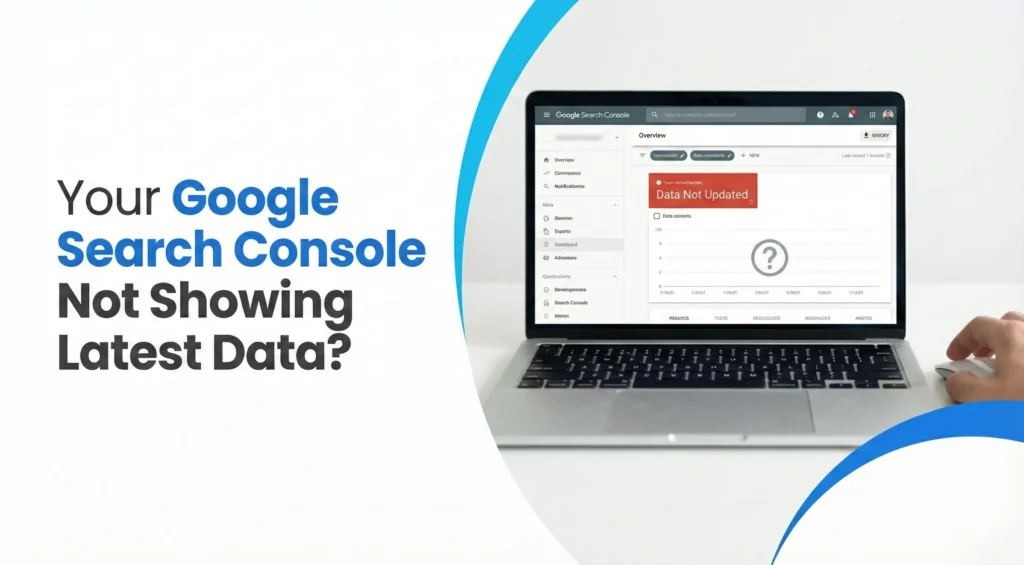
If you opened your Google Search Console today and felt your heart drop because the 24-hour performance tab shows 0 impressions and 0 clicks, you are not alone. Thousands of website owners and SEO teams are confused by this sudden change. The traffic looks normal in Google Analytics, pages continue to rank, yet Search Console shows a flat line.
So what is going on?
Here is the full explanation, why it is happening, whether your website is actually affected, and what you should do until the data returns.
This guide covers the full story behind the Google Search Console data delay, why the latest March update triggered blank graphs, and how to confirm your real traffic using GA4.
What Exactly Changed in Google Search Console?
Google Search Console usually shows two types of data:
Regular performance data Updated with a delay of 2–3 days.
Fresh Data (Last 24 Hours tab) Almost real-time, updated every few hours.
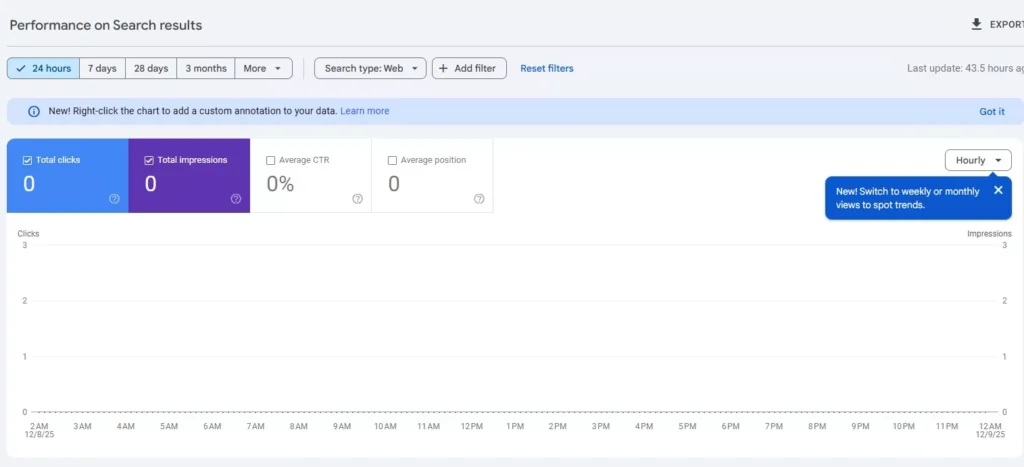
The issue is happening only in the 24-hour tab. This “Fresh Data” view is showing:
0 impressions
0 clicks
Graph completely blank
Hourly performance stuck
Last updated timestamp not moving
For many websites, this delay lasts 24–48 hours, sometimes longer.
The key point: Your website has NOT lost visibility. Only the reporting system is slow.
Why Google Search Console Shows 0 Impressions Even When You Are Getting Traffic
Search Console does not show real-time data. Even the 24-hour tab uses a separate faster, experimental data pipeline that is more sensitive to updates and maintenance.
During Google’s backend updates (especially large ones):
New data stops flowing temporarily
The system freezes the latest metrics
The 24-hour view resets to zero until the update finishes
This creates the false impression that your website has no search traffic.
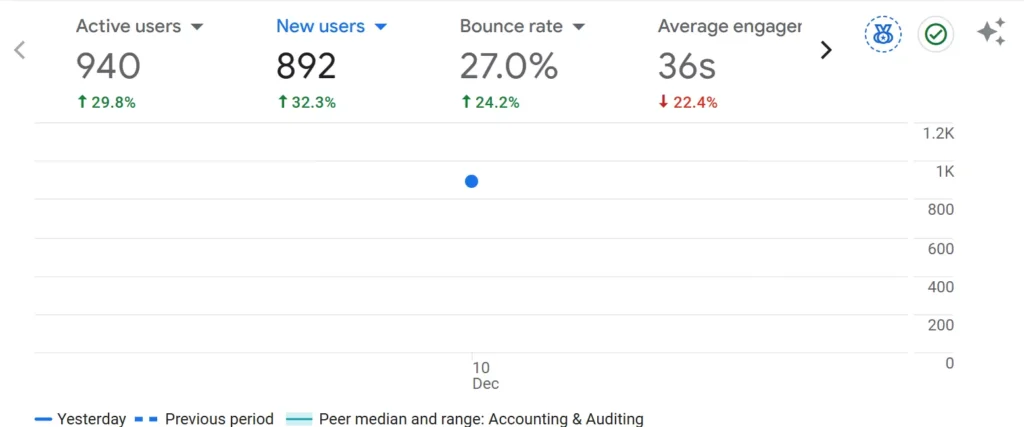
But if you check Google Analytics…
You still see:
Pageviews
Active users
Traffic from Google Search
Real-time activity
Which means your rankings are intact.
How Long Does the Google Search Console Delay Last?
Different delays happen depending on the scale of Google’s updates.
Mild delay:
4–12 hours Common during small maintenance cycles.
Moderate delay:
24–48 hours This is the most common window when major recalibration happens.
Large-scale indexing or data update:
Up to 72 hours Rare, but it happens during system-wide updates.
Google does not always announce these delays publicly, which is why it causes confusion.
Why the March Update Triggered Fresh Data Freezing
The recent March Google system update introduced several backend adjustments that affected how fast Search Console processes and displays performance data. These changes did not impact ranking or indexing, but they did slow down the Fresh Data pipeline, which is the part of Google Search Console responsible for updating the last 24 hours of impressions and clicks.
During this update, Google temporarily paused the faster data-processing stream that powers the 24-hour view. When this stream is paused, Search Console cannot load new impressions or clicks, which results in:
0 impressions in the 24-hour tab
0 clicks even when traffic exists
A blank or frozen performance graph
Hourly metrics not updating
The “last updated” timestamp staying stuck for 24–48 hours
The important thing to understand is that this freeze affects reporting only. Your website continues receiving impressions and clicks in real time on Google Search. The missing data simply accumulates until Google finishes recalibrating the pipeline. Once the update completes, the Fresh Data stream restarts, and all delayed metrics reappear at once.
How to Confirm Your Website Is NOT Losing Traffic
You can verify this in three quick steps:
1. Check Google Analytics (GA4)
If GA4 shows normal traffic trends, you are safe.
2. Check manual rankings/visibility
Search your main keywords in incognito. Your pages will still appear in similar positions.
3. Check server logs or crawl stats
If Googlebot crawls normally, no issue on your site.
What If Search Console Shows No Data at All?
If even the main performance report shows zero impressions for many days (not just the 24-hour tab), only then check:
Manual Actions
Indexing issues
Site blocking (robots.txt)
Domain or DNS issues
But in the current scenario, only the 24-hour tab is affected. Your main report still updates normally after 48–72 hours.
Conclusion
If your Google Search Console shows 0 impressions, 0 clicks, or a blank 24-hour graph, take a breath. Nothing is wrong with your website. What you are seeing is a temporary reporting delay, not a drop in traffic, not a penalty, and not a ranking issue. Google’s data pipeline simply paused, which makes the Fresh Data tab look broken even though your site continues to receive normal traffic.
The easiest way to confirm this is to check Google Analytics, where your real-time sessions and pageviews continue as usual. Your SEO performance has not disappeared. Only the reporting window is behind.
These delays happen from time to time, especially during major Google updates.
In short, the problem is temporary, your traffic is safe, and your rankings remain unaffected. Just give Search Console time to refresh, and your performance report will return to normal.
Quick FAQs
Why does Google Search Console show 0 impressions in the last 24 hours?
Google Search Console is currently experiencing a fresh data delay, which causes the 24-hour tab to display 0 impressions and 0 clicks. This does not mean your website has lost traffic. It only means the reporting pipeline has paused. Your real traffic continues as normal and can be confirmed through Google Analytics.
How long does Google Search Console take to update?
Under normal conditions, the 24-hour view refreshes every few hours. During larger system updates, the data may take 24 to 48 hours to appear, and in some rare cases up to 72 hours. The delay affects reporting only, not your rankings.
Is Google Search Console real-time?
No. Google Search Console never updates in real time. Even the “last 24 hours” view is an experimental, faster pipeline that can freeze when Google runs updates or maintenance. This is why you may see a blank graph or old data only.
Why is Search Console data different from GA4?
GA4 tracks user behaviour (pageviews, sessions) in real time. Search Console tracks search visibility (impressions, clicks, queries). Because they measure different things through different systems, GA4 may show active traffic while Search Console shows 0 impressions due to a reporting delay.
Does Google Search Console have reporting delays?
Yes. Google regularly performs backend updates that can delay or freeze the fresh data view. These delays are common and temporary. They do not affect indexing or ranking, only how quickly the metrics appear.
Does Google Search Console have reporting delays?
Yes. Google regularly performs backend updates that can delay or freeze the fresh data view. These delays are common and temporary. They do not affect indexing or ranking, only how quickly the metrics appear.
Why does the hourly performance view show no data?
Hourly data depends on the same fresh data pipeline. When Google pauses or recalibrates that system, the hourly view stops updating and shows 0 clicks or 0 impressions. Once the update is complete, the entire missing block of data will reappear.
Why does Search Console show no data, but my site is still ranking?
This happens when the reporting pipeline is delayed, but Google’s search index remains active. Your site continues to rank normally on Google, but Search Console cannot display the latest numbers. GA4 and real-time search checks confirm that your visibility has not changed.
Why is Google Search Console showing only old data?
When Search Console updates are running, new data temporarily stops flowing. This makes the graph appear stuck on older dates. The missing data will load once the system resumes processing.
Disclaimer:The information provided in this blog is for general informational purposes only. For professional assistance and advice, please contact experts.
Neha Ghauri, a graduate, has seven years of experience in writing for the digital marketing, finance, and business industries. She specializes in SEO-driven...