

How to Do SEO Audits in 2026: What to Check First (Technical + Content + UX)
March 18, 2026
| Neha Ghauri | Reviewed by Haseeb Hamdani
Reading Time: 11 minutes
Jump To Section
- Why SEO audits matter more in 2026
- Preparing for your audit
- Step 1: Crawlability and indexation
- Step 2: Site architecture and URL structure
- Step 3: Core Web Vitals and page speed
- Step 4 – Mobile‑first and accessibility audit
- Step 5 – Security and HTTPS
- Step 6 – Duplicate content and canonicalization
- Step 7 – Structured data and schema markup
- Step 8 – JavaScript rendering and modern frameworks
- Step 9 – Log file analysis and crawl budget optimization
- Step 10 – On‑page SEO audit
- Step 11 – User experience and conversion audit
- Step 12 – AI and Generative Engine Optimization (GEO)
- Step 13 – Monitoring and continuous improvement
- Conclusion
- FAQs: SEO Audits in 2026
SEO audits have become more than a periodic health‑check. In 2026, search engines evaluate websites holistically, they consider technical health, content depth and user experience, and generative AI platforms like ChatGPT summarise websites in seconds. Business owners in Toronto and across Canada need an audit framework that reflects this new reality.
This guide teaches you how to do SEO audits in 2026 and what to check first across technical SEO, content quality and user‑experience. It blends authoritative recommendations from Google with practical insights that go beyond what most competitors cover.
If you want a free SEO audit, contact our SEO Specialist today!
Why SEO audits matter more in 2026
Search engines no longer evaluate pages in isolation. They look for coherent site structures, helpful content and a trustworthy brand experience. Regular audits help you uncover issues that could be hurting visibility, conversions or your eligibility for AI‑generated answers. A modern audit delivers:
- Better crawlability and indexation. Fixing robots.txt errors and no‑index tags helps crawlers find your most valuable pages.
- Stronger internal linking and site architecture. A logical hierarchy and clear URLs make it easier for both users and search engines to understand your offering.
- Improved Core Web Vitals and page speed. Faster sites reduce bounce rates and improve the likelihood of being cited in AI answers.
- Unique, high‑quality content. Modern algorithms reward original information that offers information gain over existing articles.
- Enhanced user experience and conversions. Good design, clear navigation and trust signals encourage visitors to take action.
In short, audits align your site with how search engines and AI tools rank and summarise content today. Next we’ll outline a complete audit checklist you can adapt to any site size.
Preparing for your audit
Before diving into the audit, assemble the right tools and data. Every audit should start with:
- Access to Google Search Console and Analytics. Search Console reports show indexing, Core Web Vitals and mobile usability issues, while Analytics helps you spot tracking errors and confirm that bots aren’t polluting your data.
- A crawling tool such as Screaming Frog or Sitebulb. Crawlers highlight broken links, redirect chains and orphan pages and can export reports for deeper analysis.
- Page speed testing and Core Web Vitals tools. Use Google PageSpeed Insights, Chrome DevTools or other lab tools to evaluate Largest Contentful Paint (LCP), Interaction to Next Paint (INP) and Cumulative Layout Shift (CLS).
- A project sheet for prioritising fixes. Document each issue and assign it a priority. High‑priority items include pages blocked from indexing, server errors and critical Core Web Vitals failures; medium priority tasks include redirect chains and duplicate content.
Set aside dedicated time. Full site crawls can take several hours depending on your site’s size, so plan the audit when traffic is low. Keep a record of changes and improvements to monitor progress over time.
Step 1: Crawlability and indexation
A site cannot rank if search engines can’t find or index your content. Start by checking:
- Google Search Console index status. The ‘Pages’ report lists indexed, excluded and problematic URLs; pay attention to pages marked “Crawled – currently not indexed”, “Blocked by robots.txt” or “Excluded by noindex tag”. Evaluate thin pages and decide whether to improve or de‑index them.
- Robots.txt directives. A single misplaced rule can block your entire site. Review robots.txt for overly broad Disallow directives and ensure that important CSS and JavaScript files aren’t blocked.
- XML sitemap accuracy. Your sitemap should include only canonical URLs you want indexed and exclude pages with noindex tags or redirects.
- Noindex tags. Ensure that essential pages (services, blog posts, category pages) are not mistakenly tagged with noindex.
Pro tip: Toronto businesses operating in English and French can submit separate sitemaps if your site serves multiple languages. Use hreflang tags to direct search engines to the correct language version.
Log file analysis and crawl budget
For larger sites, review server logs to see how search engines crawl your pages. Log file analysis helps you understand whether Googlebot is wasting crawl budget on low‑value pages and which pages are crawled frequently. If crawl budget is an issue (generally for sites with 1,000+ pages), consider:
- Eliminating duplicate content via canonical tags.
- Blocking low‑value pages like search filters and admin paths.
- Fixing redirect chains so crawlers don’t waste resources following multiple hops.
Step 2: Site architecture and URL structure
Good architecture makes it easy for crawlers and users to navigate your site. Aim for:
- Logical categories and a shallow hierarchy. Important pages should be within three clicks of the homepage. Group related content under clear silos (e.g., SEO services, web design, digital marketing).
- Clean, descriptive URLs. Avoid long parameters and use keywords naturally. For example, /Toronto-seo-audit-services/ is more readable than /service?id=123.
- Consistent naming conventions and canonical URLs.
- Use canonical tags on pages with similar content to consolidate link equity.
- Internal linking. Link related pages within the same silo and use descriptive anchor text. Avoid over‑optimized anchors such as “click here”; instead, use phrases like “technical SEO services in Toronto”.
When building out new sections, map them to existing silos and update your sitemap accordingly. Good architecture not only improves SEO but also aids user navigation and conversions.
Step 3: Core Web Vitals and page speed
Page speed remains one of the most important ranking and user experience factors. Google’s Core Web Vitals measure loading performance, interactivity and visual stability.
Largest Contentful Paint (LCP)
LCP measures the time it takes for the largest visible content element (an image, video or block of text) to appear. Google recommends that the LCP should occur within 2.5 seconds for at least 75 % of page visits. To improve LCP:
- Optimize images. Serve appropriately sized images and modern formats (WebP). Use responsive image attributes and lazy‑load off‑screen images.
- Reduce server response times. Use a CDN and optimize database queries. For Pakistan‑based audiences, host your site on a server with good connectivity to regional ISPs.
- Minimize render‑blocking resources. Defer non‑critical JavaScript and CSS. Inline critical CSS to shorten the critical rendering path.
Interaction to Next Paint (INP)
INP is a stable Core Web Vital that measures overall responsiveness by tracking the latency of user interactions across the page. A good INP is 200 milliseconds or less. Anything above 500 ms is considered poor. To improve INP:
- Minimize main‑thread work. Break up long tasks, optimize JavaScript execution and remove unused scripts.
- Optimize event handlers. Use passive listeners where possible and avoid heavy computations in click or tap events.
- Use browser‑native features. CSS animations and transitions are more efficient than JavaScript‑driven animations.
Cumulative Layout Shift (CLS)
CLS measures the sum of all unexpected layout shifts during the life of a page. Sites should strive for a CLS score of 0.1 or less. Values between 0.1–0.25 need improvement, and scores above 0.25 are poor. Reduce CLS by:
- Setting explicit size attributes. Always specify height and width for images, videos and embed elements so the browser can allocate space before they load.
- Avoiding late DOM injections. Don’t insert ads or dynamic content above existing content unless users expect it.
- Using font-display: swap. Ensure that custom fonts don’t cause flash-of-invisible-text (FOIT) by using fallback fonts until the custom font loads.
Improving Core Web Vitals leads to better user satisfaction and increases the likelihood of appearing in AI‑generated answers.
Step 4 – Mobile‑first and accessibility audit
Since 2026, Google indexes sites primarily from a mobile perspective. A mobile‑first audit checks whether your site provides a seamless experience on small screens:
- Responsive design. Ensure pages scale to different viewports and that text remains legible without zooming.
- Clickable elements. Buttons and links should be tap‑friendly; avoid placing them too close together.
- Mobile page speed. Monitor LCP, INP and CLS on mobile devices using PageSpeed Insights. Mobile users often have slower connections, so optimize images and resources.
- Accessibility compliance. Check color contrast, keyboard navigation and ARIA labels. An accessible site not only reduces legal risks but also broadens your audience. Tools like WAVE and Lighthouse can highlight accessibility issues.
Step 5 – Security and HTTPS
Security signals influence both rankings and trust. Make sure that:
- HTTPS is enforced site‑wide. Redirect all HTTP pages to HTTPS using 301 redirects.
- No mixed content exists. Check for pages that load HTTP resources (images, scripts, stylesheets) and fix them.
- Certificates are valid. Use SSL Labs’ SSL Test to confirm there are no configuration issues.
- Implement security headers. Add Content‑Security‑Policy (CSP) and HTTP Strict Transport Security (HSTS) headers to protect users and signal trustworthiness.
Step 6 – Duplicate content and canonicalization
Duplicate content dilutes ranking signals and confuses search engines. During the audit:
- Identify near‑duplicate pages. Use your crawler to detect pages with similar titles or identical body content. Consolidate them or differentiate them clearly.
- Check canonical tags. Canonical tags tell crawlers which version of a page is the preferred URL. Make sure there is only one canonical tag per page and that it points to the correct URL.
- Avoid indexation of duplicate parameterized URLs. Add rel=”canonical” to the clean URL or use the URL parameters tool in Search Console to inform Google how to handle them.
In a bilingual site, ensure that each language version has its own canonical and an hreflang pointing to its alternate language counterpart.
Step 7 – Structured data and schema markup
Schema markup helps search engines understand context and can qualify you for rich results and AI‑generated answers. Focus on:
- Choosing appropriate schema types. For businesses in Toronto, consider Organization, LocalBusiness, Product, Service, FAQ and HowTo schemas. Use JSON‑LD format for ease of implementation.
- Implementing at scale. Add schema to templates so that blog posts automatically include Article and Breadcrumb markup.
- Validating schema. Use Google’s Rich Results Test to check for errors. Fix warnings to improve eligibility for rich snippets.
Pro tip: Add faqPage schema for your FAQ section to enhance the chances of your Q&A appearing in search results and AI summaries.
Step 8 – JavaScript rendering and modern frameworks
Many modern websites use frameworks like React or Vue. Google can render JavaScript, but delays between crawling and rendering can affect indexing. During the audit:
- Compare raw and rendered HTML. Use the URL Inspection tool in Search Console to see whether critical content and metadata are present in both versions.
- Consider server‑side rendering (SSR) or static site generation (SSG). Both solutions deliver fully rendered HTML to crawlers, ensuring content is visible immediately.
- Test with JavaScript disabled. If important content disappears without JS, search engines may not index it.
For small businesses that can’t re‑architect their entire site, dynamic rendering (serving pre‑rendered pages to bots) can be a temporary solution. However, Google recommends moving toward SSR or SSG for long‑term scalability.
Step 9 – Log file analysis and crawl budget optimization
Log file analysis isn’t just for enterprise sites; even medium‑sized businesses can benefit. Analysing server logs shows exactly how often Googlebot and other crawlers visit each page. Use this data to:
- Identify important pages that aren’t being crawled frequently. Increase internal links or include them in sitemaps.
- Spot wasted crawl budget on thin or low‑value pages and block them via robots.txt.
- Ensure that server response times aren’t causing crawlers to abandon sessions.
Step 10 – On‑page SEO audit
Once technical issues are under control, shift to content and on‑page elements. Good on‑page SEO aligns your pages with user intent and improves click‑through rates.
Keyword targeting and search intent
Ensure each page targets one primary keyword and closely related variants. Avoid keyword stuffing; instead, write naturally and answer the user’s intent. For instance:
- Informational intent: Provide definitions, how‑to guides and FAQs.
- Navigational intent: Make it easy to find product categories, contact pages or location pages.
- Transactional intent: Highlight offers, benefits and clear CTAs.
Local businesses should include geo‑modifiers (e.g., “SEO audit Toronto”, “digital marketing agency Canada”) naturally. Cross‑link these pages to your service offerings and blog posts.
Title tags and meta descriptions
Titles and descriptions influence click‑through rates and should include your target keyword. During the audit, check:
- Unique titles and descriptions. Avoid duplicate metadata across pages.
- Length limits. Keep titles under 60 characters and descriptions under 155 characters.
- Clear value propositions. Highlight what users will learn or gain when they click your page.
Header structure and content hierarchy
Use H1, H2 and H3 tags to create a logical outline. The H1 should contain the primary keyword (as this article’s does). Subheadings should group related ideas, making it easier for readers and AI models to parse your content.
Image optimization
Images should enhance your content but never slow down the site. Optimize by:
- Compressing and resizing. Reduce file size without compromising quality.
- Using descriptive alt text. Alt text helps both accessibility and image search rankings.
- Implementing lazy loading. Load off‑screen images only when they’re needed, saving bandwidth and improving LCP.
Internal linking and content silos
Internal links connect content silos and distribute authority. Review:
- Orphan pages. Pages with no internal links may not be crawled or ranked. Add them to relevant navigation menus or blog posts.
- Anchor text. Use natural language that reflects the destination page’s topic.
- Topic clusters. Link sub‑articles to pillar pages to strengthen topical authority.
Content quality and information gain
Content should offer unique value rather than simply rephrasing existing articles. Consider the following during your audit:
- Depth and completeness. Do your articles cover subtopics comprehensively? Expand sections where competitors are thin.
- Accuracy and currency. Update outdated statistics and references. Provide local data for Canada where possible.
- Multimedia elements. Use tables, charts and infographics to improve comprehension and satisfy different learning styles.
Search engines and AI models reward pages that deliver “information gain,” meaning your content should provide insights not found elsewhere. Conduct competitor research and ask: What questions remain unanswered? Provide those answers.
Step 11 – User experience and conversion audit
UX goes beyond aesthetic appeal; it’s about how easily visitors can accomplish their goals.
Navigation and information architecture
Menus should be intuitive and consistent. Evaluate:
- Menu hierarchy. Place important pages at the top level; avoid burying them in submenus.
- Search functionality. Provide a site search for large sites; ensure it returns relevant results.
- Breadcrumbs. Use breadcrumbs to show users where they are within a section.
Conversion path analysis
Every page should guide visitors toward an action. Assess:
- Call‑to‑action placement. Buttons or forms should be clearly visible and relevant to the page’s intent. For example, after describing an audit checklist, include a CTA to request a professional SEO audit from your agency.
- Form usability. Keep forms short and mobile‑friendly. Test that submissions work and trigger thank‑you pages.
- Contact accessibility. Provide contact details (phone, email, physical address) prominently, especially if you serve local clients in Toronto.
Trust signals and proof
Trust indicators improve engagement and conversions. Add:
- Reviews and testimonials. Showcase customer feedback from Canadian businesses who’ve benefited from your audits.
- Certifications and awards. Mention relevant certifications (Google Partner status, local awards).
- Case studies. Publish case studies detailing how your audits improved traffic or revenue.
Accessibility compliance
Accessibility isn’t optional; it’s part of good UX. Use proper contrast ratios, ensure keyboard navigability and provide descriptive alt text. Accessibility also broadens your audience and may improve search rankings.
Step 12 – AI and Generative Engine Optimization (GEO)
With the rise of generative AI, search engines now summarise web content and answer queries directly. GEO involves structuring your content to increase its chances of appearing in AI overviews. During your audit:
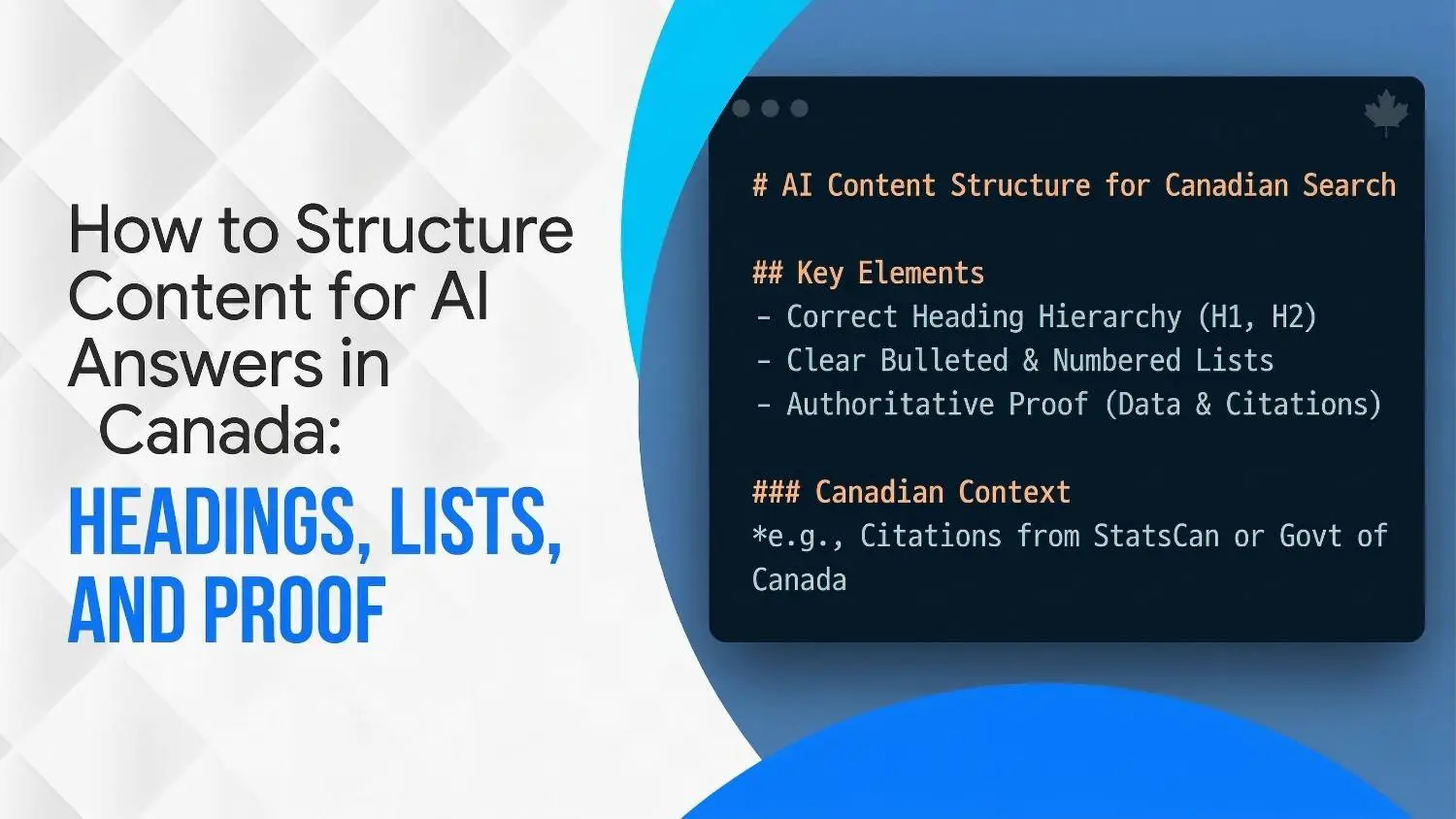
- Answer questions early and clearly. Structure pages so that questions are addressed near the top and subheadings summarise the main points.
- Build topic silos and link them logically. Group related articles under thematic hubs (SEO, UX, content marketing). This helps AI understand topical expertise.
- Use structured data, lists and FAQs. These formats help AI extract succinct information and may increase the chance of being included in generative answers.
- Monitor AI‑generated responses. Periodically test queries relevant to your business in tools like ChatGPT and note what information is surfaced. Update content to fill gaps or correct misconceptions.
Generative AI is still evolving, but websites that focus on clarity, depth and structured information have an advantage.
Step 13 – Monitoring and continuous improvement
SEO is not a one‑time project. After implementing fixes, set up ongoing monitoring:
- Review audits quarterly. Search algorithms and user behaviour change rapidly; quarterly audits help you catch new issues.
- Track Core Web Vitals continuously. Use CrUX data to monitor real‑world performance and set up alerts for metrics that dip below thresholds.
- Watch for algorithm updates and AI changes. Read official Google announcements and industry news to adapt your strategy.
- Test new features. Experiment with Web Stories, interactive experiences or voice search optimizations.
Conclusion
Performing an SEO audit in 2026 requires a holistic approach that combines technical excellence, content depth and user‑centric design. By following the steps outlined above, from ensuring crawlability and fast page speed to optimizing for AI‑driven search, you build a resilient digital foundation. For businesses in Toronto and across Canada, these audits are a powerful lever for growth in a competitive digital landscape.
Ready to take your website to the next level? Wide Ripples Digital can handle the heavy lifting. Our expert team specialises in comprehensive SEO audits, local SEO strategies and generative engine optimization.
Contact Wide Ripples Digital today for a free consultation and discover how a professional audit can transform your online presence.
FAQs: SEO Audits in 2026
What is a technical SEO audit?
A technical SEO audit evaluates the backend elements of a website, page speed, index status, crawlability and security, to find and fix issues preventing search engines from efficiently crawling and indexing your site. It forms the foundation for all other SEO efforts.
How often should I conduct an SEO audit?
Most companies perform a comprehensive SEO audit one to two times per year. High‑traffic or rapidly changing sites may benefit from quarterly audits. Monitor key metrics monthly and address issues as they arise.
Do I need expensive tools to perform an audit?
No. Google Search Console, PageSpeed Insights and Screaming Frog’s free plan allow you to cover most technical issues. Paid tools like Ahrefs, Semrush or Screaming Frog’s full version can speed up analysis but are optional.
What are the most critical issues to fix first?
High‑priority tasks include pages blocked from indexing by robots.txt or noindex tags, widespread 5xx server errors, expired SSL certificates and critical Core Web Vitals failures. Address these before moving to medium‑priority tasks like redirect chains or duplicate content.
How does an SEO audit help local businesses in Toronto?
Audits identify technical barriers and content gaps that may prevent local customers from finding you. By improving site speed, optimizing for mobile and adding local keywords, you increase your visibility in Canadian search results and AI summaries. Localized schema and hreflang tags ensure that search engines serve the right language and currency versions to your audience.
What is the difference between GEO and SEO?
SEO (Search Engine Optimization) focuses on ranking in traditional search results, while GEO (Generative Engine Optimization) focuses on optimizing content for AI‑driven answer engines. GEO emphasizes clear, structured information, topical authority and question‑answer formats to increase the chance of being featured in AI summaries.
Disclaimer: The information provided in this blog is for general informational purposes only. For professional assistance and advice, please contact experts
Search Here
More Categories
Latest Posts

March 18, 2026
Neha Ghauri
March 13, 2026
Khadija Raees
March 10, 2026
Neha Ghauri
March 6, 2026
Neha Ghauri
March 4, 2026
Neha Ghauri




About Author

Neha Ghauri
Neha Ghauri, a graduate, has seven years of experience in writing for the digital marketing, finance, and business industries. She specializes in SEO-driven...