Free design tools can feel like a cheat code. You open a tab, drag a few shapes, and suddenly you look like you hired a designer. Then week two hits. You need a clean logo, sharper images, faster pages, and a layout that still looks good on mobile. That is when most people get stuck, not because they lack ideas, but because they picked tools that trap their files or limit what they can export.
This post gives you ten tools you can use right now, plus a simple way to pick the right ones for your workflow. You will also learn one 2026 check most lists skip, so your work stays portable as you grow. If you only save one page this week, save this list of the best free website design tools.
Website Design Tools Vs Website Builders
Website design tools help you plan pages, design sections, and create assets like banners, icons, and logos. Website builders help you publish pages and manage things like hosting, themes, and site settings.
Here is the practical difference. A design tool helps you make the look. A builder enables you to put it online. Many people mix the two and waste time. If you design inside a builder too early, you can end up locked into its blocks. If you design in a tool first, you can move more cleanly and build faster later.
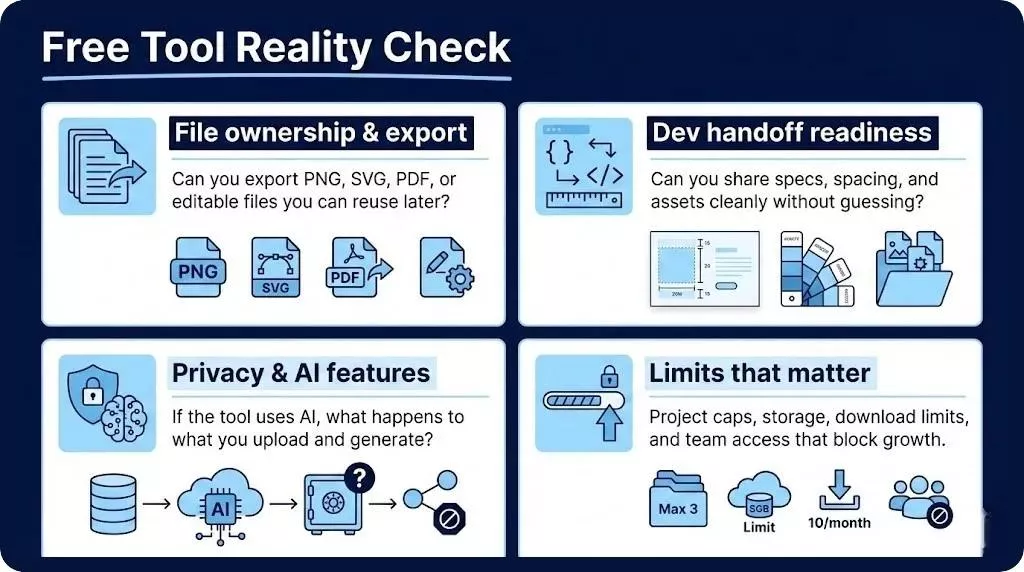
The 2026 Free Tool Reality Check
Most lists only tell you that a tool is great. That is not enough in 2026, because free plans often come with limits that only show up after you have done real work. This is the part that saves you from getting trapped, especially if you use AI tools to design website layouts or generate assets.
Run this quick reality check before you commit to any tool, even the best free website design tools.
File ownership and export Can you export PNG, SVG, PDF, or editable files that you can reuse later
Dev handoff readiness Can you share specs, spacing, and assets cleanly, without guessing
Privacy and AI features If the tool has AI features, what happens to what you upload, and what you generate
Limits that matter Project caps, storage, download limits, and team access limits that block growth
How This List Stays Truly Free and Practical in 2026
This list follows three simple rules. Each pick must be usable for free or have a real free tier. Each pick must solve an actual website design job, not a vague creative task. And each pick must fit into a clean workflow from layout to assets, to optimization, so your site can load fast and look sharp.
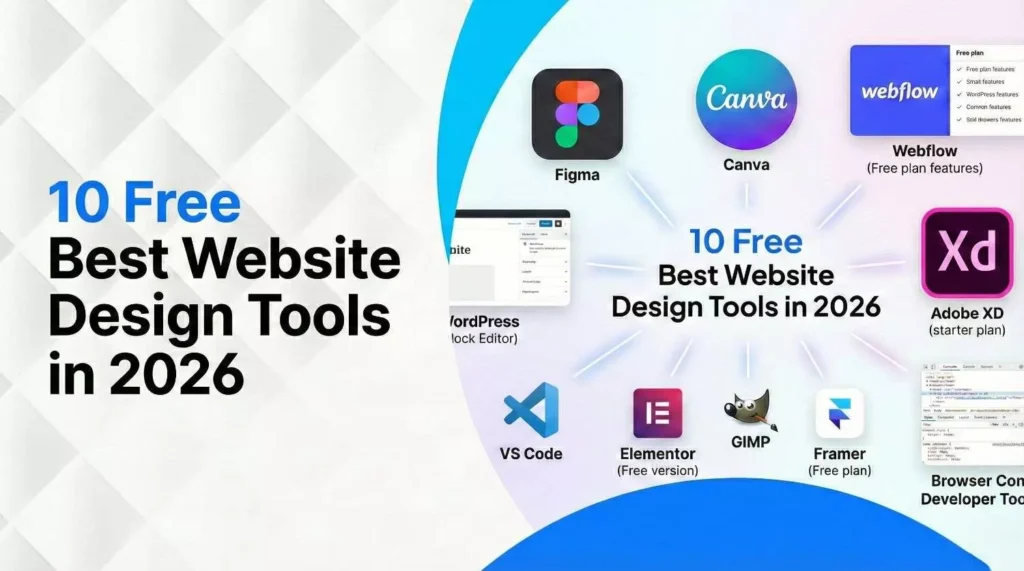
The 10 Free Website Design Tools You Can Use in 2026
Figma
Use Figma when you want to design website sections, plan a full page layout, and share a clickable prototype with a client or team. It is built for collaboration, so feedback stays in one place instead of living in ten chat threads.
Measure the win by speed and clarity. You should get faster approvals, fewer revisions, and fewer “what do you mean” messages from your developer.
Penpot
Penpot is a strong choice if you want an open-source style workflow that plays well with design and code. It is also great when you want design files that feel less locked in, since it works with common web standards like SVG and CSS.
Measure the win by handoff time. If your developer can rebuild the design with fewer questions, you picked well.
Mockplus
Mockplus is a good pick for fast wireframes and quick prototypes. If your goal is to map a site structure and show user flows before you polish the visuals, it keeps you moving. It also offers a free plan, which makes it a practical starter tool.
Measure the win by decision speed. A wireframe that gets a yes today is worth more than a perfect design next month.
Canva
Canva is great for quick website graphics like hero banners, simple icons, promo blocks, and branded visuals. It is easy for non-designers, and it also includes AI features for generating and editing content, which can help when you need speed.
Measure the win by output volume. You should be able to create a small set of consistent visuals in one sitting.
Photopea
Photopea is a browser-based editor that helps when you need layered edits, quick cutouts, or image fixes without installing anything. It is handy if you receive files like PSD or if you need a fast alternative for web graphics.
Measure the win by turnaround time. If you can fix an image in minutes and export the right format for the web, it is doing its job.
GIMP
GIMP is a free and open source desktop image editor. It is a strong option when you need deeper edits, like cleaning up photos, adjusting colours, or building marketing visuals with more control.
Measure the win by quality. Your images should look cleaner and sharper, without becoming huge files that slow your site.
Inkscape
Inkscape is the tool you want for vector work. That means logos, icons, and SVG graphics that stay crisp at any size. If your brand needs a clean logo and a set of simple icons for your site, this belongs in your stack.
Measure the win by consistency. Your logo and icons should look sharp on mobile and desktop, without pixel blur.
Coolors
Coolors is a fast colour palette generator. It helps you find a tight colour set, check contrast, and keep your site looking consistent. If you have ever picked colours that looked good in a mockup but felt messy on a real site, this fixes that.
Measure the win by fewer colour mistakes. Your buttons, headings, and backgrounds should feel like they belong together.
Google Fonts
Google Fonts helps you pick readable font pairs and use them on the web. The library is built for the web, and the licensing is open source, which makes it practical for most business sites.
Measure the win by readability and load. Your text should stay easy to read, and your pages should not feel heavy.
Squoosh
Squoosh is a free image optimizer that helps shrink images without obvious quality loss. It is one of the easiest ways to improve load time, which matters for user experience and SEO. It also processes images locally in your browser, which is a privacy plus.
Measure the win by file size. If your hero images drop a lot in size and still look good, you did it right.
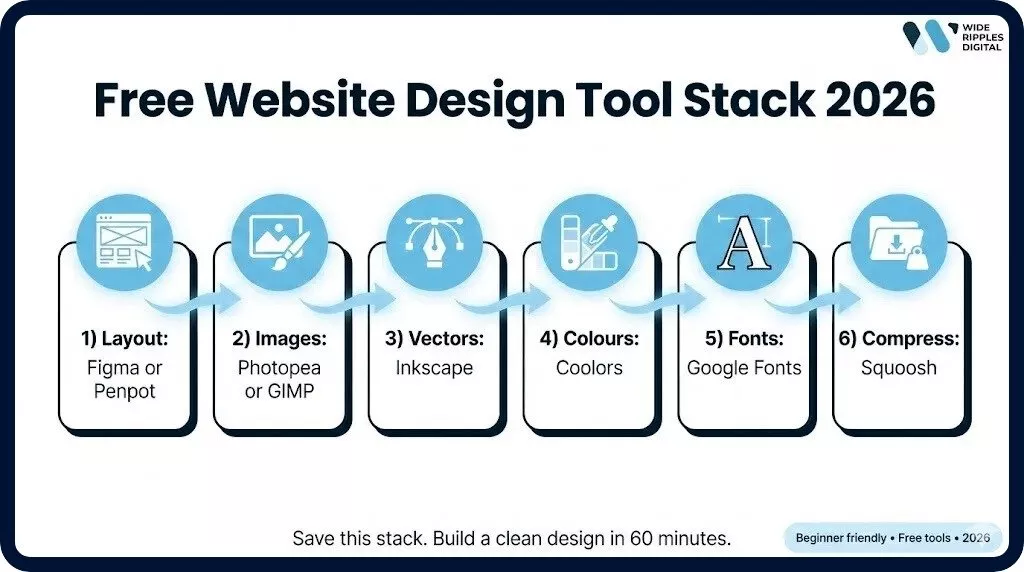
The 60-minute Workflow That Turns Tools Into a Real Website Design
If you only have one hour, do not jump into random designs. Follow this order. It keeps your work clean and helps you avoid redoing things later.
Minutes 0 to 10 Pick one page type to design first, usually a service page or home page. Write the goal in one line, like book a call or request a quote.
Minutes 10 to 25 Design your layout in a tool like Figma, Penpot, or Mockplus. Focus on sections, not decoration.
Minutes 25 to 40 Pick your colour palette and fonts. Keep it simple, one main colour, one accent, and one neutral. Use a readable font pair.
Minutes 40 to 50 Create or edit your images. Export web-friendly formats. Then compress them.
Minutes 50 to 60 Create a handoff folder. Save your layout link, exported images, logo SVG, font choices, and a short notes file for spacing and sizes.
This simple workflow also helps if you are testing an ai tool to create website design drafts. You can generate ideas, then lock them into a clean, reusable design system.
Common Mistakes That Waste Time With Free Design Tools
Most bad results come from a few repeated mistakes. Fix these, and you will improve faster than people who keep switching tools.
Using blurry images and stretching them to fit
Skipping compression and slowing down the site
Picking fancy fonts that hurt readability
Exporting the wrong formats, like raster logos instead of SVG
Designing only for desktop and ignoring mobile spacing
Building without a consistent colour system, so every page looks different
In Short
Free tools are not the problem. Random tool choices are. If you run the four-point reality check, pick a clean stack, and follow the 60-minute workflow, you can design faster and keep your files portable. That is what makes these the best website design tools for real small business work, not just for playing around.
If you want a quicker path, Wide Ripples can set up your full design system, clean up your website visuals, and prep a handoff that your developer can build without confusion. You can reach Wide Ripples Digital at 1470 Hurontario St, Suite 100, Mississauga, ON L5G 3H4, or call +1 416 668 6969.
Quick FAQs
What are the best free website design tools in 2026?
For full-page layouts and team feedback, tools like Figma and Penpot are strong picks.
Can free design tools create a professional website look?
Yes, if you use a simple layout, consistent colours, readable fonts, and compressed images.
Which free tool is best for logo and SVG design?
Inkscape is a solid choice for vector logos and icons in SVG format.
What is the easiest free tool for non-designers?
Canva is often the easiest for quick graphics and branded visuals.
How do I make my website images load faster for free?
Compress images with a tool like Squoosh before uploading them to your site.
How do I avoid getting locked into one tool?
Choose tools that export cleanly, keep your original files organized, and save assets in common formats like SVG and PNG.
Disclaimer: The information provided in this blog is for general informational purposes only. For professional assistance and advice, please contact experts