HTTP status codes are the language that servers and browsers use to communicate. When your browser requests a page, the server responds with a three‑digit HTTP status code to indicate whether the request succeeded or failed. These codes are a fundamental part of how the web works because they allow clients and servers to identify what happened with a request, recover gracefully from errors and optimize user experience.
This guide dives deep into every category of HTTP status code, explains what each common code means and provides practical fixes for the errors you’re likely to encounter.
What Is HTTP Status Code?
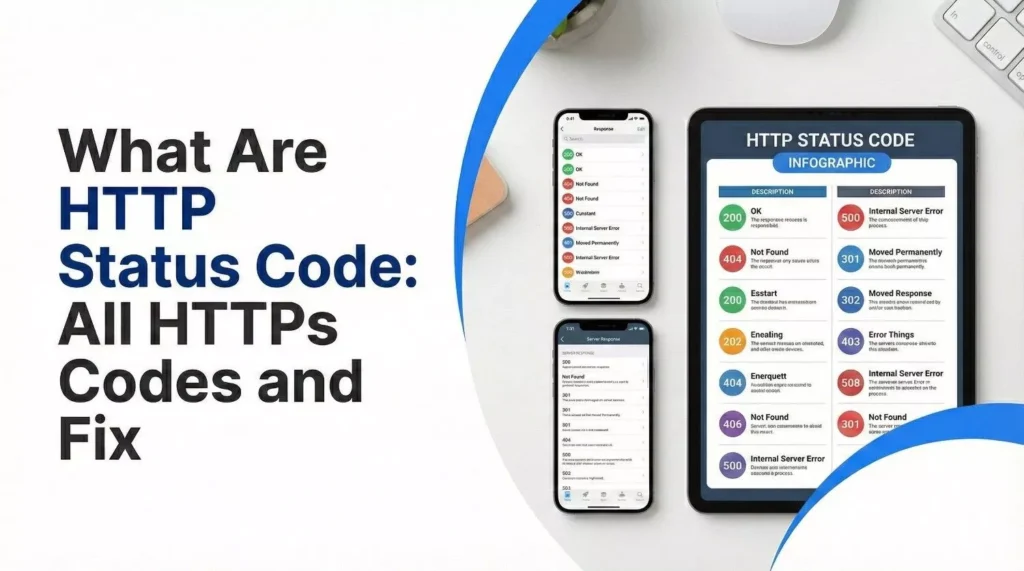
An HTTP status code is a standardized three‑digit number returned by a web server to indicate the status of a client’s request. The first digit of the code defines the class of response:
1xx – Informational: The request was received and processing continues.
2xx – Success: The request was received, understood and accepted.
3xx – Redirection: The client must take additional action to complete the request (for example, follow a redirect).
4xx – Client Error: The request contains incorrect syntax or cannot be fulfilled.
5xx – Server Error: The server failed to fulfill a valid request due to an error.
These categories enable structured communication and help developers quickly diagnose issues. They also allow browsers and search engines to handle pages correctly and provide informative feedback to users.
HTTP status codes provide standardized communication, help diagnose issues quickly and allow developers to handle errors gracefully.
Why HTTP Status Codes Matter
User experience and SEO: When pages return success codes (200 OK) they are accessible to users and search engines. Client‑side errors such as 404 can frustrate users and harm SEO. Server‑side errors like 500 can render a site unusable if not resolved quickly.
Troubleshooting: Status codes highlight the source of a problem. For example, a 404 suggests a missing page or broken link, while a 503 indicates the server is overloaded or under maintenance.
Monitoring and optimization: Regularly checking status codes helps identify performance bottlenecks and misconfigurations. Tools such as browser developer panels or site audits show status codes for each request.
Understanding and using the correct codes is therefore crucial for maintaining a reliable website.
Informational Responses (1xx)
Informational codes indicate that the server has received the request and is continuing the process. They rarely appear in everyday browsing but are important in protocol negotiations and streaming.
Status Code
Meaning
100
Continue – the client can continue with its request.
101
Switching Protocols – the server is switching protocols as requested by the client.
102
Processing – indicates the server has received and is processing the request but no response is available yet (deprecated).
103
Early Hints – allows the server to send preload hints while still preparing the final response.
When to Worry
Most 1xx codes are transient and handled automatically by browsers. If you see them in logs, they simply signal that the request is still in progress. No action is required.
Success Responses (2xx)
Success codes tell you that the request was processed correctly. They are what you want to see for normal pages and API responses.
Common 2xx Codes
Code
Meaning
200 OK
The request succeeded. For GET requests the resource is returned; for POST requests the server sends information about the result.
201 Created
A resource was created as a result of the request.
202 Accepted
The request has been received but not yet acted upon.
203 Non‑Authoritative Information
The returned metadata may be from a third‑party copy; use 200 when possible.
204 No Content
The request succeeded, but there is no message body.
205 Reset Content
Tells the client to reset the document that sent the request.
206 Partial Content
Used for range requests when returning a portion of the resource.
Tips for Success Codes
A high proportion of 200 OK responses indicates healthy pages that search engines can index. Make sure your primary URLs return 200 to avoid indexing issues.
201 Created is common with REST APIs but rare for standard websites. Ensure client applications check for 201 when creating resources.
204 is useful when performing form submissions via AJAX; it avoids unnecessary page refreshes.
Redirection Messages (3xx)
Redirection codes instruct the client to take additional action, usually by requesting a different URL. Proper use of these codes ensures seamless user experience and avoids SEO pitfalls.
Key 3xx Codes and When to Use Them
Code
Meaning
300 Multiple Choices
There are multiple options for the resource; the client or user must choose.
301 Moved Permanently
The resource has permanently moved to a new URL. This code passes almost all ranking signals to the new URL and should be used when a page is retired or renamed.
302 Found
The resource has temporarily moved to another URI. Use this for temporary redirects like maintenance pages.
303 See Other
Directs the client to retrieve the resource at another URI using a GET request. This is often used after form submissions to prevent duplicate posts on page refresh.
304 Not Modified
The resource has not changed; the client can use its cached version.
307 Temporary Redirect
Like 302 but requires the same HTTP method (POST remains POST).
308 Permanent Redirect
Like 301 but retains the original HTTP method.
Redirection Best Practices
Use 301 for permanent URL changes. Search engines replace the old URL with the new one, preserving rankings.
Reserve 302 or 307 for temporary moves. Overusing 302 when the redirect is permanent can confuse search engines.
Avoid redirect chains, where one redirect leads to another. They slow down page load and dilute authority.
After setting up redirects, test them using browser developer tools or command‑line tools like curl to ensure they behave as expected.
Client Error Responses (4xx)
Client error codes indicate that something is wrong with the request. They can be due to bad URLs, insufficient permissions, missing resources or rate limiting.
Common 4xx Codes and Fixes
Code
Meaning
400 Bad Request
The server cannot process the request due to malformed syntax or invalid parameters. Fix: Ensure the URL and query parameters are valid. Check for special characters or spaces. Clear your browser cache and try again.
401 Unauthorized
The request lacks valid authentication credentials. Fix: Provide the correct login credentials or API token. If you are authorized but still see a 401, your session may have expired; log in again.
403 Forbidden
The server understands the request but refuses to authorize it. Causes include incorrect file permissions, misconfigured .htaccess rules or security settings. Fix: Refresh the page and verify the URL, then clear your browser cache. Site owners should check file permissions (directories should be 755, files 644) and ensure the .htaccess file isn’t corrupted.
404 Not Found
The server cannot find the requested resource. It typically occurs when a URL is mistyped, a page is deleted or moved without a redirect. Fix: Check for typos in the URL or refresh the page. Site owners should correct broken links or set up 301 redirects to the new page. Use tools like Google Search Console to identify 404 errors.
405 Method Not Allowed
The method (GET, POST, etc.) is not supported by the target resource. Fix: Ensure the correct HTTP method is used. For example, submitting a form with POST instead of GET.
408 Request Timeout
The server did not receive a complete request in time. Fix: Try again later or check your network connection. Site owners can increase server timeouts or optimize slow scripts.
409 Conflict
The request conflicts with the current state of the resource (for example, editing the same data simultaneously). Fix: Refresh and resubmit the request or merge changes.
410 Gone
The resource has been permanently deleted with no forwarding address. Fix: Remove references to the URL or redirect to a relevant page.
429 Too Many Requests
The user has sent too many requests in a given time. Fix: Wait and retry after some time; implement rate limiting or caching to control excessive calls.
Fixing 404 Errors in Detail
A 404 error is among the most common issues on the web. Hostinger explains that 404 arises when the server can’t find a web page because the URL is incorrect, the page is deleted or it has been moved. Typical causes include mistyped URLs, moved or deleted pages, misconfigured DNS, broken links, incorrect file permissions and a corrupted .htaccess file.
Steps to fix a 404:
Check the URL: Make sure there are no spelling mistakes or missing characters.
Clear cache and cookies: Old cache can cause outdated links to persist.
Try another device or incognito mode: This rules out device‑specific caching issues.
Verify DNS settings: Ensure your domain points to the correct server.
Fix file permissions: Improper permissions can block access to pages. Files should be 644; directories 755.
Check the .htaccess file: Corrupted rewrite rules can lead to 404 errors. Rename the file and let your CMS regenerate a new one.
Restore backups: If pages were deleted, restore them from a backup.
Set up 301 redirects: For pages that have permanently moved, implement 301 redirects to point visitors and search engines to the new location.
Less Common 4xx Codes
401 vs. 403: 401 means the user must authenticate; 403 means the user is authenticated but does not have permission.
414 URI Too Long: The server refuses the request because the URL is too long. Break up long query strings or use POST requests instead.
451 Unavailable for Legal Reasons: Access is denied due to legal restrictions. Contact the host or remove restricted content.
Server Error Responses (5xx)
Server errors indicate that the server failed to fulfill a valid request. Unlike 4xx codes, which blame the client, 5xx codes are due to problems on the server side such as misconfigurations, resource exhaustion or connectivity issues.
Major 5xx Codes
Code
Meaning
500 Internal Server Error
A generic error indicating that the server encountered an unexpected condition and could not complete the request.
501 Not Implemented
The server does not support the functionality required to process the request.
502 Bad Gateway
Acting as a gateway, the server received an invalid response from an upstream server.
503 Service Unavailable
The server is not ready to handle the request, usually because it is overloaded or down for maintenance.
504 Gateway Timeout
Acting as a gateway, the server did not receive a timely response from an upstream server.
505 HTTP Version Not Supported
The HTTP version used in the request is not supported by the server.
507 Insufficient Storage
The server cannot store the representation needed to fulfill the request.
511 Network Authentication Required
The client must authenticate to gain network access.
Fixing Server Errors
500 Internal Server Error
SiteGround explains that a 500 error occurs when the server encounters an unexpected condition or configuration problem. Common causes include corrupted cache, misconfigured .htaccess rules, incorrect file permissions, wrong PHP version, corrupted databases or resource limits.
Troubleshooting steps:
Reload the page: A transient connectivity issue may have caused the error.
Clear browser cache and cookies: Corrupted cache can prevent the page from loading.
Try another network: Network‑specific issues may cause the error.
Check error logs: Look at server logs to pinpoint misconfigured files or scripts.
Verify file permissions: Ensure files are 644 and directories 755.
Check the .htaccess file: Rename or regenerate the .htaccess file to rule out syntax errors.
Switch PHP versions or increase memory: Running scripts with an incompatible PHP version or low memory can trigger 500 errors.
Investigate themes and plugins: For CMS‑driven sites, temporarily deactivate plugins and themes to see if one is causing the error.
502 Bad Gateway & 504 Gateway Timeout
Both 502 and 504 involve a gateway or proxy server interacting with upstream servers. A 502 error means the gateway received an invalid response, while a 504 indicates the upstream server took too long to respond.
Fix: Check the health of upstream servers, ensure DNS records are correct and verify firewall rules. Restart proxy services like Nginx or Apache. If you’re behind a Content Delivery Network (CDN), temporarily disable it to rule out caching or routing issues. Contact your hosting provider if the problem persists.
503 Service Unavailable
MDN notes that a 503 response means the server is not ready to handle the request, often due to overload or maintenance. IETF clarifies that this code indicates a temporary overload and the server may include a Retry‑After header to suggest when to try again.
How to fix:
Wait and refresh: Sometimes the server is under maintenance or experiencing a spike. Refresh after a few minutes.
Reduce load: If you control the server, check for heavy processes or high traffic. Scaling resources or using a load balancer can alleviate overload.
Check plugins, themes and CDN: For WordPress sites, temporarily deactivate plugins, themes and CDNs to identify conflicts.
Contact your host: Persistent 503 errors may indicate a problem on the hosting provider’s side.
501 Not Implemented
A 501 code means that the server doesn’t support the HTTP method (except for GET and HEAD which are mandatory). To fix this, ensure that you are using a supported method and upgrade server software if necessary.
507: Increase available storage or clear unused files to free up space.
511: Authenticate through a network sign‑in page (common on captive portals).
Best Practices for Using HTTP Status Codes
Return the correct status for every response. Sending a 200 OK for an error page confuses clients and search engines. Always use the appropriate 4xx or 5xx codes when there are problems.
Provide user‑friendly error pages. For 403, 404 and 503 errors, offer helpful messages and suggestions rather than leaving visitors with a blank page.
Monitor status codes regularly. Use browser developer tools and server logs to identify and fix issues quickly. Tools such as Google Search Console or SEO site audits can flag 4xx and 5xx errors.
Use redirects thoughtfully. Choose 301 for permanent moves and 302/307 for temporary redirects. Avoid redirect loops.
Implement retry logic. For 429 and 503 responses, respect the Retry‑After header when available and implement exponential backoff to avoid overloading the server.
Test APIs thoroughly. For REST APIs, document which status codes are returned for each endpoint, and handle them gracefully in client applications.
How to Monitor Status Codes
Checking status codes is simple with built‑in browser tools:
Open the webpage and right‑click → Inspect to open Developer Tools, or press Ctrl + Shift + I.
Click on the Network tab.
Refresh the page (F5). The Status column will show the HTTP status codes for each request. The first entry corresponds to the page itself.
For a broader view, use services like Google Search Console or a site‑audit tool to crawl your entire site and report pages returning non‑200 codes.
Conclusion
Encountering HTTP errors on your website? Don’t let a 404 or 500 ruin user experience and SEO. Our team can audit your site, implement proper status codes, set up redirects and optimize server configurations. Contact us today for a free consultation and keep your digital presence running smoothly.
By mastering HTTP status codes and their fixes, you’ll not only resolve errors faster but also improve the performance and reliability of your website. Use this guide as a reference whenever a cryptic three‑digit number appears, each status code tells a story, and now you have the knowledge to interpret it.
Frequently Asked Questions (FAQ)
What does “HTTP Status Code 200” mean?
A 200 code indicates that the request succeeded and the server returned the requested resource.
Why do I get a 404 Not Found error?
Either the URL is mistyped, the page has moved or been deleted, the DNS isn’t pointing to the right server or file permissions are blocking access. Use the steps above to fix it.
How do 301 and 302 redirects differ?
A 301 redirect means the page has permanently moved to a new URL. A 302 redirect indicates a temporary move and search engines should keep the original URL indexed.
What should I do when I encounter a 500 Internal Server Error?
Start by reloading the page. If it persists, clear your cache and cookies, switch networks, then examine server logs and file permissions.
How long should I wait after a 503 Service Unavailable?
The server may include a Retry‑After header suggesting when to try again. If not provided, wait a few minutes. Persistent 503 errors require server‑side investigation and scaling resources.
Disclaimer: The information provided in this blog is for general informational purposes only. It is not legal advice and should not be relied on as such.
Neha Ghauri, a graduate, has seven years of experience in writing for the digital marketing, finance, and business industries. She specializes in SEO-driven...