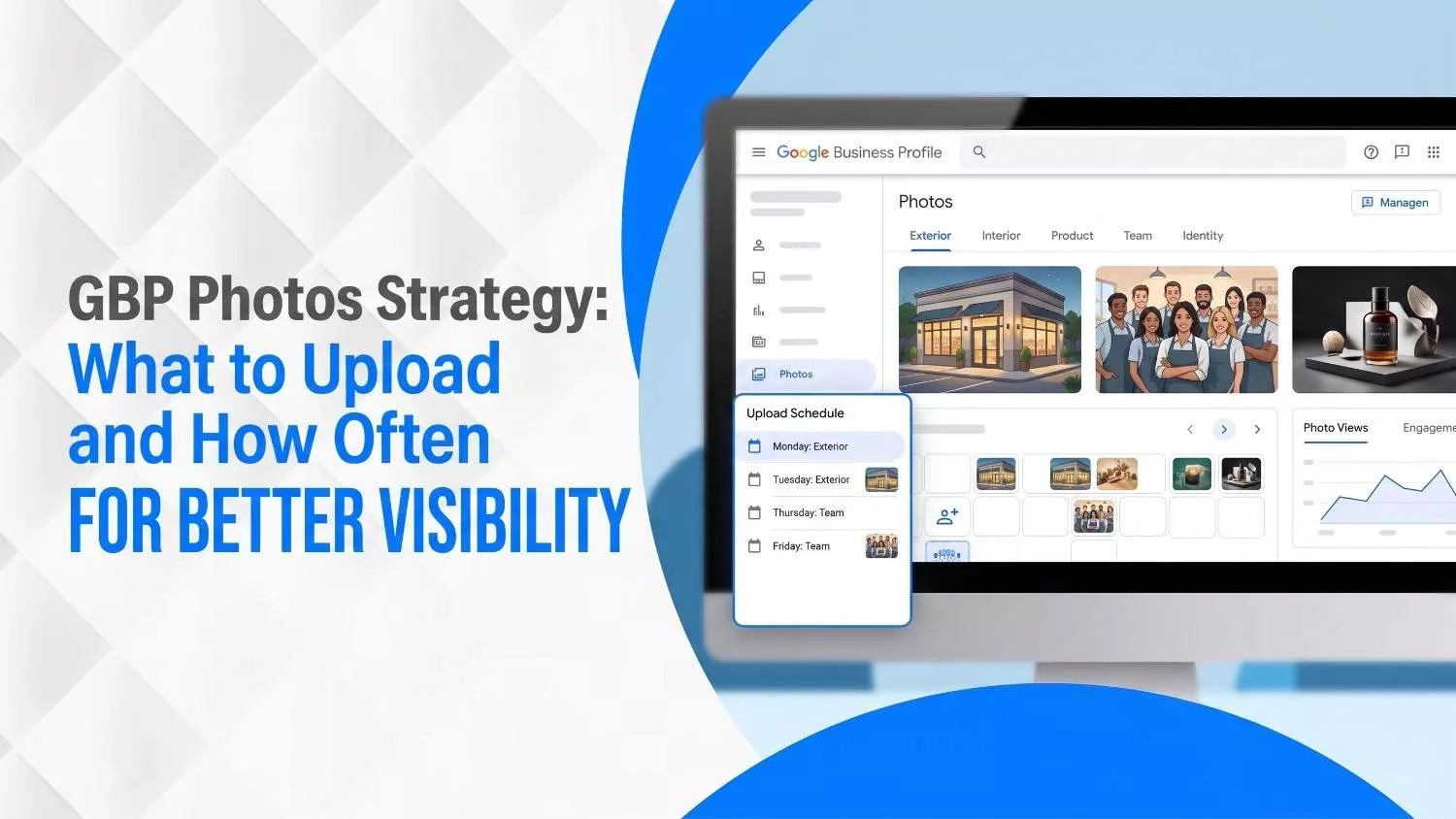
GBP Photos Strategy: What to Upload and How Often for Better Visibility
You should update your Google Business Profile photos regularly because fresh, relevant images help more people notice your business, trust what they see, and take action. That applies to almost every business, whether you run a café in Toronto, a dental clinic in Mississauga, a salon in Vancouver, or a plumbing company in Calgary.
When people search for your business on Google, many make up their minds before they ever reach your website. Your Google Business Profile serves as your digital storefront, and your photos shape that first impression quickly. Google has reported that businesses with photos get 42% more requests for directions and 35% more website clicks, and a 2025 Google announcement also said 90% of people are more likely to visit a business with photos on Search and Maps.
That is why a good GBP photo strategy is not just about uploading a few random pictures and calling it a day. In this guide, we will break down exactly what to upload, how often to do it, and how to turn your profile into a better first impression.
What Is Google Business Profile and Why Is It Important?
Google Business Profile, or GBP, is the free business listing that appears when someone searches for your business on Google Search or Google Maps. It usually shows your business name, address, phone number, hours, website, reviews, services, and photos. Think of it as your business’s mini-homepage on Google, except it often gets seen before your actual website does.
That matters because many people make quick decisions straight from the search results. They check your photos, scan your reviews, look at your hours, and decide whether to call, visit, or keep scrolling. In other words, your GBP helps shape your first impression before you even get the chance to speak.
It is important because it affects both visibility and trust. Visibility means how easily people can find you. Trust means whether your profile looks real, active, and worth choosing.
So before we even talk about photo strategy, it helps to understand this simple truth: your Google Business Profile is one of the first places people judge your business.
If it looks outdated, empty, or confusing, you can lose attention fast. If it looks active, clear, and trustworthy, you are already in a better spot. Now, let’s look into the GBP guidelines:
Understanding Google’s Photo Guidelines
File Format, Size, and Resolution
Before you start snapping photos, make sure your images meet Google’s technical standards. According to the official Google Business Profile guidelines, photos should be in JPG or PNG format and between 10 KB and 5 MB in size.
Google recommends a resolution of 720 × 720 pixels with a minimum resolution of 250 × 250 pixels. Larger images will be scaled down automatically, while tiny, low‑quality files may be rejected entirely. Always ensure the picture is in focus, well-lit, and free of significant alterations or excessive filters.
Pro Tip:
- Shoot in high resolution (ideally 1080 px or higher) so you can crop and resize without losing clarity. Google scales down photos automatically, but you can’t improve a low‑resolution image after the fact.
Types of Photos You Can Add
Google categorizes photos into several important types, each serving a specific purpose:
| Photo Type | Minimum Number & Tips | Why It Matters |
|---|---|---|
| Exterior photos | At least three photos showing your storefront from different angles and times of day. | Helps customers recognize your location and navigate to your business. |
| Interior photos | At least three photos of your interior space showing what it’s like to be inside. | Provides a feel for the atmosphere and décor, which is especially important for restaurants and salons. |
| Product or service photos | At least three representative images of popular products or typical services. | Clarifies what you offer and encourages shoppers to make decisions. |
| Photos at work | At least three images capturing your team delivering services. | Demonstrates expertise and humanizes your brand. |
| Food & drink photos | For restaurants and cafés, upload at least three well‑lit images of menu items. | Appeals to hungry visitors and showcases your specialties. |
| Common areas & rooms (hotels/spas) | Upload at least one photo of each common area (e.g., gym, spa, breakfast room) and at least three photos of guest rooms. | Helps travelers evaluate amenities and make booking decisions. |
| Team photos | At least three shots of your management and employees in action. | Builds trust and shows the people behind the business. |
| Logo & cover photo | A clear logo and a compelling cover photo representing your brand. | Improves brand recognition and controls the first image users see. |
Additional Photo Types (Industry Best Practices)
Local SEO experts suggest adding brand identity images, rave reviews and client wins:
- Brand identity images: Use a strong cover image that reflects your unique style and industry (e.g., a coffee shop’s latte art or a florist’s bouquet).
- Rave reviews: Upload screenshots of your best reviews to highlight social proof and keep old testimonials visible.
- Client wins & awards: Showcase awards or finished projects to demonstrate credibility.
- 360° tours: For businesses where ambiance matters (restaurants, hotels, salons), consider investing in a virtual 360° tour. High‑quality 360 photos should be at least 4K (3,840 × 2,160) resolution to give viewers an immersive experience.
Quality & Authenticity Standards
Google emphasizes that photos should reflect reality. The Maps User Generated Content policy urges contributors to use photos they capture at the location, avoiding stock images, screenshots, GIFs, collages or heavily edited pictures. The location should be the primary subject; selfies or unrelated subjects can lead to removal.
Minimal adjustments like correcting rotation or improving lighting are acceptable, but you should avoid excessive filters. High‑resolution images are best; blurry or out‑of‑focus photos may be removed. For videos, keep them stable and clear; shaky, distorted or corrupted videos are discouraged.
Common Reasons Photos Get Rejected
If you’re wondering why certain images never make it onto your profile, Google notes these typical rejection reasons:
- Wrong file format (only JPG or PNG accepted).
- File size outside the 10 KB–5 MB range.
- Low resolution below 250 × 250 pixels.
- Excessive editing or unrealistic representation (e.g., heavy filters or manipulated colors).
If a photo is rejected or doesn’t show up immediately, try uploading again and ensure there are no duplicates. It can take 24–48 hours for images to appear after Google’s review.
If you want more information on growing your GBP, read this article on: “How to Grow Google My Business Profile Audience.”
Essential GBP Photo Types: What to Upload
1. Brand Identity & Cover Photos
Your cover photo is the signature image that appears prominently when people view your profile. Choose a high‑quality picture that represents your brand. If you run a café, a close‑up of your signature drink or a vibrant collage of pastries may be appropriate. The key is to make it instantly recognizable and on-brand.
2. Exterior Photos
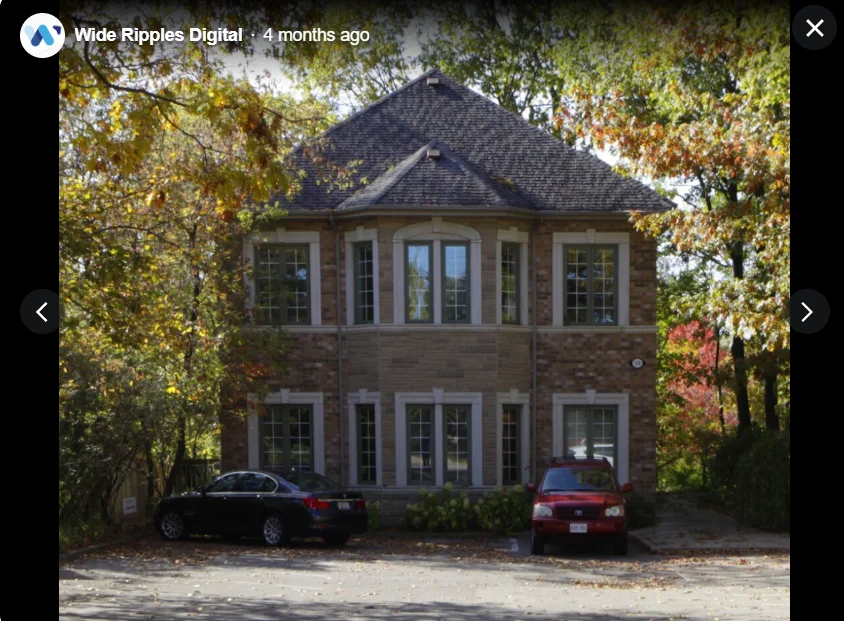
Google recommends at least three exterior photos to show your business from multiple angles. Capture the view from different directions and times of day so customers can easily locate you.
In Canada, consider how your building looks in different seasons. If you have outdoor seating, show it filled with customers during cooler months.
3. Interior Photos
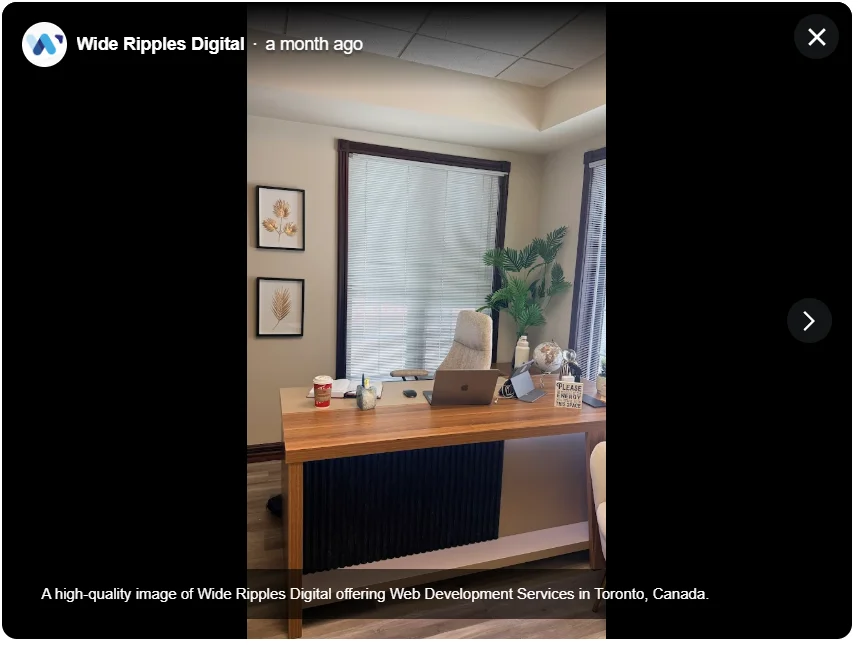
Interior shots give customers a feel for your ambiance. Include images of your reception area, waiting area, key rooms or service areas. Make sure the space is clean and well lit.
4. Team Photos
People buy from people, not logos. Upload at least three team photos showing staff members smiling and engaged in their work. Capture the owner greeting a customer at the entrance or a technician working on equipment. These images build trust and make your business feel approachable.
5. Product & Service Shots
Take crisp, evenly lit images of your most popular products or services. For a bakery, this could be fresh bread and pastries; for a contractor, it might be before‑and‑after photos of a renovation. Use macro shots to show details (e.g., texture of a cake or finish of a custom cabinet) and provide context by including your workspace.
6. Rave Reviews & Social Proof
Screenshots of your best reviews are a creative way to keep positive feedback visible. When older reviews get buried in Google’s review feed, uploading these screenshots into your photo section brings them back into the spotlight.
Pair each image with an overlay summarizing the customer’s comment (but avoid large amounts of text to comply with Google’s anti‑advertising rules). Ensure that the screenshot remains legible and reflects the original review.
7. Awards, Achievements & Events
Businesses often overlook celebrating milestones on their GBP. If you’ve won an award, hosted a charity event or completed a major project, upload photos that commemorate these achievements. These images show potential clients you’re credible and engaged in your community.
8. Customer‑Generated Content
Google encourages customers to upload photos and updates. These user‑generated photos don’t expire and can remain in your profile until replaced by newer updates. Encourage satisfied customers to snap pictures of their experience. Their authentic perspective adds social proof and variety to your gallery.
Important: Monitor your GBP regularly. Customers may occasionally upload unflattering or irrelevant photos. You can flag and report inappropriate images through the GBP dashboard.
How to Take High‑Quality Photos for GBP
Use Natural Lighting
Good lighting is crucial. Shoot during the golden hour (around sunrise or sunset) when natural light is soft and warm. Avoid harsh midday sun that casts unflattering shadows. For interior photos, open curtains and turn on lights to avoid dark corners. Use a tripod for stability, especially in low light.
Keep the Composition Simple
Follow the rule of thirds, place the subject off‑center rather than directly in the middle. Include contextual elements like your logo, product displays or décor. Avoid clutter and distracting backgrounds. In service shots, show the interaction between staff and customers rather than empty rooms.
Show Variation & Context
Take pictures from multiple angles: close‑ups, medium shots and wide shots. If you run a café, photograph the latte art, the barista pouring coffee, and the entire dining area. For a retail shop, capture the storefront, aisles and checkout counter. For each subject, take a series of shots and select the best later.
Stay Authentic
Google’s policy discourages stock photos and heavy editing. Use real images of your staff, products and location. Minor adjustments like cropping, straightening and adjusting exposure are acceptable, but avoid heavy filters that change colors or add artificial overlays. If you want to label an image (e.g., “Award 2025”), keep text minimal and relevant.
File Naming & EXIF Data
Contrary to popular belief, geotagging photos does not improve your rankings because Google strips location metadata during upload. However, you can still name your files descriptively (e.g., toronto-bakery-interior.jpg) to stay organized. Keep metadata simple and use relevant keywords in the photo description field when uploading, but avoid keyword stuffing.
GBP Videos & 360° Tours
Videos add movement and personality to your profile. Google allows videos up to 30 seconds long, 75 MB in size and at least 720p resolution. In practice, some businesses have successfully uploaded videos longer than 30 seconds as long as they stay under 75 MB.
Video Ideas
- Welcome video: The owner briefly introduces the business and invites viewers in.
- Behind‑the‑scenes: Show how your product is made, a tour of the kitchen or the workshop.
- Customer testimonials: Record short clips of satisfied customers giving feedback.
- Team spotlight: Interview employees or show them performing tasks.
- Event highlights: Summarize a community event or promotional sale.
360° Tours
A 360° virtual tour lets viewers “walk through” your space online. According to the Maps user‑generated content policy, the best resolution for 360 photos is 4K or higher. You can hire a professional or use a 360‑degree camera. For restaurants, hotels and spas, interactive tours significantly boost engagement and bookings. Service‑area businesses (e.g., plumbers or electricians) may skip this feature since they don’t have a storefront to showcase.
How Often Should You Upload Photos?
Weekly or Bi‑Weekly Updates (Minimum)
Consistency is key. Specialists at Wide Ripples Digital recommend uploading new images weekly or bi‑weekly. Regular updates keep your profile fresh and signal to Google’s algorithms that your business is active.
Twice a Week: A Top‑Tier Ranking Signal
A 2026 optimization guide notes that you should post new photos or updates at least twice a week because frequent activity has become a top‑tier ranking signal. While this advice initially refers to posts and updates, it also applies to photo uploads.
Regularly adding photos (every three to four days) can improve your “interaction prominence” score, a metric Google uses to measure how often users engage with your profile. Profiles that frequently add photos tend to receive more clicks, calls and direction requests.
Avoid Over‑Posting
Google’s posting best practices emphasize quality over quantity. The community‑approved Standard Operating Procedure for GBP posts warns to avoid posting too frequently because excessive posts push high‑value offers down.
Apply this concept to photos: don’t dump dozens of images in one day. Instead, schedule uploads to maintain a steady cadence. A sustainable rhythm keeps your most impactful photos visible while continuously refreshing your gallery.
Best Times to Upload
Posting when your audience is active can improve engagement. While there’s no one‑size‑fits‑all answer, a general rule of thumb is to post in the morning or early afternoon on weekdays when local SEO traffic peaks. Experiment with different days and times to see when your photos get more views and adjust your schedule accordingly.
Creating a Photo Upload Schedule
To manage a consistent flow of photos without overwhelming your workload, build a simple schedule. Here’s a sample monthly plan you can adapt to your business:
| Week | Upload Plan | Seasonal Note | CTA Placement |
|---|---|---|---|
| Week 1 | Upload one exterior photo and one interior photo. | Capture fresh signage or newly decorated interior. | Include a Call button CTA in the photo description inviting customers to visit this week. |
| Week 2 | Add a product/service shot and a team photo. | Highlight a new menu item or recently completed project. | Use a CTA such as Book Now or Reserve to drive bookings. |
| Week 3 | Upload a review screenshot and an award/event photo. | If there’s a local holiday, show your celebration. | Place a CTA inviting customers to leave their own review or attend an upcoming event. |
| Week 4 | Post a seasonal/landmark image and a behind‑the‑scenes video. | Feature local scenery with your brand. | Encourage viewers to follow your page for more updates or sign up for your newsletter. |
Repeat the cycle by varying content and monitoring performance in your GBP insights. Use UTM parameters on any link you add to track which photos or posts drive traffic.
Conclusion & Next Steps
A smart GBP photo strategy is not busywork. It is one of the easiest ways to make your business look active, trustworthy, and worth choosing. When you follow Google’s photo guidelines, upload the right mix of images, and keep your gallery updated once or twice a week, your profile has a much better shot at earning attention, clicks, calls, and direction requests.
The key is to keep it real.
Use authentic photos, show what customers will actually see, reflect your local setting, and update your visuals as seasons, services, or promotions change. A stale photo gallery sends one message. An active one sends another. Google notices. Customers do too.
If you want help turning your Google Business Profile into something that actually pulls its weight, Wide Ripples Digital can help. From local SEO strategy to profile optimization and content planning, the team helps businesses build profiles that do more than just sit there looking polite.
They help them get seen, clicked, and chosen.
Quick FAQs
How many photos should I have on my GBP?
Can I use stock photos?
Do I need to geotag my photos?
Can customers upload photos?
How do I remove an unwanted customer photo?
Should I schedule photo uploads?
What’s the best time of day to upload photos?
How do photos impact my ranking?
Disclaimer: The information provided in this blog is for general informational purposes only. For professional assistance and advice, please contact experts.
Written by Khadija
Last updated April 15, 2026