AI Chatbots for Business Websites: Benefits, Costs and How to Get Started
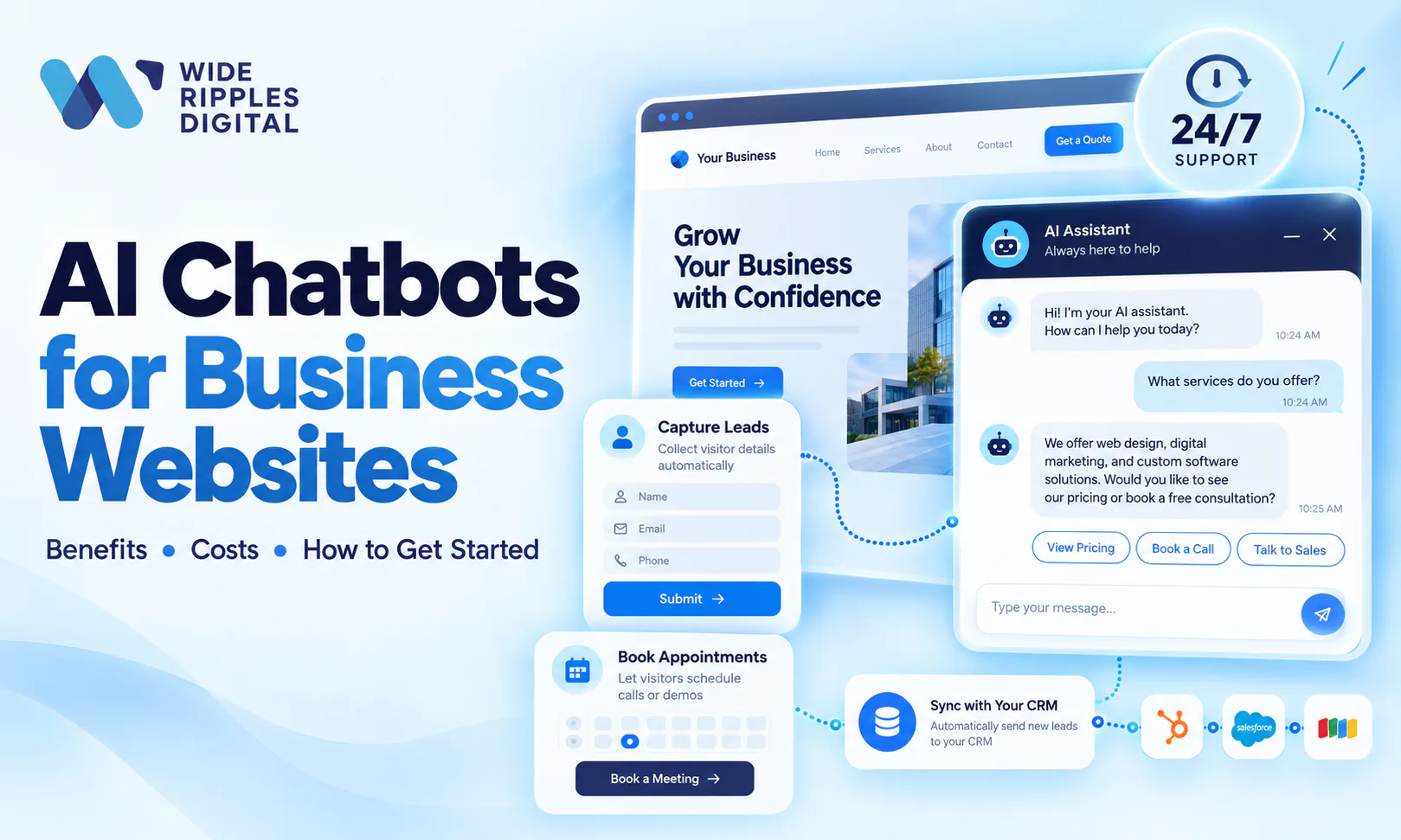
An AI chatbot for a business website is a virtual assistant that answers visitor questions, captures leads and books appointments 24/7, using AI to understand natural language instead of rigid menus. Getting started means giving it one clear job, picking a platform that fits your budget, training it on your own content and testing it before launch.
That is the short version. The long version involves a few decisions, a little budget math and one important warning about not building a robot empire on day one. Let's get into it.
What is an AI chatbot?
You have met the old kind of chatbot. It lived in the corner of a website, offered you four buttons, understood none of your typing, and responded to "where is my invoice" with "Great question! Here is our blog."
AI chatbots are a different species. They use large language models to understand what a visitor actually means, pull answers from your business content and respond in normal human sentences. Asking one about pricing gets you your actual pricing, not a riddle.
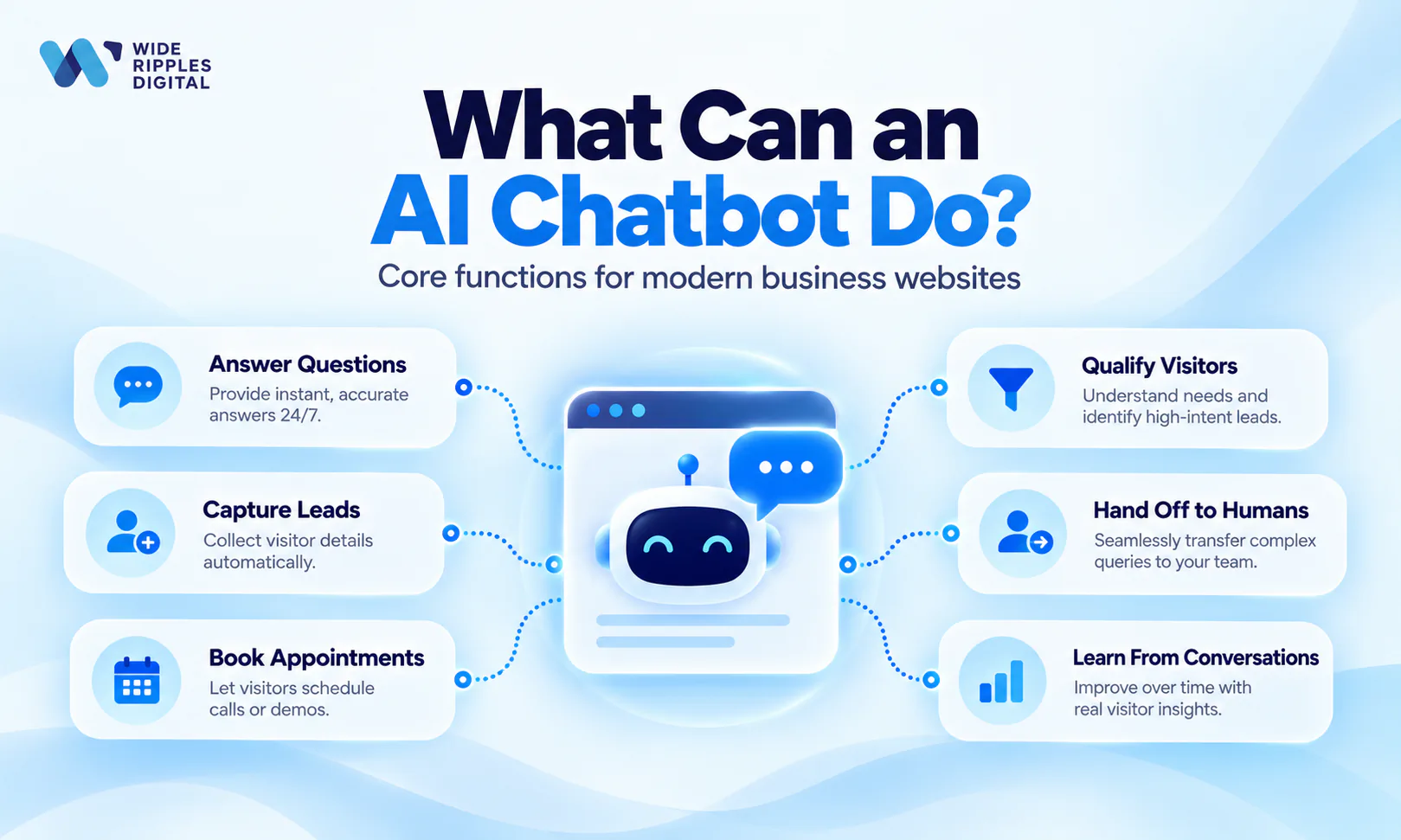
The difference matters because the old bots trained an entire generation of customers to type "AGENT" in all caps. The new ones are good enough that businesses are adopting them at speed, and the numbers back that up.
AI chatbots in 2026: what the official numbers say
We only quote primary sources around here, so these figures come from Statistics Canada and Gartner, not from somebody's newsletter.
AI use among Canadian businesses has tripled in two years, from 6.1% in the second quarter of 2024 to 19.2% in the second quarter of 2026, according to Statistics Canada's analysis of AI use by businesses. And once businesses adopt AI, chatbots are one of the first things they build: virtual agents and chatbots are the third most common business use of AI at 28.2%, behind only data analytics (36.6%) and text analytics (34.5%).
The forecast is even bolder. Gartner predicts that by 2029, agentic AI will autonomously resolve 80% of common customer service issues without human intervention, leading to a 30% reduction in operational costs.
So no, chatbots are not a fad. Your customers are already talking to them at the bank, the airline and probably the pizza place. The only question is whether your website joins in or keeps sending after-hours visitors to a contact form that answers in two business days.
6 benefits of an AI chatbot for your website
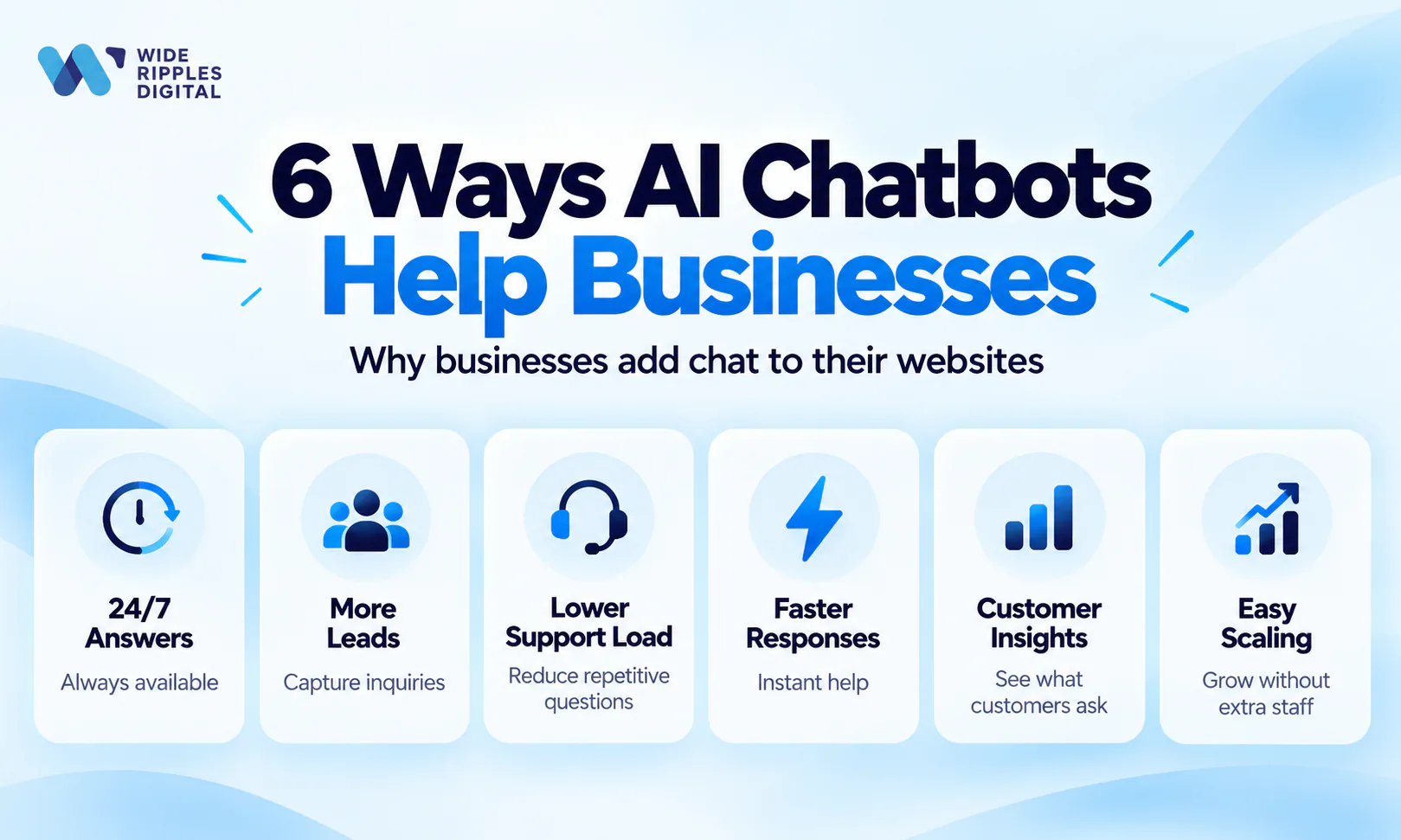
1. It answers at 2 a.m. without overtime
Your website gets visitors at all hours, and people shopping for services at midnight are often your most motivated buyers. A chatbot answers instantly, every time, without coffee, sick days or opinions about the thermostat.
2. It captures leads while you sleep
This is the one we care about most as a marketing agency. A good chatbot does not just chat. It asks for a name, an email and a phone number at the right moment, then drops that lead into your CRM. A conversation that ends without contact details is just small talk with extra servers.
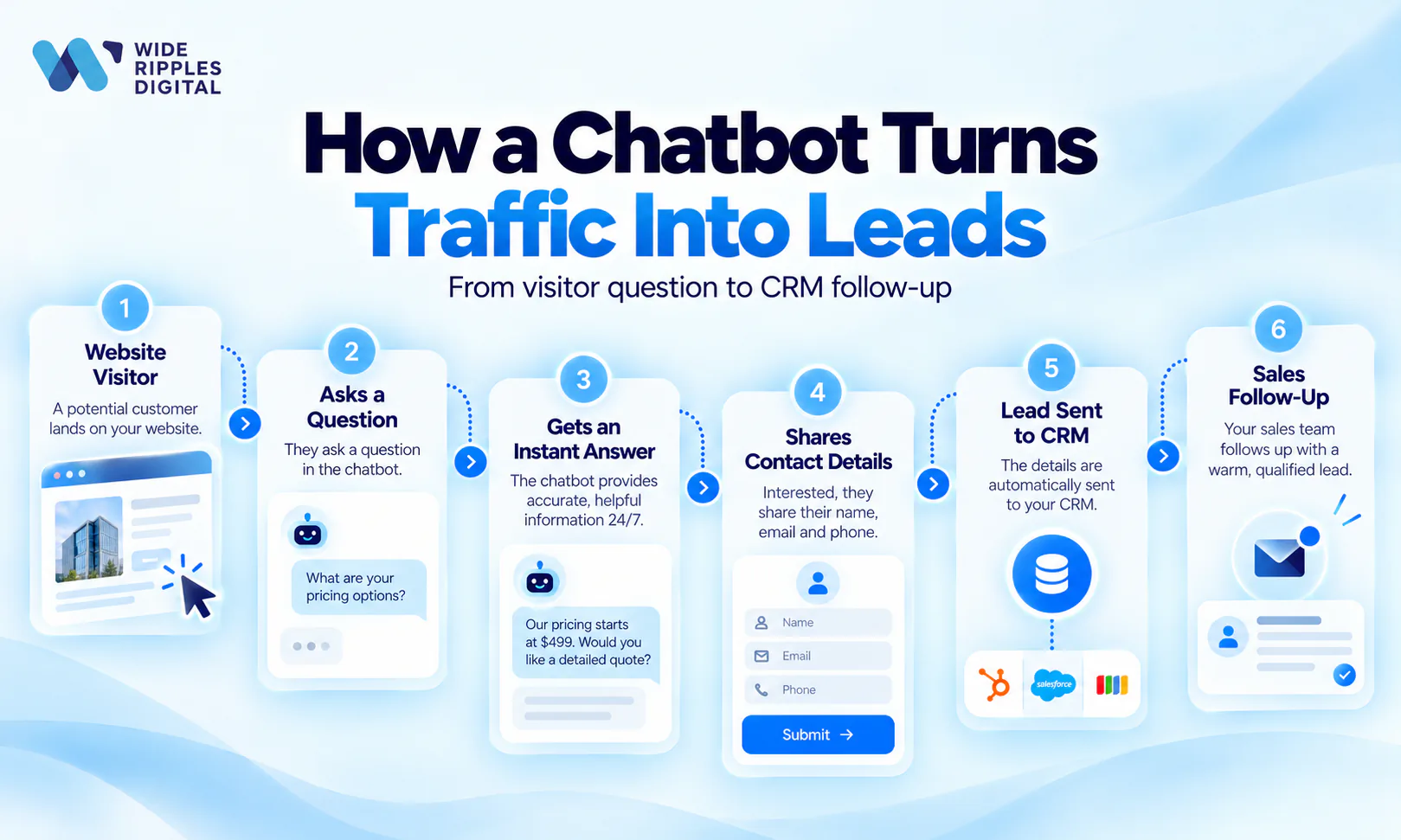
If lead flow is your goal, pair the bot with the fundamentals in our guide to lead generation in digital marketing, because a chatbot amplifies a lead system. It does not replace one.
3. It cuts support costs
Gartner's forecast of a 30% cut in customer service operating costs is the headline, but the mechanics are simple: the bot absorbs the repetitive questions (hours, pricing, "do you serve my area"), and your people handle the conversations that need judgment, empathy or an apology.
4. It responds faster than any form
Speed wins deals. A visitor who gets an instant, useful answer stays on your site; one who hits a contact form starts opening competitor tabs. Instant response is also the natural partner of a landing page built to convert, where every second of friction costs money.
5. It tells you what customers actually want
Chatbot transcripts are a free focus group. If 40 people this month asked whether you offer financing, that is not a chat log. That is a product decision and a new website section. Nobody fills out a survey, but everybody interrogates the robot.
6. It scales without drama
Ten conversations or a thousand, the bot does not get flustered. For seasonal businesses and campaign spikes, that elasticity used to require hiring. Now it requires a slightly larger monthly invoice.
What does an AI chatbot cost in 2026?
Here is the honest answer: anywhere from pocket change to a serious project, depending on what you want it to do. Think of it as three tiers. Most chatbot platforms bill in US dollars, so check the exchange rate before you compare plans.
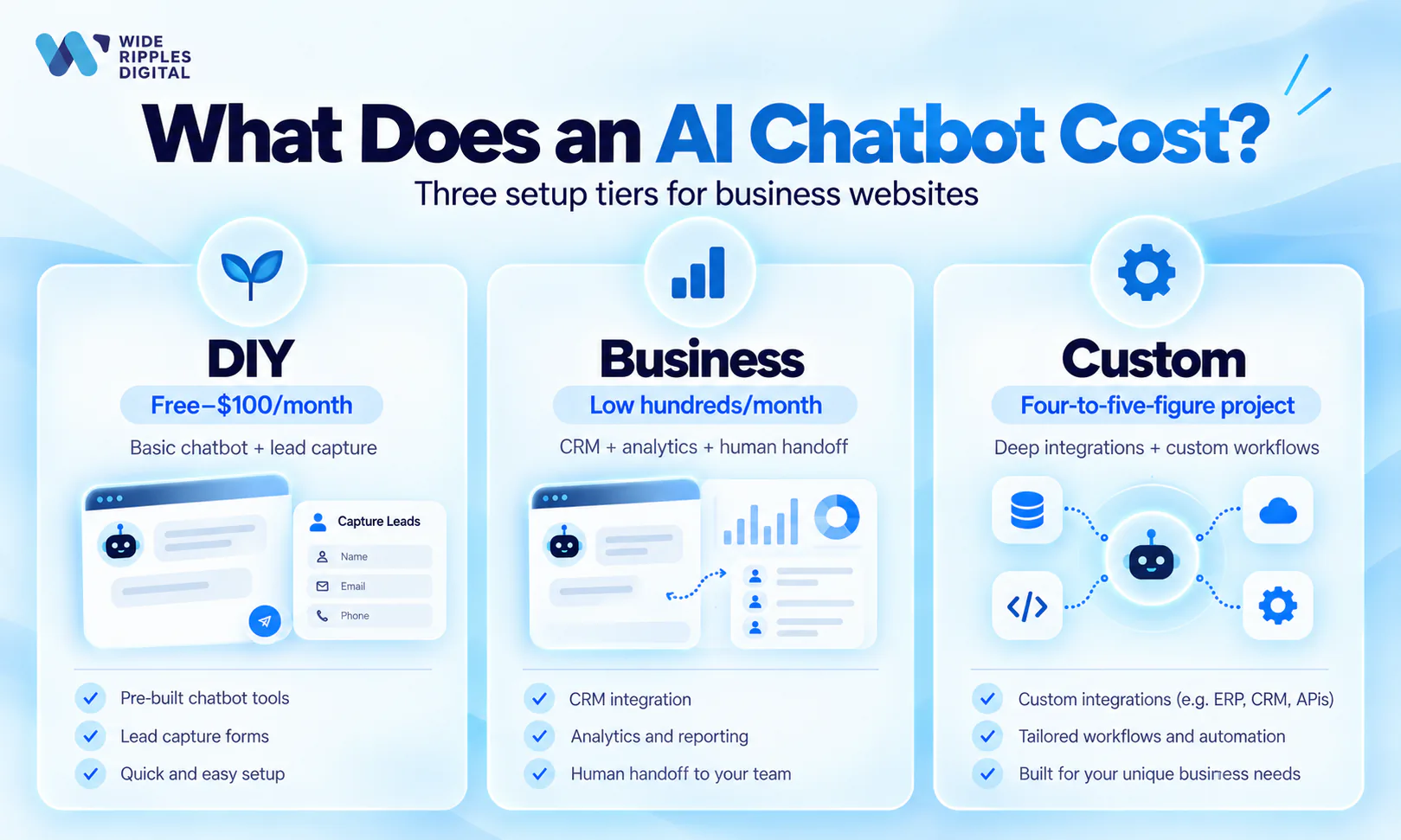
| Tier | Typical cost | What you get | Best for |
|---|---|---|---|
| DIY platform | Free to about $100 a month | A trainable bot and basic lead capture | Testing whether visitors will use chat |
| Business platform | Low hundreds a month, plus setup | CRM integration, human handoff, multilingual support, analytics | Most small and mid-sized businesses |
| Custom build | Four to five figures, plus running costs | Deep training, booking, inventory or portal integrations, brand voice | High chat volume with revenue on each conversation |
Tier 1: DIY chatbot platforms
Entry-level AI chat widgets for small websites typically run from free to roughly $100 per month. You get a trainable bot, basic lead capture and enough features to find out whether your visitors will actually use it. Setup is a weekend job.
Tier 2: Business platforms
Mid-market tools with CRM integrations, human handoff, multilingual support and analytics generally land in the low hundreds per month, plus setup time. This is the sweet spot for most small and mid-sized businesses that want the bot wired into their sales process.
Tier 3: Custom builds
A chatbot trained deeply on your knowledge base, integrated with booking, inventory or client portals, and tuned to your brand voice is a four-to-five-figure project plus ongoing costs. It is worth it when chat volume is high and each conversation has real revenue attached. This is where custom web development comes in, because the integrations take more work than the bot itself.
The costs that sneak up on you
The surprises are rarely the subscriptions. They are usage-based message fees at high volume, integration work, and the time someone must spend reviewing transcripts and improving answers. Budget for the gardening, not just the plant.
One more cost note from the official data: in the same Statistics Canada survey, the top reported barriers to using AI were cybersecurity or privacy concerns (13.4%) and cost (10.6%). Both are manageable. Pick platforms with clear data policies, keep sensitive data out of the bot, and start at the tier your budget actually supports.
How to get started with an AI chatbot in 6 steps
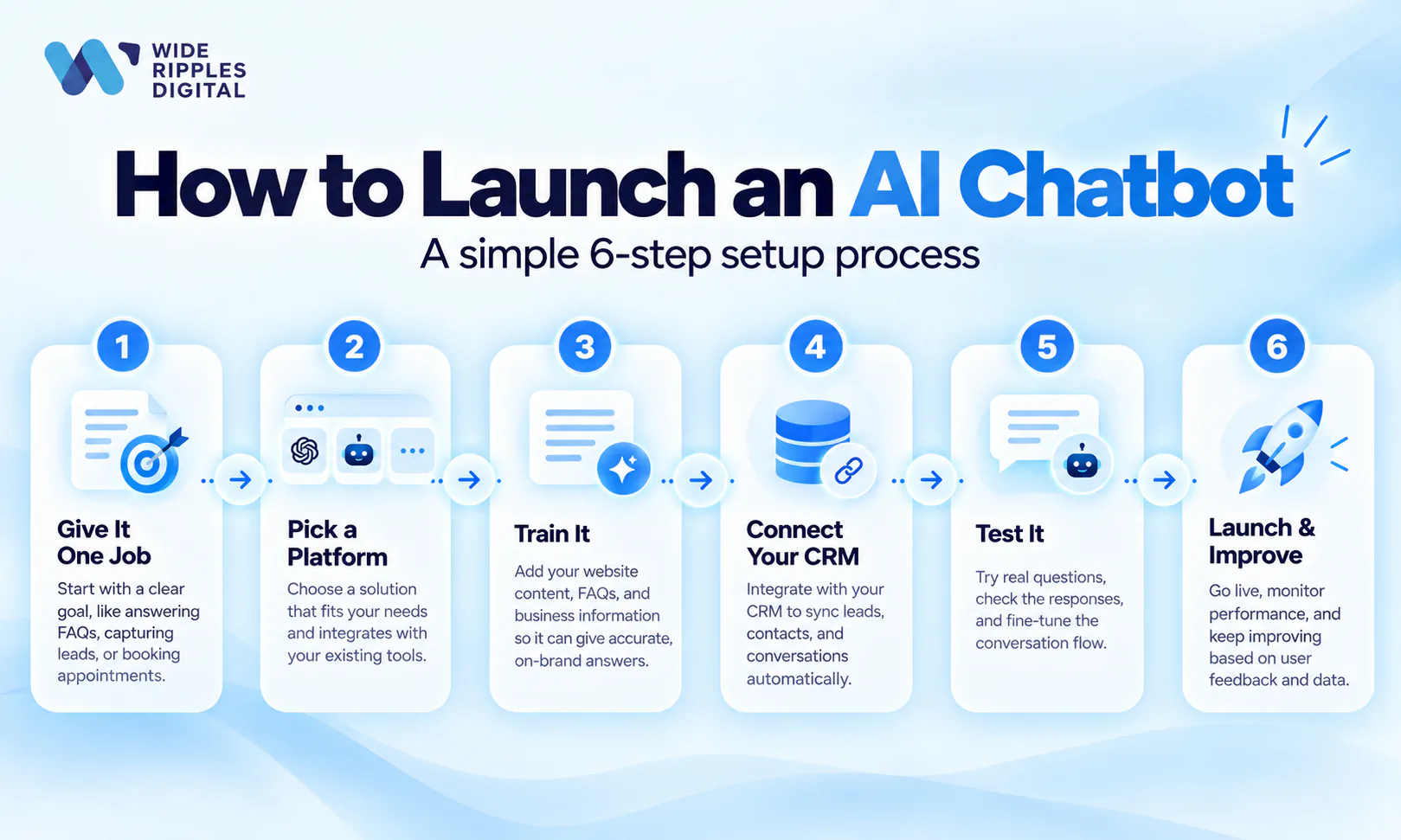
Step 1: Give it one job
Pick a single mission: answer support FAQs, or qualify and capture leads, or book appointments. Not all three on day one. The clearest chatbot failures start with "it should do everything," and the data agrees that overreach is the killer: Gartner predicts over 40% of agentic AI projects will be canceled by the end of 2027, citing escalating costs, unclear business value and inadequate risk controls.
Start small, prove value, expand. Boring advice, excellent returns.
Step 2: Pick your platform
Match the tool to your tier from the cost section, and check three things before you pay:
- It works smoothly on your website platform.
- It integrates with your CRM or email tool.
- It can hand a conversation to a human when things get spicy.
Step 3: Train it on your real content
An AI chatbot is only as smart as what you feed it. Give it your FAQs, service descriptions, pricing, policies and the answers your team types out fifteen times a week. Garbage in, chaos out.
If you want to see how this works hands-on before committing to a website bot, our walkthrough on creating a custom GPT for your business is a low-risk way to try training an AI on your own content.
Step 4: Connect lead capture and your CRM
Decide when the bot asks for contact details (after it has been useful, not as a hostage situation), where those leads go and who follows up. A chatbot without a follow-up process is a very polite dead end. If that pipeline does not exist yet, it is worth setting up CRM automation before the bot goes live.
Step 5: Test it like an angry customer
Before launch, attack it. Typos, slang, half-questions, refund demands, French, and the classic "is anyone even reading this." Check that it admits what it does not know and hands off to a human instead of improvising fiction about your refund policy.
Step 6: Launch, measure, improve
Go live, then review transcripts monthly. Track three numbers:
- How many conversations it resolves without a human.
- How many leads it captures.
- Where it gets confused.
Fix the confusion, update the content, repeat. The businesses winning with chatbots treat them like employees in training, not appliances.
Want the chatbot and the leads it is supposed to catch?
A chatbot is the easy part. The hard part is everything around it: the traffic that reaches your website, the offer that makes visitors start a conversation, and the follow-up that turns a captured email into a paying client.
That full pipeline is what we do at Wide Ripples. For one accounting client, two years of search work brought conversions up 63%, revenue up 159% and 2,780 leads. Clients rate us 4.8 out of 5, and we give every client a number they can hold us to each month. A chatbot can be part of that number.
Thinking about adding an AI chatbot to your website? Book a free consultation with Wide Ripples and we will map out the right setup, the right tier and the lead flow to feed it.
Frequently asked questions about AI chatbots for business websites
What is an AI chatbot for a business website?
An AI chatbot is a virtual assistant on your website that understands typed questions in natural language and answers them instantly, using your business content. Unlike old button-based bots, it can handle unexpected phrasing, capture leads and hand complex conversations to a human.
How much does an AI chatbot cost for a small business?
A small business can start with an AI chatbot for free to roughly $100 per month on entry-level platforms. Mid-tier tools with CRM integration and human handoff cost a few hundred per month, while fully custom chatbot builds run into the thousands.
Are AI chatbots worth it for small businesses?
For most small businesses, yes, as long as there is real traffic and a follow-up process. The bot earns its keep by answering after-hours questions and capturing leads that would otherwise leave. Start with one clear job, like lead capture or FAQs, and connect it to someone who follows up.
What is the difference between a chatbot and an AI chatbot?
A traditional chatbot follows pre-written rules and buttons, so it breaks the moment a visitor types something unexpected. An AI chatbot uses language models to understand natural phrasing and generate relevant answers from your content, which makes conversations feel human instead of robotic.
Can a chatbot really generate leads?
Yes. A well-configured chatbot captures leads by asking for contact details once it has answered a visitor's questions, then sending that lead to your CRM. It works around the clock, so it collects inquiries from evening and weekend visitors your contact form usually loses.
Will an AI chatbot replace my customer service team?
No. An AI chatbot handles the repetitive questions so your team can focus on complex issues. Gartner predicts agentic AI will resolve 80% of common customer service issues by 2029, but escalation to a human remains essential for sensitive, unusual or high-value conversations.
How long does it take to set up an AI chatbot on a website?
A basic AI chatbot can be live in a day or two: install the widget, upload your FAQs and content, and test it. A business-grade setup with CRM integration, lead routing and proper testing typically takes one to three weeks.
Do AI chatbots work on WordPress and website builders?
Yes. AI chatbots work on WordPress, Shopify, Wix, Squarespace and most modern platforms. Most tools install through a plugin or a small snippet of code, similar to adding Google Analytics, and a standard setup needs no custom development.
What should I train my AI chatbot on?
Train your chatbot on your FAQs, service and product descriptions, pricing, policies, business hours and service areas, plus the real questions your team answers by email every week. The more accurate and current the content, the better the bot's answers.
Are AI chatbots safe for customer data?
They can be, when you choose a platform with clear data handling and privacy controls and keep sensitive information out of the conversation. Privacy is the top AI concern for Canadian businesses, so check where chat data is stored and make sure your setup meets Canadian privacy law (PIPEDA, and Law 25 in Quebec) before launch.
Do customers actually like using chatbots?
Customers like chatbots that solve their problem fast and dislike ones that trap them in loops. Satisfaction depends on design: instant useful answers, no forced small talk and an easy path to a human when needed. Build those in and the bot becomes a convenience, not an obstacle.
How do I measure if my chatbot is working?
Track three numbers: the share of conversations resolved without a human, the number of leads or bookings captured, and customer satisfaction after chats. Review transcripts monthly to find questions the bot fumbles, then update its training content to fix them.
Disclaimer: The information provided in this blog is for general informational purposes only. For professional assistance and advice, please contact experts.
Written by Samra Sabar
Last updated October 8, 2026