Website Maintenance Cost in Canada: What Should You Actually Pay?

Most Canadian small businesses pay between $50 and $500 per month to keep a website maintained, and busy online stores can push past $2,000. If you want the one-line version of the website maintenance cost in Canada, budget roughly $150 to $500 a month for a healthy small-business site, less if you do it yourself, and more if you sell online.
Now for the fun part. "Website maintenance" sounds like the digital version of flossing. Everyone agrees you should do it, most people quietly skip it, and you only panic when something starts to hurt, usually right before a long weekend.
Here is the thing though. Your website is not a fire-and-forget billboard. It is more like a car in a Canadian winter. Ignore it long enough and one cold morning it simply will not start, right when you need to be somewhere important.
What website maintenance actually means, in human English
Website maintenance is the ongoing work that keeps your site fast, secure, updated, and actually working. Think of it as the difference between owning a home and just admiring a photo of one.
A launched website is not "done." Software gets old, plugins break, forms stop sending, images pile up, and hackers keep poking at the doors. Maintenance is the quiet, unglamorous work that stops all of that from turning into a bad day.
Here is what usually lives under the maintenance umbrella:
- Software updates: core platform, themes, and plugins kept current so nothing breaks or gets exploited.
- Security: malware scans, firewalls, spam filtering, and login protection.
- Backups: regular copies of your site so a disaster becomes a five-minute fix instead of a five-week rebuild.
- Uptime monitoring: someone, or something, noticing your site is down before your customers do.
- Speed and performance: keeping load times low so visitors do not rage-quit.
- Small content edits: swapping a phone number, updating hours, fixing a typo, adding a new photo.
- Bug fixes: patching the little things that quietly stop working.
If that list feels like a lot, that is because it is. Which is exactly why the pricing has tiers.
How much does website upkeep cost in Canada?
The honest answer here is "it depends," but that is a useless answer, so here are real ranges instead. These are typical monthly figures Canadian businesses see across the market in 2026, not our own rates.
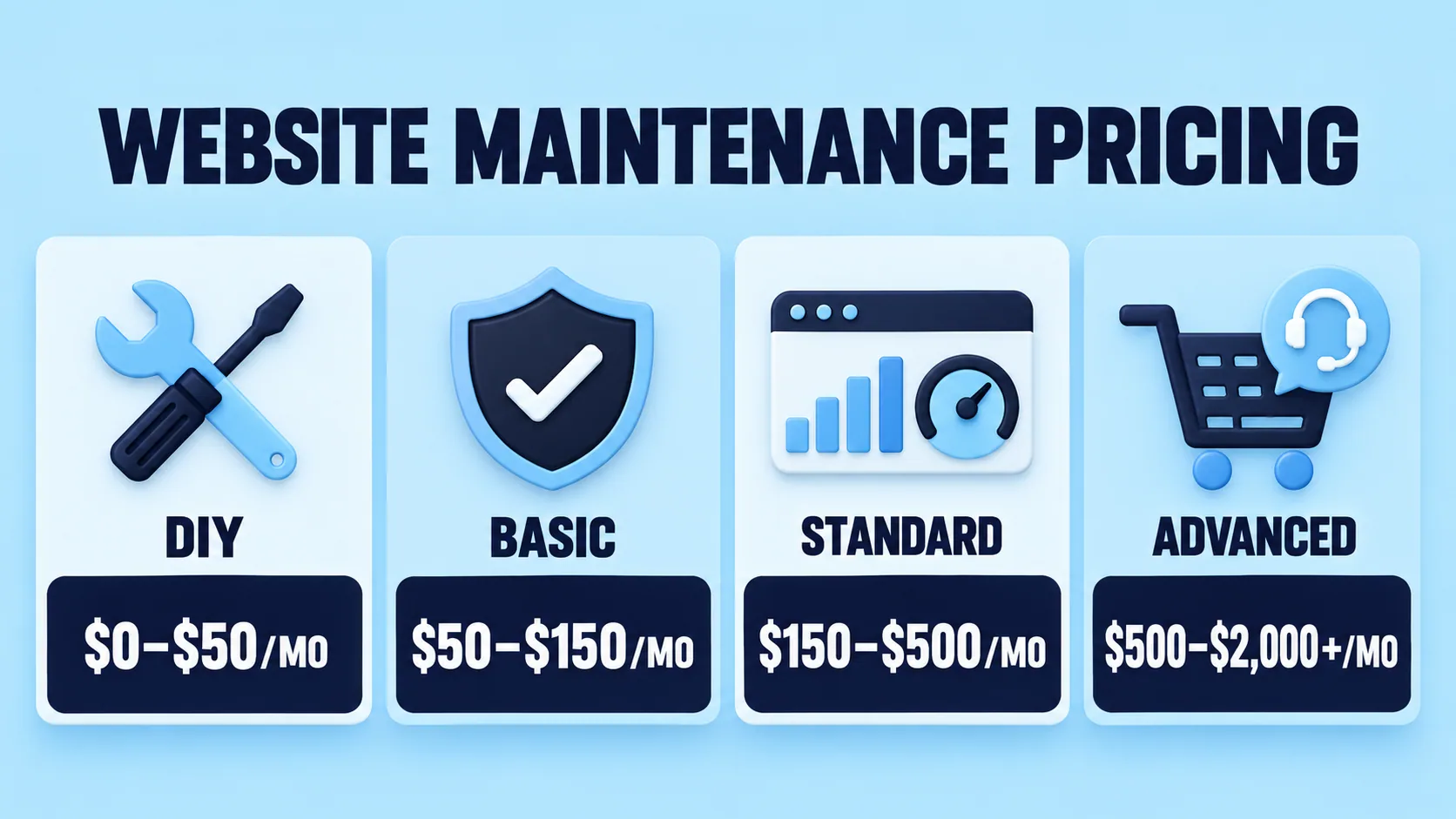
| Tier | Best for | Typical cost (CAD) | What you usually get |
|---|---|---|---|
| Do it yourself | Hobby sites, very tight budgets | $0 to $50/mo, tools and hosting only | You handle updates, backups, and security yourself |
| Basic managed | Small brochure or one-page sites | $50 to $150/mo | Updates, backups, uptime checks, minor fixes |
| Standard | Growing small businesses | $150 to $500/mo | Everything in basic, plus security, speed tuning, monthly content edits, and support |
| Advanced or e-commerce | Online stores and busy lead-generation sites | $500 to $2,000+/mo | Everything above, plus priority support, store upkeep, performance work, and monthly reporting |
| Pay per fix | Occasional one-offs | $75 to $200/hour | You only call when something breaks |
For what it is worth, our own plans sit inside those ranges rather than at the bottom of them. You can see the actual numbers on our website maintenance page, where plans run from around $100 a month for a brochure site up to $900 for a store. We are not the cheapest option on this table, and the $50 end of the market usually buys an automated plugin updater rather than a person.
Website maintenance packages in Canada: what each tier includes
Prices are only half the story. The real question is what lands in the box. Most website maintenance packages in Canada fall into three practical tiers, so here is a plain checklist for each.
Basic, the "keep the lights on" plan
- Monthly software and plugin updates
- Weekly or daily backups
- Basic security scanning
- Uptime monitoring
- A small bucket of edit time, usually 30 to 60 minutes
Good for: simple brochure sites that rarely change.
Standard, the "growing business" plan
- Everything in Basic
- Faster support response times
- Speed and performance optimization
- Broken link and form checks
- A larger bucket of content edits each month
- A short monthly report so you know what happened
Good for: service businesses that update pages, run promotions, and care about leads.
Advanced, the "my site makes me money" plan
- Everything in Standard
- Priority or same-day support
- E-commerce and checkout upkeep
- Staging environment for safe testing
- Deeper security hardening and monitoring
- Detailed monthly reporting and recommendations
Good for: online stores, booking sites, and anyone whose revenue drops the second the site goes down.
The trick is matching the plan to your actual risk, not your ego. If your site sits quietly and sells nothing, you do not need the deluxe package. If it is your best salesperson, do not cheap out on it.
WordPress maintenance plans: why WordPress sites need extra love
WordPress runs a huge chunk of the world's websites, which is great for flexibility and slightly less great for upkeep. If your site is built on it, a proper maintenance plan is less of a luxury and more of a seatbelt.
Here is why WordPress specifically needs regular attention:
- Plugins age fast. The average WordPress site runs a stack of plugins, and each one is a little door. Outdated doors are how trouble gets in.
- Core and theme updates arrive constantly. Skip them and you invite both bugs and security holes.
- It is a popular target. Popularity has a downside. Common platforms attract common attacks, so patching quickly matters.
This is where the official numbers stop being boring. The Canadian Centre for Cyber Security's National Cyber Threat Assessment 2025-2026 calls ransomware almost certainly the most disruptive form of cybercrime facing Canadians. Outdated software is one of the easiest ways in, and an unpatched plugin is basically leaving a window open in February.
Good WordPress upkeep costs about the same as the standard tiers above, roughly $50 to $500 per month depending on how many plugins, pages, and moving parts you have. The more plugins you run, the more you should budget, because every one of them is a thing that can break.
Monthly website maintenance pricing vs paying per fix
The classic Canadian instinct is to be polite and frugal, so many owners skip a plan and just call someone when it breaks. Let us compare, because monthly website maintenance pricing usually wins in the long run.
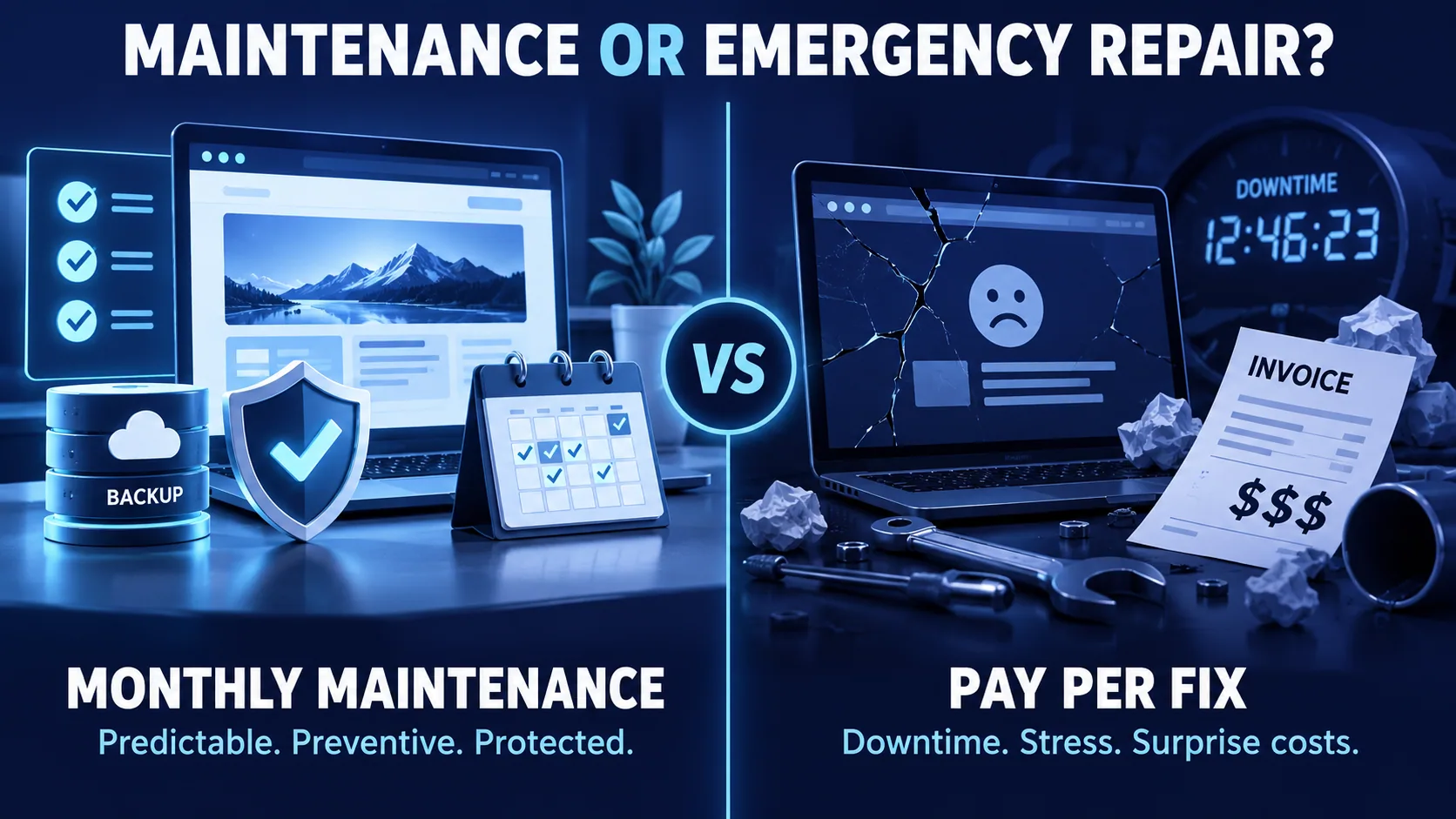
Paying per fix looks cheaper until it is not. Emergency work is billed at premium hourly rates, often $75 to $200 an hour, and always at the worst possible time. A hacked site or a checkout that stops taking payments on a Saturday is not a "next Tuesday" problem.
Monthly plans spread the cost and prevent the fire. Instead of one giant surprise invoice, you pay a predictable amount, and most problems get caught before they blow up. It is the difference between changing your oil and replacing your engine.
Here is the simple rule of thumb:
- Your site rarely changes and earns nothing directly? Pay per fix is defensible.
- Your site brings in leads, bookings, or sales? A monthly plan is almost always cheaper once you count downtime, stress, and lost business.
Predictable monthly pricing also means you are not negotiating rates while your site is on fire, which is a genuinely terrible time to negotiate anything.
What actually pushes your price up or down
Two businesses can get wildly different quotes, and it is not random. These are the factors that move the number.
- Platform: WordPress, Shopify, custom code, and Wix each need different care.
- Size: five pages versus five hundred is a real difference in effort.
- E-commerce: stores need more attention, testing, and security than brochure sites.
- Traffic: high-traffic sites need more monitoring and stronger performance work.
- Update frequency: if you change content weekly, you need more included edit time.
- Support speed: same-day help costs more than "we will get to it this week."
- Security needs: collecting customer data raises the stakes and the price.
If a quote seems oddly high or suspiciously low, one of these is usually the reason. Ask which tier you are actually buying. The same factors drive what a build costs in the first place, which we broke down in how much it costs to develop a website in Canada.
The real cost of skipping maintenance
Skipping maintenance to save money is like skipping winter tires to save money. It feels smart until the moment it very much does not.
The Canadian numbers are not subtle. In its Canadian Survey of Cyber Security and Cybercrime, Statistics Canada found that about 1 in 6 Canadian businesses, 16%, were impacted by a cyber security incident in 2023. Scams and fraud were the most common method at 50% of impacted businesses, with identity theft close behind at 31%.
It gets pricier. The same release reported that total spending by Canadian businesses to recover from cyber security incidents doubled between 2021 and 2023, climbing from roughly $600 million to $1.2 billion. That is a lot of money spent cleaning up messes that maintenance helps prevent.
Now add lost sales to the pile. Canadians spent $4.3 billion online in December 2025 alone, about 6.1% of all retail trade that month, according to Statistics Canada. Every hour your site is down or broken, you are not open for a share of that. A dark website is a closed shop with the lights off and the door locked.
So the real cost of skipping maintenance is not $0. It is the security cleanup, the lost customers, the emergency invoice, and the reputation hit, usually all arriving together like uninvited guests at a barbecue.
Should you do it yourself or hire a pro?
Both are valid. It comes down to your time, your comfort level, and how much your site actually matters to your business.
Do it yourself makes sense when:
- Your site is small and simple.
- You genuinely enjoy the technical side.
- You have time to check updates, run backups, and fix issues.
- A day of downtime would not seriously hurt you.
Hiring a pro makes sense when:
- Your website brings in leads, bookings, or sales.
- You would rather run your business than debug a plugin conflict.
- You want someone watching for problems before they spread.
- "The site is down" is a sentence that would ruin your week.
There is no shame in either choice. There is only shame in doing nothing and hoping the internet is kind. It is not.
The "what should I actually pay?" cheat sheet
Skip the guesswork. Find the row that sounds like you.
| Your business | Realistic monthly budget (CAD) | Why |
|---|---|---|
| Solo owner, simple 5-page site | $50 to $150 | Basic updates, backups, and peace of mind |
| Local service business: clinic, trades, law, salon | $150 to $400 | Regular edits, security, speed, and quick support |
| Busy lead-generation site with ads running | $300 to $700 | More monitoring, faster fixes, and reporting |
| Online store or booking platform | $500 to $2,000+ | Checkout upkeep, security, and store performance |
| "I never want to think about this again" | Bundled plan | Maintenance folded in with the rest of your marketing |
Pin this to the fridge, or at least screenshot it before you close the tab.
Where Wide Ripples fits in
We are a Mississauga based agency, and keeping Canadian websites fast, secure and up to date is one of the things we do. Our website maintenance plans cover the full list: updates applied and tested, daily backups you can actually restore from, security and uptime monitoring, speed work, and a monthly allowance of content changes so your site does not quietly drift out of date.
The prices are published rather than quoted on request. Plans start around $100 a month for a small brochure site and run to $900 for a store, with the difference being monitoring depth, how much change allowance you get, and how fast someone answers. Unused change allowance does not roll over, which keeps the plan price honest instead of inflated.
If you would rather not buy maintenance on its own, it is also included in our monthly marketing plans alongside SEO, content and Google Business Profile management, so the whole thing sits with one team. Scope and price are set after a free audit, because a five page brochure site and a 200 product store do not need the same thing.
Not sure which tier you actually need? We will check your updates, your backups, your security, your speed and your broken links, then tell you what needs attention now and what can wait. It takes a few days and costs nothing. Book a free site health check and we will start there.
Frequently asked questions
How much does it cost to maintain a website in Canada each month?
Most Canadian small businesses pay between $50 and $500 per month, depending on the size and complexity of the site. Simple brochure sites sit at the low end, while online stores and busy lead-generation sites cost more because they need extra security, testing, and support.
How much does website upkeep cost for a small business?
For a typical small business, expect $150 to $400 per month for a solid managed plan. That usually covers updates, backups, security, speed tuning, small content edits, and support, which is far cheaper than fixing a broken or hacked site after the fact.
What is included in a website maintenance package?
A standard package includes software and plugin updates, regular backups, security scanning, uptime monitoring, speed optimization, and a set amount of content edits each month. Higher tiers add faster support, e-commerce upkeep, and detailed monthly reporting.
Do I really need to maintain my website?
Yes, if you want it to stay secure, fast, and online. Software ages, plugins break, and hackers target outdated sites, so a launched website left untouched slowly becomes slower, riskier, and more likely to fail at the worst possible time.
How much do WordPress maintenance plans cost in Canada?
These plans usually run about $50 to $500 per month, based on how many plugins and pages you have. WordPress needs frequent core, theme, and plugin updates, so the more moving parts on your site, the higher the plan you should budget for.
Is it cheaper to pay monthly or fix things one at a time?
Monthly plans are usually cheaper in the long run because they prevent problems instead of just reacting to them. Emergency fixes are billed at premium hourly rates, often $75 to $200 an hour, and always seem to happen on a weekend or holiday.
Can I do my own website maintenance?
Yes, if your site is small and you have the time and comfort to run updates, backups, and basic security. The catch is that it takes ongoing attention, and one missed update can undo months of savings if it leads to a crash or a breach.
How often should a website be updated?
Software and plugins should be checked at least monthly, and often more frequently for busy or e-commerce sites. Content like hours, prices, and offers should be updated whenever they change, because nothing loses trust faster than an outdated website.
What happens if you do not maintain your website?
An unmaintained website gets slower, less secure, and more likely to break or get hacked. Statistics Canada found that 1 in 6 Canadian businesses were hit by a cyber security incident in 2023, and outdated software is one of the most common ways attackers get in.
Why does website maintenance seem so expensive?
It is not really expensive when you compare it to the cost of downtime, lost sales, and emergency repairs. A predictable monthly plan is almost always cheaper than a cleanup bill, and Canadians spent $4.3 billion online in December 2025 alone, so even short outages add up.
How much does it cost to maintain an e-commerce website in Canada?
Online stores typically cost $500 to $2,000 or more per month to maintain. Stores need constant attention to checkout, payment security, plugin compatibility, and speed, since a single broken step in the buying process can cost you real sales.
Is website maintenance a one-time cost or an ongoing one?
Website maintenance is an ongoing cost, not a one-time purchase. Building the site is the one-time part, but keeping it secure, updated, and working is a continuous job, much like owning a car rather than just buying it once.
Written by Samra Sabar
Last updated September 7, 2026