How to Use Claude for SEO Audits: A Step-by-Step Workflow
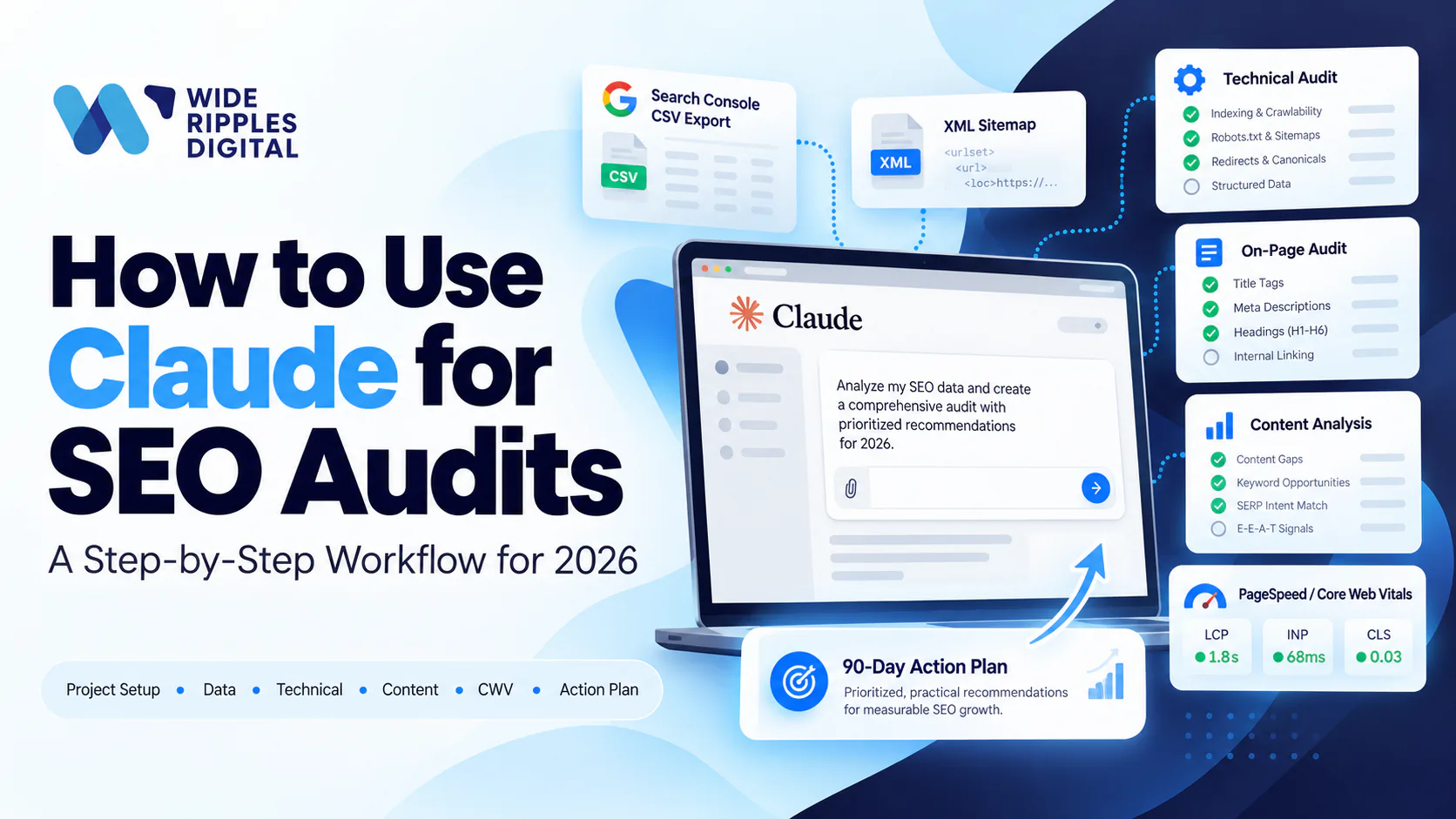
To use Claude for an SEO audit, set up a Claude Project with your business context, feed it your Search Console exports, sitemap and PageSpeed results, then run it through technical, on-page and content passes using targeted prompts. Finish by having Claude turn everything into a prioritized 90-day action plan.
That is the whole workflow in two sentences. The rest of this guide gives you the seven steps in detail, the exact prompts to copy, and the honest list of things Claude cannot do, because an AI audit is only as good as the human steering it.
One disclosure before we start: yes, we are a marketing agency writing lovingly about an AI assistant. No, the robot did not sponsor this post. It just turns a two-day audit grind into an afternoon, and we think more business owners should know that.
Why use Claude for SEO audits?
An SEO audit is mostly three jobs: collecting data, spotting patterns in that data, and translating the patterns into fixes. The first job is yours. The second and third are exactly what a large language model is weirdly good at.
Claude's toolkit fits audit work well. According to Anthropic's help centre, you can upload up to 20 files per chat at up to 500MB each, including the CSV exports your audit runs on, and PDFs up to 1,000 pages. With web search switched on, Claude searches the live web with citations and can fetch specific URLs you give it. And Projects give it a persistent workspace with custom instructions and your documents, so you explain your business once instead of every Tuesday.
If you want the broader picture of where Claude fits in your marketing stack beyond audits, we wrote a companion piece on how to use Claude AI for SEO.
What Claude can and can't do here
Let's set expectations before the robot gets a corner office:
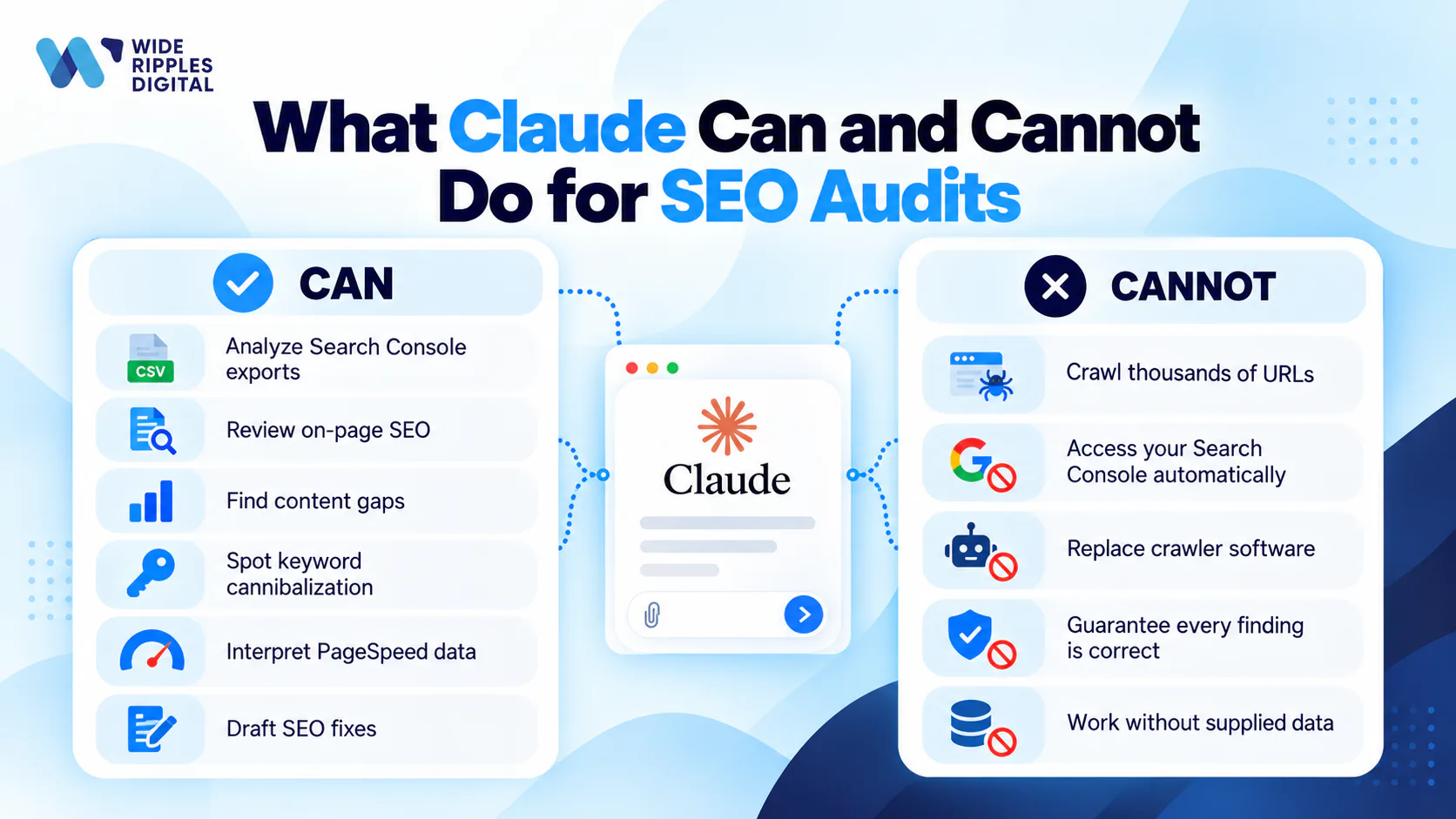
- Can: analyze Search Console exports, interpret PageSpeed results, review page content against SEO best practices, find keyword cannibalization in your query data, draft fixes, and write the report your boss will actually read.
- Can't: crawl 10,000 URLs like dedicated crawler software, see inside your Search Console account by itself, or guarantee that every number it mentions is correct. You bring the data, and you verify anything surprising before acting on it.
Treat Claude as a sharp junior analyst with infinite patience: brilliant with the data you hand over, not to be trusted with "just guess my traffic."
The 7-step Claude SEO audit workflow
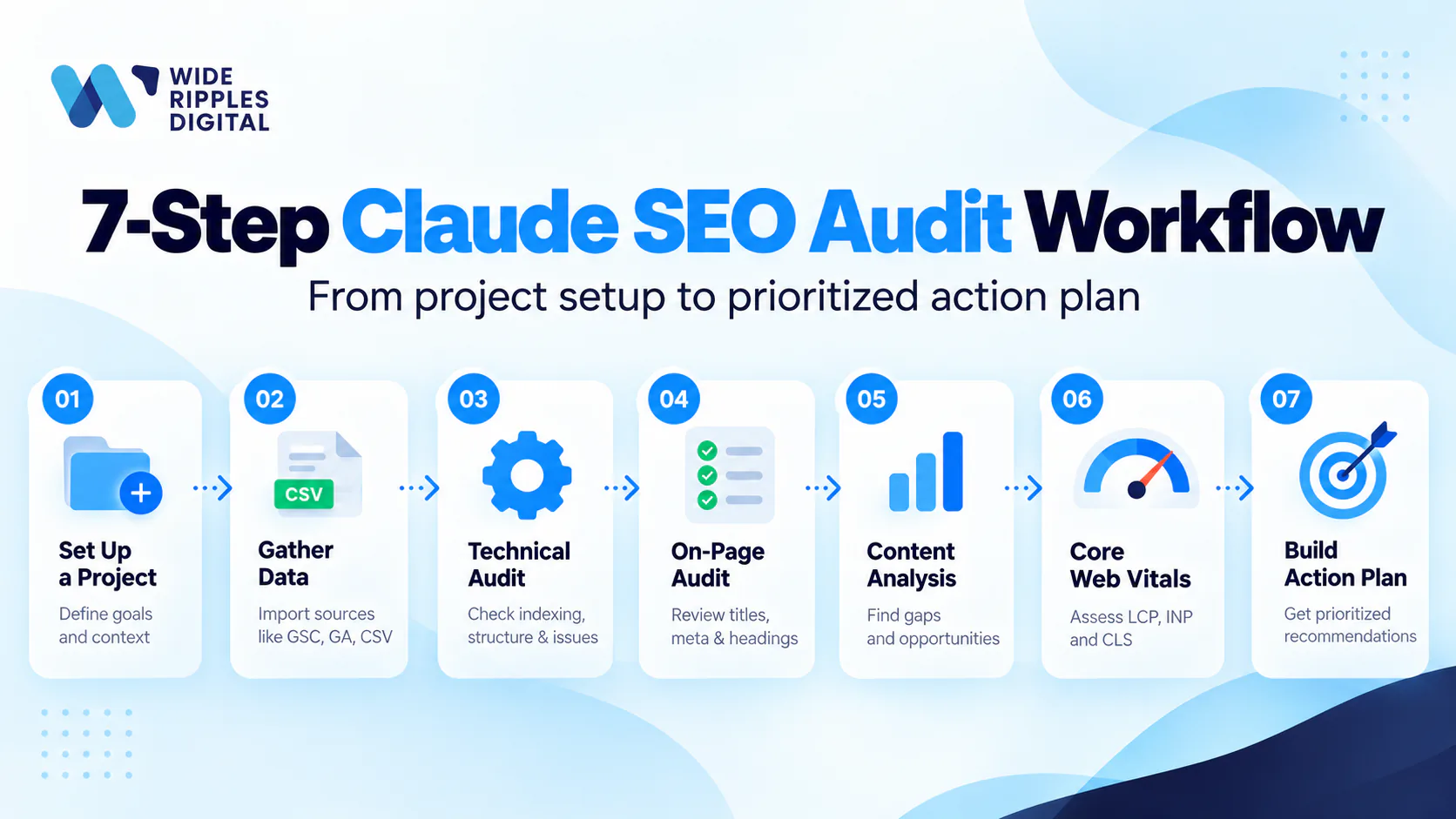
Step 1: Set up a Claude Project
Projects are dedicated workspaces where you can upload documents, add custom instructions and keep focused chats, and even free accounts can create up to five of them.
Create one called "SEO Audit: YourSite.com" and put your context into the custom instructions:
You are an SEO analyst for [business name], a [what you do] serving
[locations/audience]. Our website is [URL]. Our money pages are
[list]. Our goals: [leads/sales/calls]. When auditing, be specific,
cite which data file each finding comes from, and flag anything
you are uncertain about instead of guessing.
That last sentence is load-bearing. It tells Claude that "I don't know" is an acceptable answer, which is exactly what you want from an auditor.
Step 2: Gather your data
Claude cannot audit what it cannot see, so this step decides the quality of everything after it.
The two Search Console exports do the heaviest lifting. In GSC, open Performance, set the date range to 12 months and export to CSV. Then visit the Indexing report and note what Google indexed, what it excluded and the stated reasons. Add your sitemap URL, PageSpeed Insights results for your top pages, and a short list of competitors who outrank you.
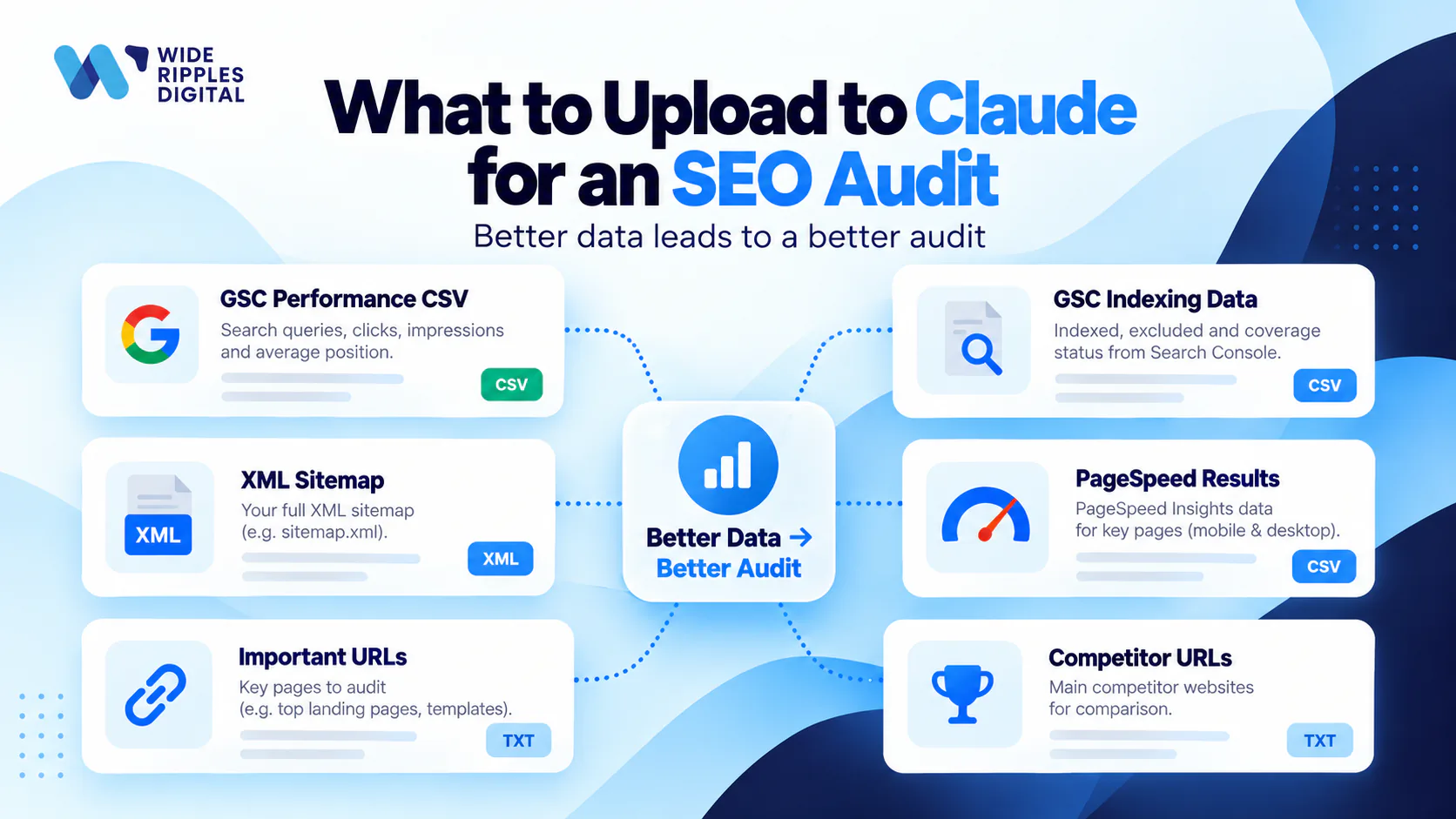
Upload the files to your Project and you are ready to audit.
Step 3: Run the technical pass
Start with the plumbing, because brilliant content on a page Google cannot index is a diary entry. Prompt:
Using the attached GSC indexing data and my sitemap, answer:
1. Which important pages are not indexed, and what reasons does
   Google give?
2. Are there URLs in the sitemap that return errors or redirects?
3. Do you see signs of duplicate or near-duplicate pages?
4. List any crawl or indexing problems in order of severity, with
   the fix for each.
With web search on, you can also ask Claude to fetch and review your robots.txt and key pages directly by URL. It will happily tell you that your robots.txt has been blocking your blog since March, which is the kind of news better heard from a robot.
Step 4: Audit on-page SEO
Give Claude your 5 to 10 most important URLs and let it grade the on-page basics:
Fetch each URL below. For each page, evaluate: title tag (length,
keyword, intent match), meta description, H1 and heading structure,
internal links, image alt text, and schema markup. Score each page
out of 10 and give the three highest-impact fixes per page. Then
rewrite the title and meta description for the two weakest pages.
This is where Claude earns its keep: it does not just find the problem, it drafts the fix in the same breath. Review the rewrites, adjust for brand voice, ship them.
Step 5: Mine your content
Now the fun one. Your 12-month GSC performance export is a goldmine that most businesses never dig into. Prompt:
Analyze the attached GSC performance CSV:
1. Which pages lost clicks or impressions over the period (content
   decay)?
2. Which queries have high impressions but a position of 8-20?
   These are striking-distance opportunities.
3. Do multiple pages compete for the same query (cannibalization)?
   If so, which page should win?
4. Which topics do we get impressions for but have no dedicated
   page? Suggest new pages.
Expect at least one unflattering surprise. Everyone's "best" page is secretly a 2023 post about something they no longer sell. For a deeper manual process to pair with this, our guide on how to do SEO audits in 2026 walks through the full checklist we use internally.
Step 6: Decode Core Web Vitals
Run your top pages through PageSpeed Insights, then paste the results (or screenshots, since Claude reads images) into the chat. For context, Google's official "good" thresholds are an LCP of 2.5 seconds or less, an INP of 200 milliseconds or less and a CLS of 0.1 or less, each measured at the 75th percentile of page loads. INP became a stable Core Web Vital in March 2024, replacing FID, so if your last audit still says "FID," it is due for retirement.
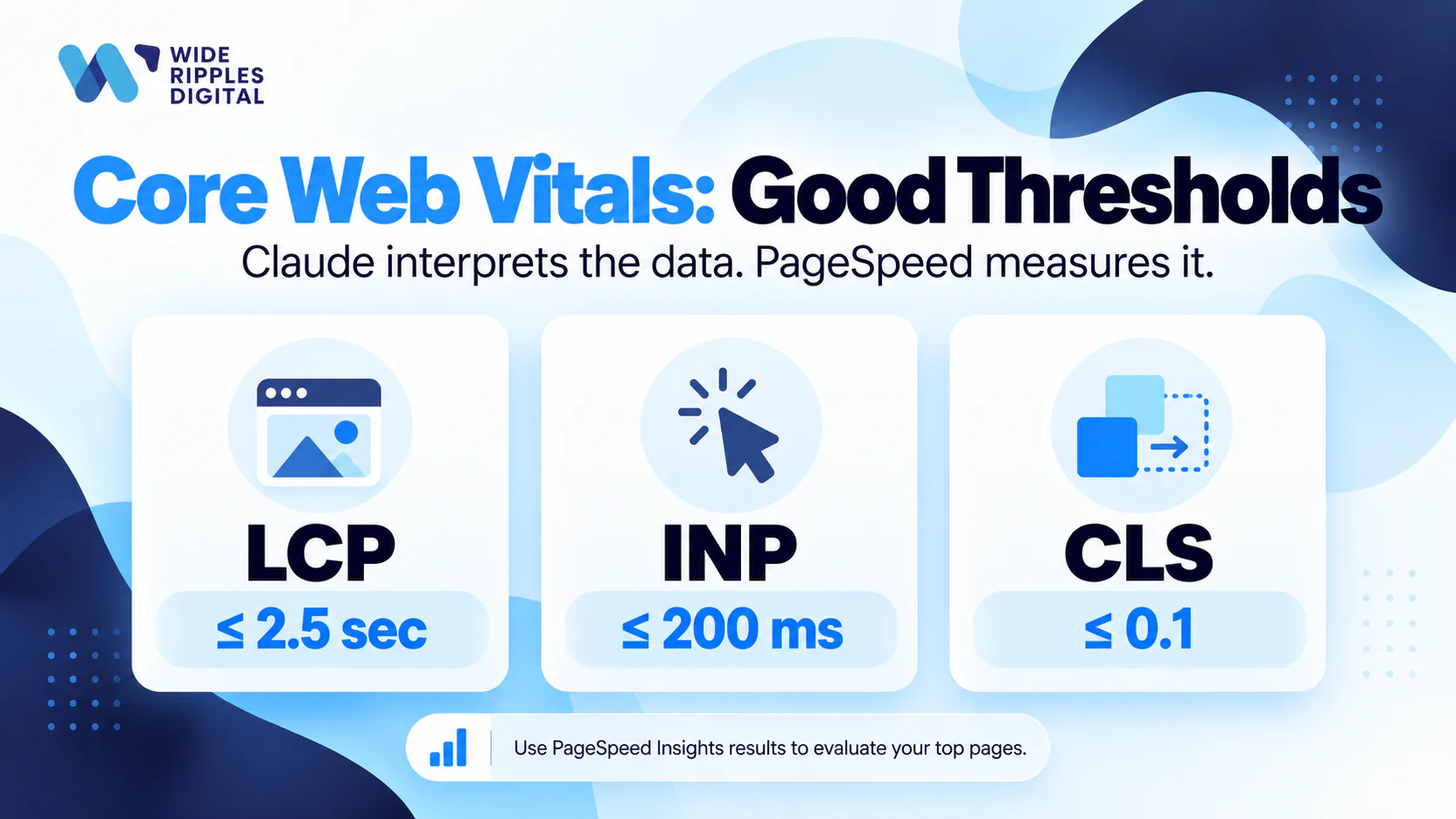
Prompt:
Here are PageSpeed Insights results for my top pages. Compare each
metric against Google's good thresholds (LCP 2.5s, INP 200ms, CLS
0.1). Explain each failure in plain English, what is causing it on
my specific pages, and rank the fixes by impact and difficulty.
Which fixes can a non-developer do?
Claude's superpower here is translation. "Reduce unused JavaScript" becomes "your chat widget loads before your actual page does, and your visitors are noticing." If you want the fundamentals first, our explainer on Core Web Vitals has you covered.
Step 7: Build the action plan
An audit that ends as a 40-page PDF of sadness helps nobody. End yours like this:
Summarize every issue found in this project into one action plan:
1. A table: issue, affected pages, impact (high/med/low), effort
   (high/med/low), owner (me, developer, or writer).
2. Quick wins first: everything high-impact and low-effort.
3. A 90-day roadmap: what to do in weeks 1-2, month 1, months 2-3.
4. A one-paragraph executive summary a non-SEO person understands.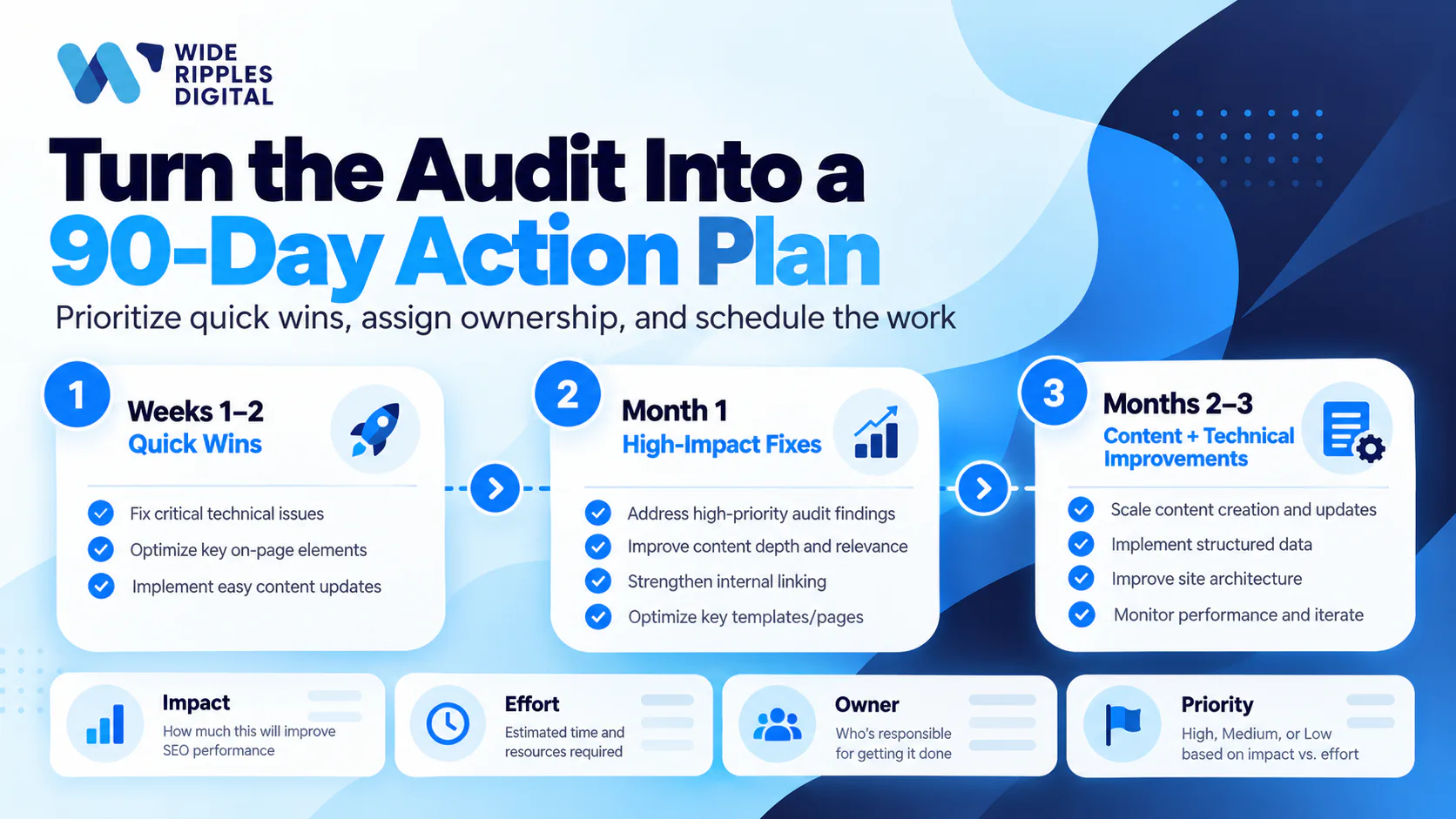
Save the output in the Project. Next quarter, upload fresh exports and ask Claude what changed. An audit is a habit, not a souvenir.
Five rules so your AI audit doesn't embarrass you
- Verify before you ship. Claude analyzes the data you give it well, but check surprising claims against GSC itself before telling your boss traffic doubled.
- Garbage in, confident-sounding garbage out. Stale exports produce stale audits. Pull fresh data every time.
- One pass per chat. Technical, on-page, content, speed: separate conversations keep the analysis sharp and the context clean.
- Make it cite its sources. "Which file and column is that from?" is the best quality-control prompt in this entire article.
- Remember what it cannot see. Claude only knows about the pages and data you shared. No files, no crawl, no opinion.
When the DIY audit finds more than you can fix
Here is the pattern we see: a business owner runs this exact workflow, gets a beautiful 90-day roadmap, and then discovers the roadmap requires a developer, a writer and fifteen hours a week that do not exist.
That handoff point is where we come in. At Wide Ripples, SEO audits and the fixes that follow are core service, not a side quest. For one accounting client, two years of search work brought conversions up 63%, revenue up 159% and 2,780 leads. Clients rate us 4.8 out of 5, and every engagement comes with a number you can hold us to each month. We use AI workflows like this one daily, paired with professional tools and humans who know when the robot is wrong.
Ran the audit and want the fixes handled? Book a free consultation with Wide Ripples and bring your Claude action plan. We will tell you what we would tackle first, free.
Frequently asked questions about using Claude for SEO audits
Can Claude do an SEO audit?
Yes, Claude can perform a thorough SEO audit when you provide the right data: Search Console exports, your sitemap, PageSpeed results and key page URLs. It analyzes technical issues, on-page elements and content opportunities, then produces a prioritized action plan. It cannot crawl your whole site by itself.
Is Claude good for SEO?
Yes, Claude is strong at SEO analysis tasks: interpreting Search Console data, auditing page elements, finding content gaps and drafting optimized titles and descriptions. It works best as an analyst for data you supply, paired with human judgment and verification of its findings.
Can Claude crawl my entire website?
No, Claude is not a site crawler. With web search enabled it can fetch and analyze specific URLs you give it, but it cannot discover and crawl thousands of pages the way dedicated crawler software does. For large sites, export crawl data and upload it to Claude for analysis.
What data do I need to give Claude for an SEO audit?
Give Claude your Search Console performance export, the indexing report, your XML sitemap URL, PageSpeed Insights results, your most important page URLs and a few competitor URLs. Add business context like services, locations and goals so its recommendations fit your actual business.
Can Claude analyze Google Search Console data?
Yes, Claude analyzes Search Console data well once you export it as a CSV and upload it. It can find declining pages, striking-distance keywords, cannibalization and content gaps in the export. Claude cannot log into your Search Console account by itself, so the export step is yours.
Is Claude better than ChatGPT for SEO audits?
Both can run an audit workflow like this one, and each has strengths. Claude is particularly strong at analyzing long documents and large data exports, and Projects make recurring audits convenient. The honest answer is to run the same task through both and keep whichever fits your workflow.
How much does it cost to use Claude for SEO audits?
You can run a basic SEO audit on Claude's free plan, which includes up to five Projects and file uploads within usage limits. Paid plans add more usage and more room for project knowledge, which helps with big data exports and recurring audits. Either way, it costs a fraction of a professional audit.
Can Claude write meta titles and descriptions?
Yes, this is one of Claude's best SEO tasks. Give it the page URL or content, the target keyword and your brand voice, and it drafts title tags and meta descriptions to length. Always review them for accuracy and voice before publishing, then track the results.
Can Claude check Core Web Vitals?
Claude cannot measure Core Web Vitals itself, but it interprets PageSpeed Insights results well. Paste your results and it compares them against Google's official thresholds (LCP 2.5s, INP 200ms, CLS 0.1), explains what is failing in plain English and ranks the fixes.
How accurate are AI SEO audits?
An AI SEO audit is as accurate as the data you provide and the verification you apply. Claude analyzes real exports reliably, but it can misread ambiguous data or make confident-sounding errors, so check surprising findings against the source before acting. Trust, but verify.
Will AI replace SEO agencies and professionals?
No, AI changes the work rather than replacing it. Claude compresses the analysis phase of an audit from days to hours, but strategy, implementation, link building and knowing when the AI is wrong still need humans. The winning combination in 2026 is professionals using AI, not either one alone.
How often should I run an SEO audit with Claude?
Run a full audit quarterly and a light check monthly. Keep everything in one Claude Project so each new audit builds on the last: upload fresh Search Console exports and ask what changed since the previous quarter. Rankings move constantly, and a yearly audit misses most of the story.
Disclaimer: The information provided in this blog is for general informational purposes only. For professional assistance and advice, please contact experts.

Written by Umer Kureshi
Search and Performance Lead
Umer leads search and performance at Wide Ripples Digital and heads SEO and marketing at Bestax. His work covers technical SEO, content strategy, internal linking and local search, and he builds each plan around the gaps in a client’s niche rather than a copied playbook. On one campaign that approach took a site from 30 clicks a day to 12,953 in a single day.
Reviewed by Usman Shafique, Organic Growth Strategist
Last updated October 10, 2026 · Umer Kureshi on LinkedIn