How to Build a Social Media Content Calendar (Free Template)

To build a social media content calendar, pick your platforms and how often you will post, choose a few content themes, then plan each post's date, format, caption, and call to action in one simple sheet you update every week. The fastest way to do it is to grab a ready-made template, and there is a free one further down this page, so you can fill in the blanks instead of reinventing your week every Monday.
Now, let us be honest about why you are here. Posting to social media without a plan is like grocery shopping while hungry. You wander in with good intentions and leave with three tubs of ice cream and no actual dinner.
A calendar fixes that. It turns "I should post something today" panic into a calm, boring, wonderful system that runs whether or not you feel inspired at 8 a.m. on a Tuesday.
This guide walks you through the whole thing, with a few laughs, a free template, and zero fluff. Grab a coffee. Or a double-double. We do not judge.
What is a content calendar, and why bother?
A content calendar is a simple schedule that maps out what you will post, where, and when, before the week starts. Think of it as a meal plan for your online presence. You decide the menu in advance so you are not scrambling at the last minute.
Here is why it is worth the effort. Your customers are already online and already spending money there. Canadians spent $4.3 billion online in December 2025 alone, which was about 6.1% of all retail trade that month, according to Statistics Canada. Consistent posting is how you stay in the conversation while they scroll toward a buying decision.
It is not just shoppers, either. Almost 1 in 3 Canadian businesses, 32%, took e-commerce orders in 2023, up from 25% in 2019, in Statistics Canada's Survey of Digital Technology and Internet Use. Showing up regularly on social media feeds that same funnel, and a calendar is what keeps you showing up.
A good calendar gives you four things:
- Consistency: you post on schedule instead of in random bursts.
- Balance: you mix helpful, fun, and salesy posts instead of only shouting "buy now."
- Less stress: decisions are made in advance, so daily posting takes minutes.
- Better results: you can see what worked and do more of it.
In short, it is the difference between running your social media and your social media running you ragged.
What you need before you start
You do not need fancy software or a marketing degree. You need five things sorted first.
- A goal: more followers, more website visits, more bookings, or more sales. Pick one main goal.
- Your platforms: the two or three channels where your customers actually hang out.
- A posting frequency: how many times a week you can realistically post and keep it up.
- Your brand voice: friendly, professional, funny, or somewhere in between.
- An owner: the person responsible for posting, even if that person is you in your pyjamas.
Sort those five, and the calendar practically fills itself. Skip them, and you will end up with a beautiful spreadsheet you never use.
How to plan social media content in 7 steps
Here is the part you came for. This is how to plan social media content without losing your weekend or your mind. Follow these seven steps in order.
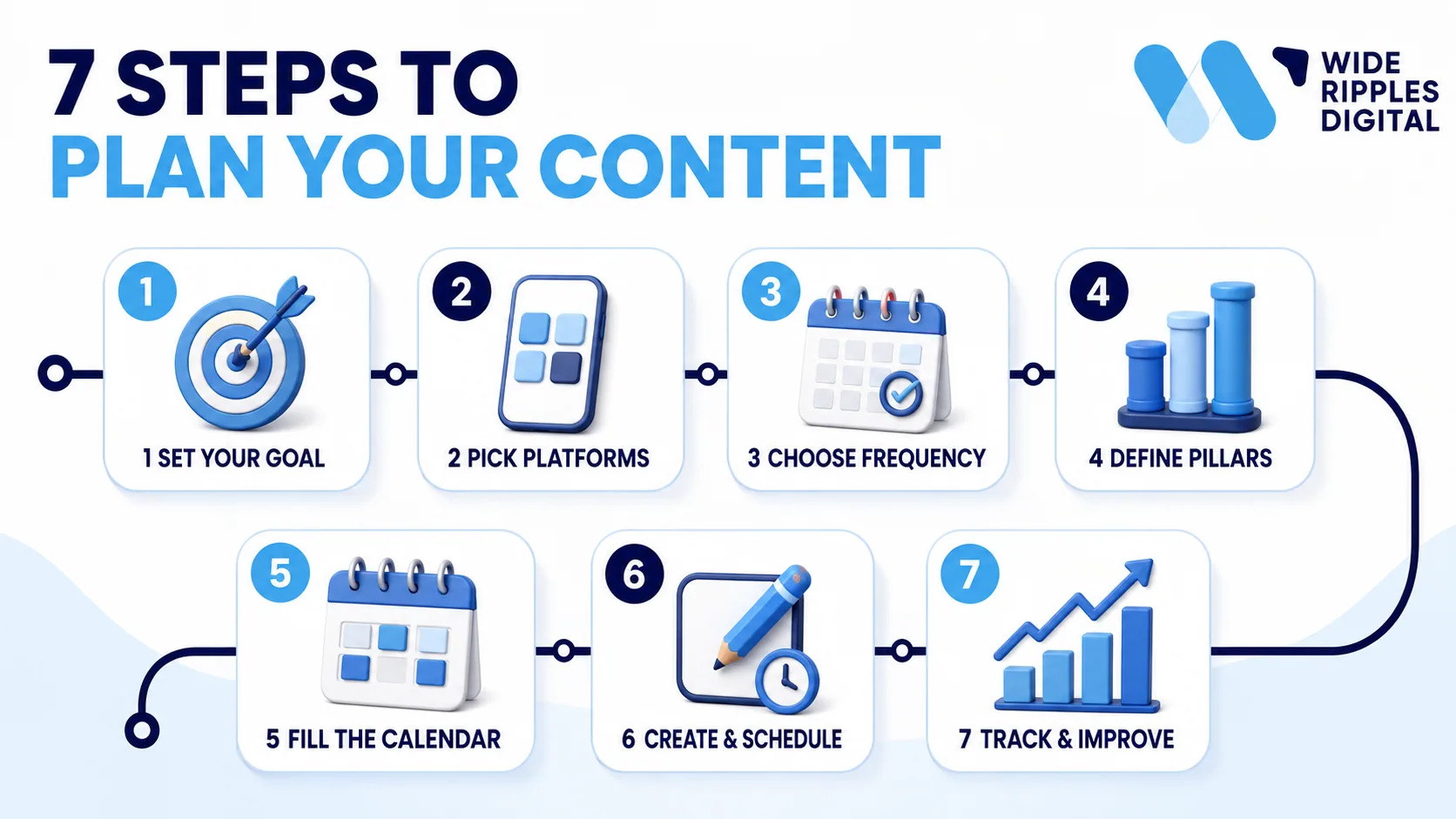
Step 1: Set one clear goal
Decide what you actually want from social media this month. One goal, not ten. If every post tries to do everything, it usually does nothing.
Step 2: Pick your platforms
You do not need to be everywhere. Choose the two or three channels where your audience already spends time, and do those well. A great Instagram beats a sad, dusty presence on five apps.
Step 3: Decide how often to post
Be honest about your capacity. Posting three strong times a week beats posting daily for two weeks and then vanishing until spring. Consistency wins.
Step 4: Choose your content pillars
Pick four or five themes you will rotate through, so you never stare at a blank screen. More on pillars in the next section.
Step 5: Fill in the calendar
For each post, note the date, platform, pillar, format, hook, caption, hashtags, visual, and one call to action. This is where the template does the heavy lifting.
Step 6: Batch, create, and schedule
Write and design several posts in one sitting, then schedule them ahead. Batching is far faster than making one post a day from scratch. If the design step is where you stall, this is exactly the part our social media post design service takes off your plate.
Step 7: Track, learn, and repeat
At month end, note which posts did well and which flopped. Then plan next month around what your audience actually responded to.
Content pillars: the secret to never running out of ideas
Content pillars are a handful of themes you post about on repeat. They are the reason you will never again lie awake wondering what to post. Instead of inventing something from nothing, you just ask, "Which pillar is today?"
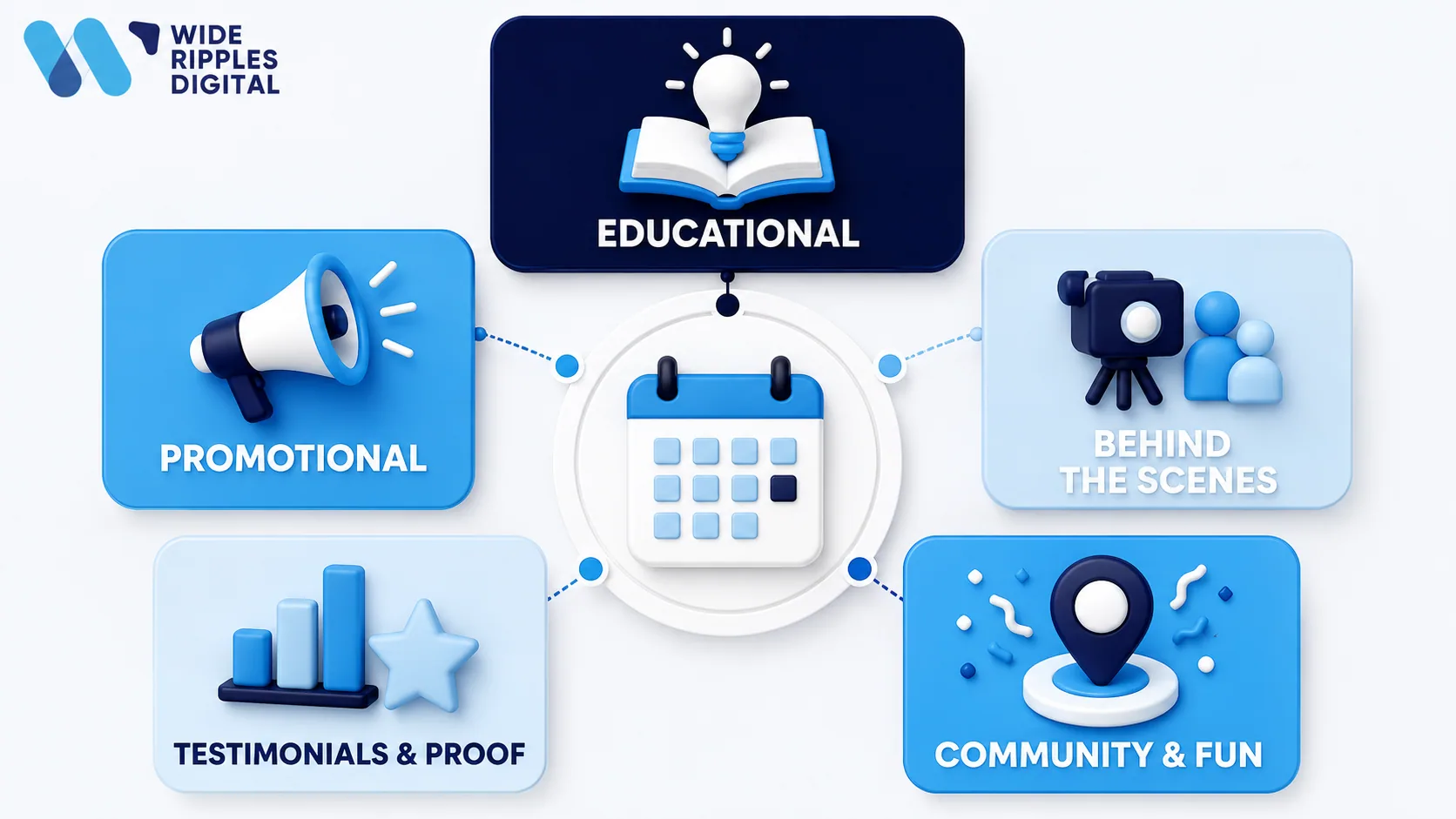
Most small businesses do well with four or five pillars. Here are common ones with quick examples:
- Educational: tips, how-tos, and myth-busting. ("Three signs your website needs a tune-up.")
- Promotional: your offers, services, and products. ("Book your free audit this week.")
- Behind the scenes: your team, your process, your workspace. People buy from people.
- Testimonials and proof: reviews, results, and before-and-afters.
- Community and local: local events, shout-outs, and neighbourhood happenings.
- Entertaining: memes, trends, and lighthearted posts that show your personality.
A simple starting mix is roughly one-third educational, one-third promotional, and one-third community and fun. That way you are helpful and human, not just a walking billboard yelling about discounts.
Rotate your pillars across the week, and your feed stays varied without any daily agonizing. If you want the pillars to ladder up to a bigger plan, that is what a proper content marketing strategy is for.
How often should you post? A simple social media posting schedule
The honest answer is that consistency matters more than volume. A steady social media posting schedule you can maintain will always beat a heroic burst you abandon by month two.
Here are realistic starting frequencies for a small business. Adjust based on your time and results.
| Platform | Starting frequency | Best for |
|---|---|---|
| 3 to 5 times a week | Visuals, reels, local brand building | |
| 3 to 5 times a week | Community, events, older local audiences | |
| 2 to 4 times a week | B2B, professional services, hiring | |
| TikTok | 3 to 7 times a week | Short video, reach, younger audiences |
| YouTube | 1 to 2 times a week | Long video, tutorials, evergreen search |
| Google Business | 1 to 2 times a week | Local search, offers, staying visible on Maps |
A few rules of thumb for any posting schedule:
- Start small and sustainable, then increase once it feels easy.
- Quality beats quantity. One strong post beats five rushed ones.
- Show up on the same days each week so your audience knows when to expect you.
Remember, the algorithm rewards regulars, not one-hit wonders who post a masterpiece and disappear for a month. If you want the mechanics behind that, we broke it down in how social media algorithms work.
Your free content calendar template, and how to use it
You do not have to build this from scratch. We made a free template you can download, open in Excel or Google Sheets, and start filling in today. No email required, no form, just the file.
Free download
Social Media Content Calendar Template
Here is what is inside:
- Read Me tab: a quick guide, a legend for every column, and a colour key.
- Calendar tab: the main planner. One row per post, with drop-down menus for platform, pillar, format, call to action, and status. The day of the week fills in automatically from the date.
- Dashboard tab: live counts of your posts by platform, pillar, and status, so you can spot at a glance if you are over-posting on one channel or ignoring another.
- Ideas tab: a parking lot for random ideas so nothing gets lost.
- Lists tab: the drop-down options, which you can edit to match your brand.
How to use it in four moves:
- Edit the Lists tab so the drop-downs match your platforms and pillars.
- Add one row per post on the Calendar tab, and use the drop-downs.
- Dump every stray idea into the Ideas tab as it hits you.
- Check the Dashboard to keep your mix balanced.
There is a filled-in example row on the Calendar tab so you can see the format. Type over it or delete it, and you are off. It is genuinely that simple, which is the whole point.
Common content calendar mistakes, and how to dodge them
Even a great template cannot save you from a few classic blunders. Here are the ones we see most, and how to avoid them.
- Being on too many platforms. Spreading yourself thin means everything gets ignored. Pick a few and do them properly.
- Only posting promotions. Nobody follows a brand that only yells "sale." Mix in value and personality.
- Planning a month, then ghosting. A calendar only works if you actually use it. Build the habit, not just the sheet.
- Ignoring the results. If you never check what worked, you will keep repeating what did not.
- Overthinking perfection. A good post today beats a perfect post that never gets published.
Dodge those five, and you are already ahead of most small businesses winging it out there.
Should you do it yourself or hand it off?
Both are valid. It comes down to your time and how much social media matters to your growth.
Do it yourself when:
- You enjoy creating content and have time each week.
- Your audience is small and your needs are simple.
- You want to learn the ropes before delegating.
Hand it off when:
- Posting keeps slipping to the bottom of your to-do list.
- You would rather run your business than edit reels at midnight.
- You want consistent, on-brand content without the weekly scramble.
There is no wrong answer. There is only the version where it actually gets done, and the version where your last post says "Happy New Year" in June.
Where Wide Ripples fits in
We are a Mississauga based agency, and this is the work we do every day for Canadian businesses. Our social media marketing covers post and carousel design, reels, audience engagement, post optimization for better reach, and influencer outreach. If you only want the posting handled, social media account management is the narrower version of the same thing.
Here is the part busy owners tend to like. Rather than buying social on its own, most clients fold it into one monthly plan alongside SEO and content, Google Business Profile management and website maintenance, so the whole online presence sits with one team instead of four. Scope and price are set after a free audit, because a single location trade business and a multi location retailer do not need the same thing.
One Mississauga home decor client came to us because, in her words, her Instagram page "was not getting any likes." Once we took over the posting and gave it a plan, her visibility improved. Nothing exotic happened. She just stopped posting at random.
If your social media feels like a chore you keep losing, that is a very fixable problem. Book a free consultation and we will look at what you are already doing before we suggest anything.
Frequently asked questions
What exactly is a content calendar?
It is a simple schedule that plans what you will post, on which platform, and on what date, before the week begins. It keeps your posting consistent and balanced instead of random and rushed, and it usually lives in a spreadsheet or a planning tool.
How do I create a content calendar for social media?
Start by picking one goal, then choose your platforms, decide how often to post, and select four or five content themes. After that, plan each post's date, format, caption, and call to action in one sheet, which is exactly what the free template on this page is built for.
How far in advance should I plan my social media posts?
Planning about one month ahead works well for most small businesses. It is far enough to stay organized and batch your work, but close enough that your posts still feel timely and you can react to trends or local events.
How often should a small business post on social media?
A realistic starting point is three to five times a week per platform, depending on your capacity. Consistency matters more than volume, so it is better to post three strong times every week than to post daily and burn out after two weeks.
What are content pillars?
Content pillars are a small set of recurring themes you post about, such as educational tips, promotions, behind the scenes, and testimonials. They stop you from running out of ideas, because instead of inventing something new every day, you simply rotate through your pillars.
Is there a free content calendar template I can use?
Yes, there is a free template on this page you can download and open in Excel or Google Sheets. It includes a ready-to-use calendar, drop-down menus, an ideas parking lot, and a dashboard that counts your posts by platform and theme automatically.
Should I use a spreadsheet or a scheduling app?
A spreadsheet is perfect for planning and is free, which is why our template uses one. A scheduling app adds automatic posting on top, so many businesses plan in a spreadsheet first and then load the finished posts into a scheduler.
What is the difference between a content calendar and a scheduling tool?
A content calendar is the plan for what you will post and when, while a scheduling tool actually publishes those posts for you at set times. You plan in the calendar, then a scheduler handles the posting, and the two work best together.
How do I know what to post?
Base your posts on your content pillars and on what your audience keeps asking about. Answer common customer questions, share results and reviews, show your process, and mix in your offers, so every post either helps, entertains, or gently sells.
How much does it cost to have someone manage my social media in Canada?
Prices vary widely, from a few hundred dollars a month for basic posting to several thousand for full creative production. Many Canadian agencies, ourselves included, bundle social media management with SEO, Google Business Profile and website work rather than selling it on its own, which usually costs less than buying each piece separately. We scope and price after a free audit.
How do I measure if my social media is working?
Track the numbers that match your goal, such as reach, engagement, website clicks, and enquiries. Review them monthly, note which posts performed best, and use that to plan the next month, which is why the template includes a notes and results column.
Can I really manage social media myself?
Yes, especially with a plan and a template to guide you. The catch is consistency, because it takes ongoing time each week, so if posting keeps slipping down your list, that is usually the sign it is time to hand it off.
Written by Mahnoor Jehanzeb
Last updated September 2, 2026