Does Geotagging Photos Help SEO? What Actually Works in 2026
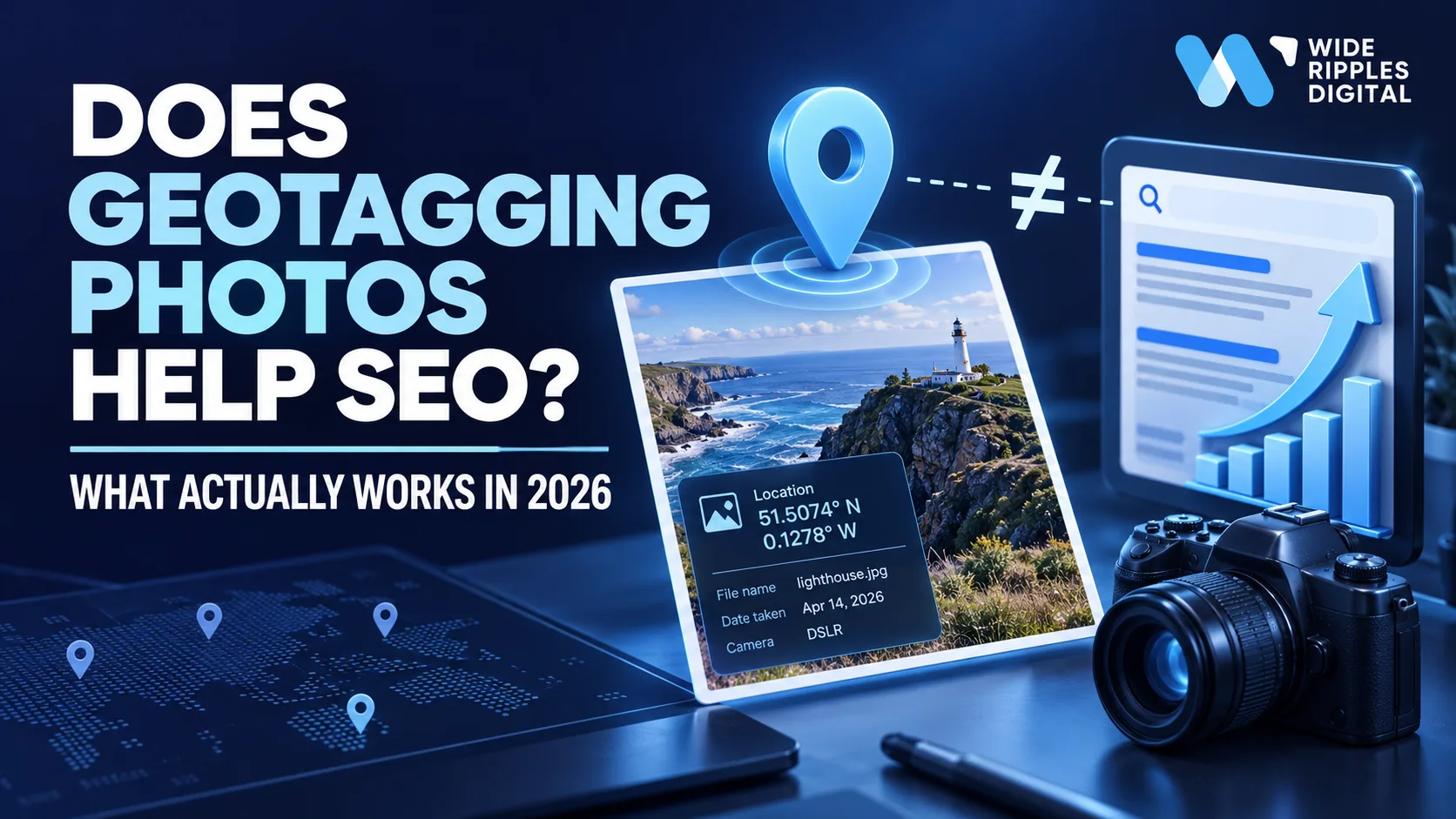
No, geotagging photos is not a documented Google ranking factor in 2026, and adding GPS coordinates to an image is not a shortcut to better rankings. A geotag is useful for organising photos and recording where they were taken, but if your goal is search visibility, Google's own documentation points you at other image and local SEO signals entirely.
So if somebody tells you that changing the latitude and longitude inside 47 photos will launch your plumbing company into position one on Google Maps, keep your wallet nearby.
Google is clever. Your JPEG does not receive bonus SEO points simply because it knows where it had lunch.
Google's current image SEO documentation, last updated 2 March 2026, focuses on crawlable images, descriptive filenames, useful alt text, relevant surrounding content, image quality, page speed, structured data and image discovery. Embedded GPS coordinates are not on the list.
That does not make geotagging useless. It just means we need to give it the correct job description.
What is geotagging?
Geotagging means attaching geographic information to a photo or other digital file.
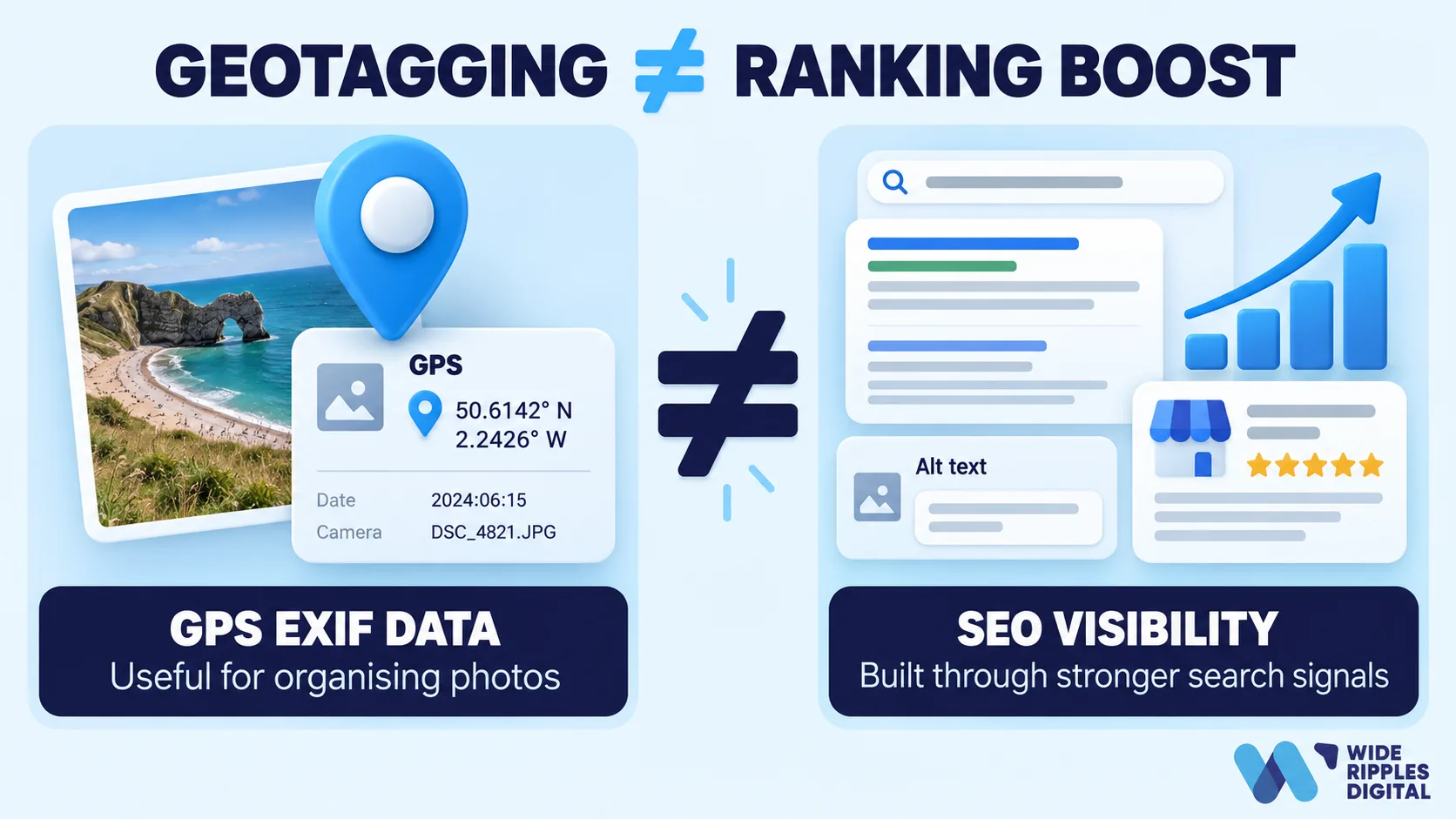
For photos, a geotag usually contains latitude and longitude coordinates stored inside the image's EXIF metadata. Smartphones save this automatically when camera location services are on. Google Photos uses the same information to help people organise, search and explore their libraries.
Say you photograph a completed renovation in Mississauga. The file could contain:
- Latitude: the project's approximate north-south position
- Longitude: its east-west position
- Camera information: device and capture details
- Date: when the photo was taken
- Other metadata: depending on the device and software
You can also add coordinates manually with editing software or a metadata tool. So when people say they want to geotag images, geotag photos or geotag pics for SEO, they normally mean adding GPS coordinates before uploading them to a website or a Google Business Profile.
The technical process is real. The magical ranking boost is where things get wobbly.
Does Google use geotagged photos as a ranking signal?
There is no current Google documentation identifying EXIF GPS coordinates as a direct image SEO ranking factor. That distinction matters.
Google certainly understands location in other contexts. Google Maps understands locations rather well. That is sort of its whole personality. Google Photos can use location data attached to photos for organisation and search.
But Google Search's image SEO guidance gives website owners a detailed list of recommended practices. It specifically discusses filenames, alt text, page context, image quality, structured data, image sitemaps, responsive images and crawlability. GPS coordinates are not included as a recommended tactic.
So the sensible 2026 conclusion is: geotagging is not a documented SEO ranking shortcut.
Could Google systems technically read different forms of image metadata? Yes. Does that mean your coordinates give you a measurable ranking advantage? Google has not documented that. Those are two very different statements.
But doesn't Google read image metadata?
Yes, Google supports certain kinds of image metadata. This is where the argument gets interesting.
Google's image metadata documentation, updated 10 December 2025, explains that it can use structured data and IPTC photo metadata to understand:
- The image creator
- Copyright information
- Credit information
- Licensing information, including a web statement of rights and a licensor URL
- Digital source type, which is how AI-generated images are labelled
Google also supports C2PA content credentials, which can feed the "About this image" feature with information about how an image was created or edited.
Notice something? Google publishes a fairly specific list of the metadata it extracts. GPS location is not on it.
So saying "Google can understand image metadata, therefore GPS coordinates improve rankings" is a bit like saying "my accountant understands French, therefore doing my tax return in French lowers my taxes."
Interesting fact. Unproven conclusion.
What actually helps image SEO in 2026?
This is where your time is better spent.
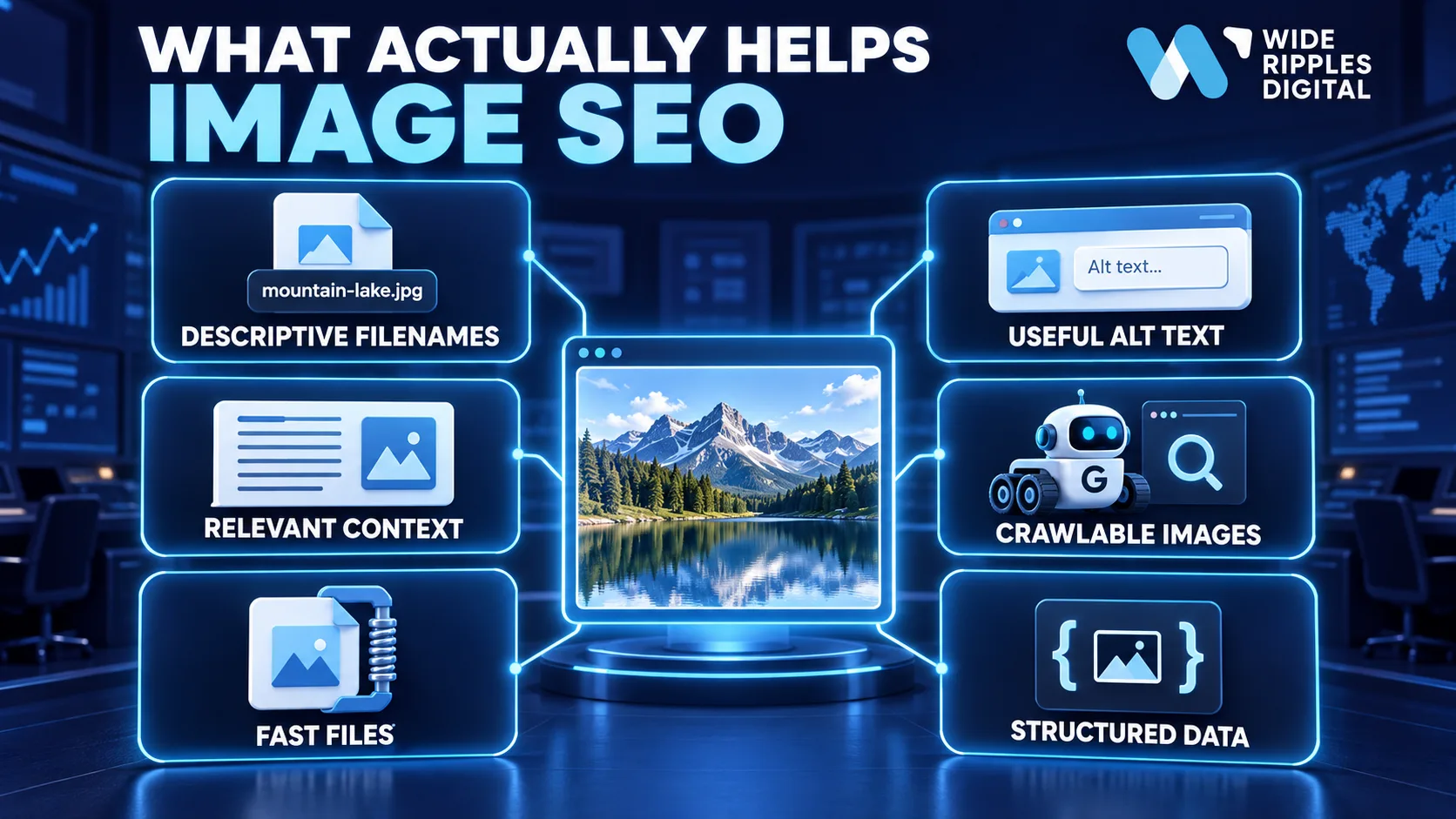
1. Use descriptive image filenames
Google says filenames provide "very light clues" about an image's subject matter. Light, but real. So instead of:
IMG_847219.jpg
use something descriptive such as:
commercial-roof-repair-mississauga.jpg
The goal is not to stuff every city within driving distance into the filename. Nobody needs:
roofer-mississauga-toronto-oakville-brampton-roof-repair-best-roofer-final-3-really-final.jpg
Keep it short and accurate.
2. Write useful alt text
Alt text matters far more than manually geotagging every image. Google calls it "the most important attribute when it comes to providing more metadata for an image," and says it uses alt text together with computer vision and the page content to understand what an image shows.
Good:
alt="Technician repairing a commercial rooftop HVAC unit in Mississauga"
Bad:
alt="HVAC Mississauga HVAC contractor best HVAC company HVAC repair near me"
That second version is not SEO. It is a cry for help.
3. Put images near relevant content
The page around an image provides important context. Google specifically recommends placing images near relevant text and on pages related to the subject shown.
A genuine photo of a kitchen renovation in Oakville makes sense on an Oakville renovation project page. The same photo dropped onto a "Bathroom Renovation Toronto" page is less convincing. Context beats GPS decoration.
4. Make sure Google can actually find the image
A beautifully optimised photo that Google cannot crawl has roughly the same SEO value as a billboard stored inside your garage.
Google recommends standard HTML image elements, crawlable image URLs, and referencing each image by one consistent URL so it can be cached and reused. Image sitemaps help Google discover images it might otherwise miss, including ones hosted on a CDN.
5. Compress images without destroying quality
Image quality matters, but enormous files make a page painfully slow. Google recommends sharp, high-quality images delivered with modern optimisation and responsive markup, so the phone gets the phone-sized version.
For website images, WebP and AVIF usually get you a smaller file at the same visual quality. Do not upload the 14 MB photograph straight from your camera and make visitors download a small documentary before they see your homepage.
6. Use structured data when appropriate
Structured data gives Google information in a machine-readable format. For local businesses, Google's LocalBusiness structured data supports name, address, images, and geographic coordinates through the geo property, with latitude and longitude to at least five decimal places.
This is the important part. If you genuinely want to give Google explicit geographic information about your business, business-level structured data is documented. Hiding the same coordinates inside 73 JPEGs is not. If you want to see how the markup goes together, our guide to adding schema markup manually in WordPress walks through it.
What helps local SEO more than geotagging photos?
For a local company, this is where the discussion actually matters.
Google's local ranking guidance says local results are mainly determined by three broad factors:
- Relevance: how well the business matches what somebody is searching for.
- Distance: how far the business is from the searcher, or from the location used in the search.
- Prominence: how well known the business is, including how many websites link to it and how many reviews it has.
The same page recommends verifying the business, keeping details complete and current, adding hours and categories, responding to reviews, and adding photos and videos.
There is no published Google percentage saying "alt text = 14.3%, reviews = 22.7%, geotagging = two magic beans." Google does not publish weightings. That is why this article does not lean on unofficial ranking-factor percentages from surveys or blogs.
1. Optimise your Google Business Profile
Start with the boring things. Yes, unfortunately, the boring things continue winning. Make sure your:
- Business name is accurate
- Address or service area is correct
- Primary category fits the business
- Opening hours are current
- Services are complete
- Business information is consistent everywhere
- Profile is verified
Google says businesses with complete and accurate information are easier to match to relevant searches. That is a much better use of your afternoon than changing longitude values in Photoshop. Our Google Business Profile optimization checklist covers every field.
2. Upload real, useful business photos
Google recommends adding photographs that help customers understand the business. For Business Profile photos, Google's current photo guidelines ask for JPG or PNG files between 10 KB and 5 MB, a recommended resolution of 720 by 720 pixels, a minimum of 250 by 250, and images that are in focus, well lit, and free of heavy filters or alterations.
Those are the official specifications. Nothing in them mentions coordinates.
A real photograph of your staff, storefront, work, products or finished projects helps customers understand what they are considering. Whether its EXIF coordinates say Mississauga or Mars is not the main issue. We have a whole post on what to upload to your Business Profile and how often.
3. Build strong location pages
If you serve multiple locations, give each important market a genuinely useful page. A good local page can include:
- Services available in that area
- Genuine project examples
- Original photographs
- Customer questions
- Service boundaries
- Relevant local information
- Clear contact options
Do not create 60 pages where only the city name changes. Google's generative AI optimisation guide, updated 10 July 2026, keeps pushing unique, valuable, non-commodity content over pages manufactured to satisfy an algorithm.
4. Earn genuine reviews
Google explicitly says reviews and positive ratings can improve local ranking and help a business stand out. Reviews also do something coordinates cannot: humans actually read them.
A prospective customer deciding between two contractors cares far more that previous customers were happy than whether kitchen-final-v7.jpg contains latitude data. Once the reviews arrive, reply to them properly.
5. Build relevant links and citations
Google's local ranking documentation names links to a business as one of the inputs to prominence. That makes genuine authority-building more important than treating metadata like a secret tunnel into Google Maps.
Should you still geotag photos?
Sure, when there is a useful reason. Geotagging makes sense if you manage hundreds of project photographs and need a location-based media library:
- A roofing company organising project photos by city
- A property company identifying which listing each image belongs to
- A construction firm sorting progress photos by project location
- A multi-location company sorting storefront and branch photographs
That is a genuine operational benefit. Google Photos itself describes location as useful for organising, searching and exploring photos by where they were taken.
Full disclosure: the images on this very post carry embedded metadata, including our office coordinates. We do it because it takes ten seconds in our publishing pipeline, and because the creator, copyright and rights fields sitting next to the coordinates are the ones Google does document. We do not expect the latitude to move a ranking, and neither should you.
So geotag photos because the data helps your workflow. Do not geotag photos because somebody promised position one by Friday.
Be careful when you geotag pics at customer locations
There is also a privacy issue people forget. If the camera records exact coordinates, that location stays associated with the photograph. Google Photos warns that photo location information can be shared in certain circumstances and provides controls around it.
For a public shop or office, location information is usually not sensitive. For a customer's home? Think before publishing exact GPS coordinates. A plumber does not need to announce "here is Susan's leaking shower, coordinates attached."
Strip unnecessary private location data, or get permission, before using precise residential geotags publicly.
Geotagging and GEO are not the same thing
Welcome to SEO in 2026, where we apparently ran out of acronyms.
Geotagging means attaching geographic information to something, such as a photograph. GEO, in modern digital marketing, means Generative Engine Optimization: getting cited by AI Overviews, AI Mode and the chatbots. They are completely different.
Google published new guidance in May 2026, updated in July, specifically addressing generative AI features. Its position is that normal SEO best practices continue to matter, particularly useful content, crawlability, page experience, images, local business information and technical SEO. There are no special files, no AI text files and no special schema to add, and Google warns against chasing supposed AI-search hacks unsupported by how Search works.
A useful lesson applies to both acronyms: do not replace fundamentals with shiny technical tricks.
How Wide Ripples approaches this
We measure SEO against business results, not activity. Our SEO work combines technical SEO, on-page optimisation, content and off-page authority, and our local SEO service covers Google Business Profile management, citations, reviews and location pages.
That philosophy applies perfectly to geotagging. We do not report "we geotagged 300 pictures this month." We report whether organic visibility increased, whether map visibility improved, whether more qualified people called, and whether the location pages generated leads.
Nobody has ever celebrated a record-breaking quarter of EXIF metadata.
A practical 2026 image SEO checklist
Before uploading an important website image:
- Choose a useful and genuinely relevant photo.
- Rename the file descriptively.
- Compress it appropriately.
- Use a supported web image format.
- Add accurate alt text.
- Put the image near relevant content.
- Make sure Google can crawl the image URL.
- Add structured data where appropriate.
- Use an image sitemap when image discovery needs it.
- Keep copyright and rights metadata when it matters.
- Geotag the image only when the location has a genuine operational purpose.
- Remove sensitive coordinates when privacy matters.
That checklist gives Google far more useful information than dropping latitude and longitude into every file.
Final verdict: does geotagging photos help SEO?
Geotagging photos is not a documented direct Google ranking tactic in 2026.
A geotag has legitimate uses. It organises image libraries, associates photos with locations, and preserves useful geographic context. But if your goal is better SEO, Google's documentation points you toward much more important work: relevant content, useful alt text, descriptive filenames, crawlable images, fast pages, original photos, accurate Business Profile information, reviews, links and structured data.
Do those first. Then, if you still have time, geotagging can join the party. It just should not be the DJ.
Need help fixing what actually affects your SEO?
If your team is spending hours on SEO activity but cannot clearly connect that work to rankings, calls, enquiries or sales, we can review the bigger picture. We work across technical SEO, on-page optimisation, local SEO, content, Google Business Profile optimisation and authority building, with reporting built around qualified leads rather than activity for its own sake.
Want to know which of your images, pages and profiles are actually holding you back? Get a free SEO audit from Wide Ripples and we will tell you what to fix first.
Frequently asked questions about geotagging and SEO
Does geotagging photos help SEO in 2026?
There is no current Google documentation identifying GPS information embedded inside photos as a direct SEO ranking factor. Google recommends focusing on alt text, relevant page content, descriptive filenames, crawlability, image quality, speed and appropriate structured data instead.
Does Google read geotags from photos?
Google products can understand location information associated with photos, and Google Search can extract certain forms of image metadata such as creator, copyright and licensing fields. However, Google's current Search documentation does not identify EXIF GPS coordinates as a recommended ranking signal.
Should I geotag images before uploading them to Google Business Profile?
You can, but do not expect the geotag itself to improve rankings. Spend your effort first on accurate Business Profile information, high-quality authentic photos that meet Google's size and quality guidelines, reviews and relevant local content.
Does geotagging help Google Maps rankings?
Google says local results are mainly based on relevance, distance and prominence. Its official local ranking guidance does not identify photo GPS metadata as a separate ranking factor.
What is a geotag on a photo?
A geotag is geographic information associated with a photo, normally identifying where it was taken. Cameras and phones record it automatically when location settings are enabled, and it can also be added or removed with metadata software.
Is alt text more important than geotagging for image SEO?
Yes. Google calls alt text the most important attribute for providing information about an image and says it uses alt text together with computer vision and page content to understand images. GPS geotagging is not included in Google's current image SEO recommendations.
Should I put my city name in an image filename?
Use the city when it genuinely describes the image. For example, office-renovation-mississauga.webp is useful if the photograph really shows that project. Do not force locations into every filename.
How do I geotag photos for local SEO?
You can add latitude and longitude using camera settings or metadata software. Treat geotagging as an organisational step rather than your local SEO strategy, and optimise your Business Profile, location pages, reviews, images, links and on-page content first.
Can I geotag pics taken at customer homes?
Technically yes, but be careful. Exact location information can reveal where a photo was taken. Avoid publicly publishing unnecessary private residential coordinates without an appropriate reason or permission.
Does image metadata matter to Google?
Some metadata does. Google supports specific IPTC and structured data fields covering creators, copyright, credit, licensing and digital source type. That does not mean every metadata field is used for ranking, and GPS coordinates are not on the documented list.

Written by Umer Kureshi
Search and Performance Lead
Umer leads search and performance at Wide Ripples Digital and heads SEO and marketing at Bestax. His work covers technical SEO, content strategy, internal linking and local search, and he builds each plan around the gaps in a client’s niche rather than a copied playbook. On one campaign that approach took a site from 30 clicks a day to 12,953 in a single day.
Last updated September 15, 2026 · Umer Kureshi on LinkedIn