Search Console's New AI Report: How to Track AI Overviews and AI Mode Impressions
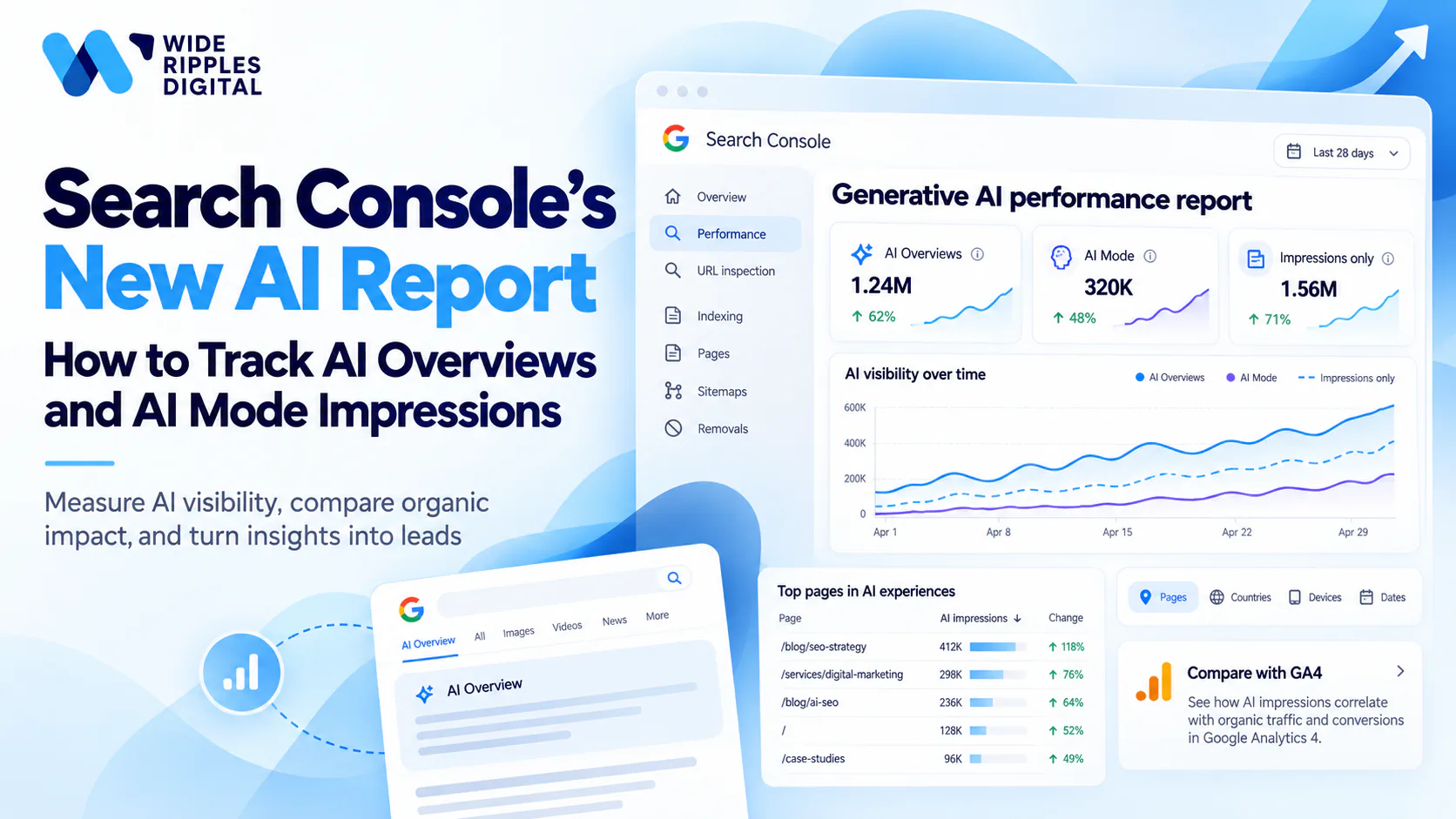
The Search Console AI report finally shows how often your pages appear in Google's AI answers. Google launched the generative AI performance report on June 3, 2026, and rolled it out to all websites worldwide by August 31, 2026.
For the first time, you can see AI Overviews and AI Mode impressions in their own view. You no longer have to guess from a dip in clicks or a ranking tool's estimate.
The report has clear limits, though. It counts impressions, not clicks. If you want to know how AI search affects your leads and sales, you need to pair it with your analytics.
What the Search Console AI report shows
Google calls it the generative AI performance report. You find it under Performance in the Search Console sidebar, listed apart from the standard Search results report.
AI Overviews and AI Mode data
The report covers two features in Google Search: AI Overviews and AI Mode.
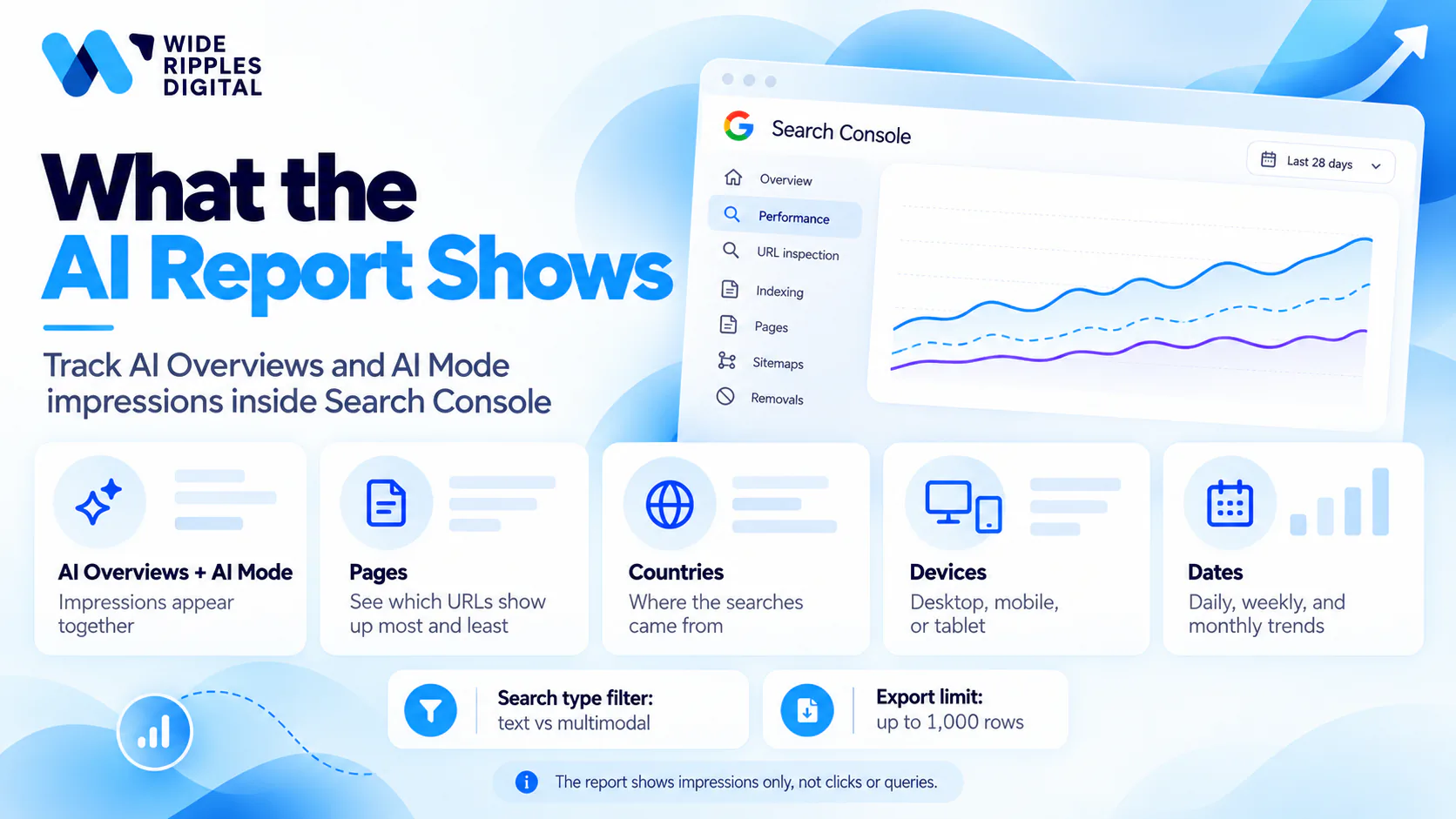
AI Overviews and AI Mode impressions appear together. Google's help page for the report lists no filter that splits them, so you cannot yet compare the two side by side.
Some traffic is left out. Search Labs experiments are excluded, and sites with too few AI impressions see no report at all.
Dimensions in the generative AI performance report
You can break your AI Mode and AI Overviews data down four ways:
| Dimension | What it tells you |
|---|---|
| Pages | Which URLs show up in AI answers most and least often |
| Countries | Where the searches came from |
| Devices | Desktop, mobile or tablet |
| Dates | Daily, weekly or monthly trends, in Pacific Time |
A search type filter also separates text searches from multimodal ones, such as Google Lens and Circle to Search. You can export the chart and table, within the usual 1,000-row limit.
How AI Mode impressions are counted
An impression counts each time a link to your site appears to a user in an AI feature. The total changes depending on how you view it.
At property level, two of your links in one AI answer count as one impression. Filter by page, and each URL counts on its own. Expect the chart and the table to show different totals for that reason.
The newest days can be preliminary and appear as a dotted line. Read trends over weeks, not single days.
Search Console AI report vs the standard Performance report
The two reports answer different questions. The standard report tells you how you perform in Google Search overall. The AI report isolates one part of that activity.
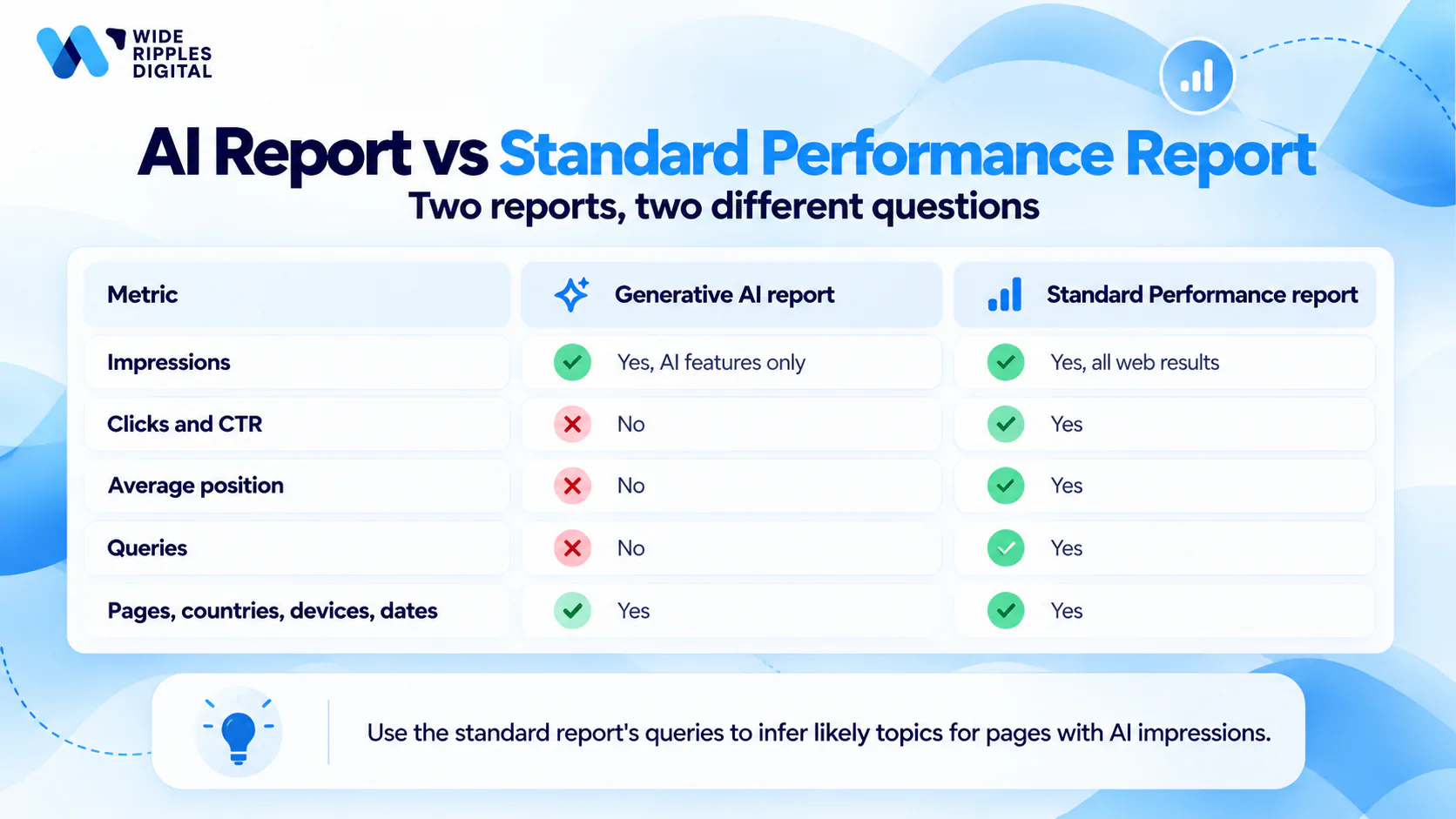
| Feature | Generative AI performance report | Standard Performance report |
|---|---|---|
| Impressions | Yes, AI features only | Yes, all web results |
| Clicks and CTR | No | Yes |
| Average position | No | Yes |
| Queries | No | Yes |
| Pages, countries, devices, dates | Yes | Yes |
The missing Queries dimension surprises most site owners. You can see which pages earn AI impressions, but not which searches triggered them. Use the standard report's queries for those pages to work out the likely topics.
The Discover generative AI report
Discover has its own AI report, covering generative AI features in the Discover feed. An impression counts only when the card scrolls into view, and only once per result per session.
The Discover version has no device breakdown. If your site earns Discover traffic, check both reports, since the Search report leaves Discover out.
How to use the Search Console AI report for AI Overviews tracking
The report is most useful when you read it next to your standard Performance data. On its own, a rising impression count tells you little about revenue.
Track AI Overviews impressions page by page
Start with the Pages view. Your top pages show which content Google trusts enough to cite in AI answers.
Pages with zero AI impressions matter too. If a competitor's guide earns AI visibility for a topic you cover, your page may lack the clear answers, structure or proof that AI features pick up.
Compare AI impressions with organic clicks
Google's help page says the report draws on Web search data from the standard Performance report. AI impressions do not replace your organic numbers. They show one slice of the same activity.
Say your pricing page earned 12,000 AI impressions last month, while its organic clicks fell from 900 to 700. Searchers may be getting their answer in the AI feature without clicking.
The page still has value, because buyers see your brand at the research stage. Your next move is to make that page worth the click, with pricing detail, examples or a tool the AI answer cannot give.
Earn more AI Overviews impressions
Pages that appear in AI answers tend to share a few traits. They answer the question in the first lines under each heading, back claims with numbers or examples, and show who wrote them.
Structure helps too. Short paragraphs, clear headings, tables and FAQ sections give AI features clean passages to quote. Structured data, such as FAQPage or Product schema, makes the page easier for Google to understand.
Track each change in the AI report. A page that gains impressions within four to eight weeks of an update shows you which edits work for your site.
Our AI Overviews tracking process
At Wide Ripples, we track AI visibility for clients in four stages:
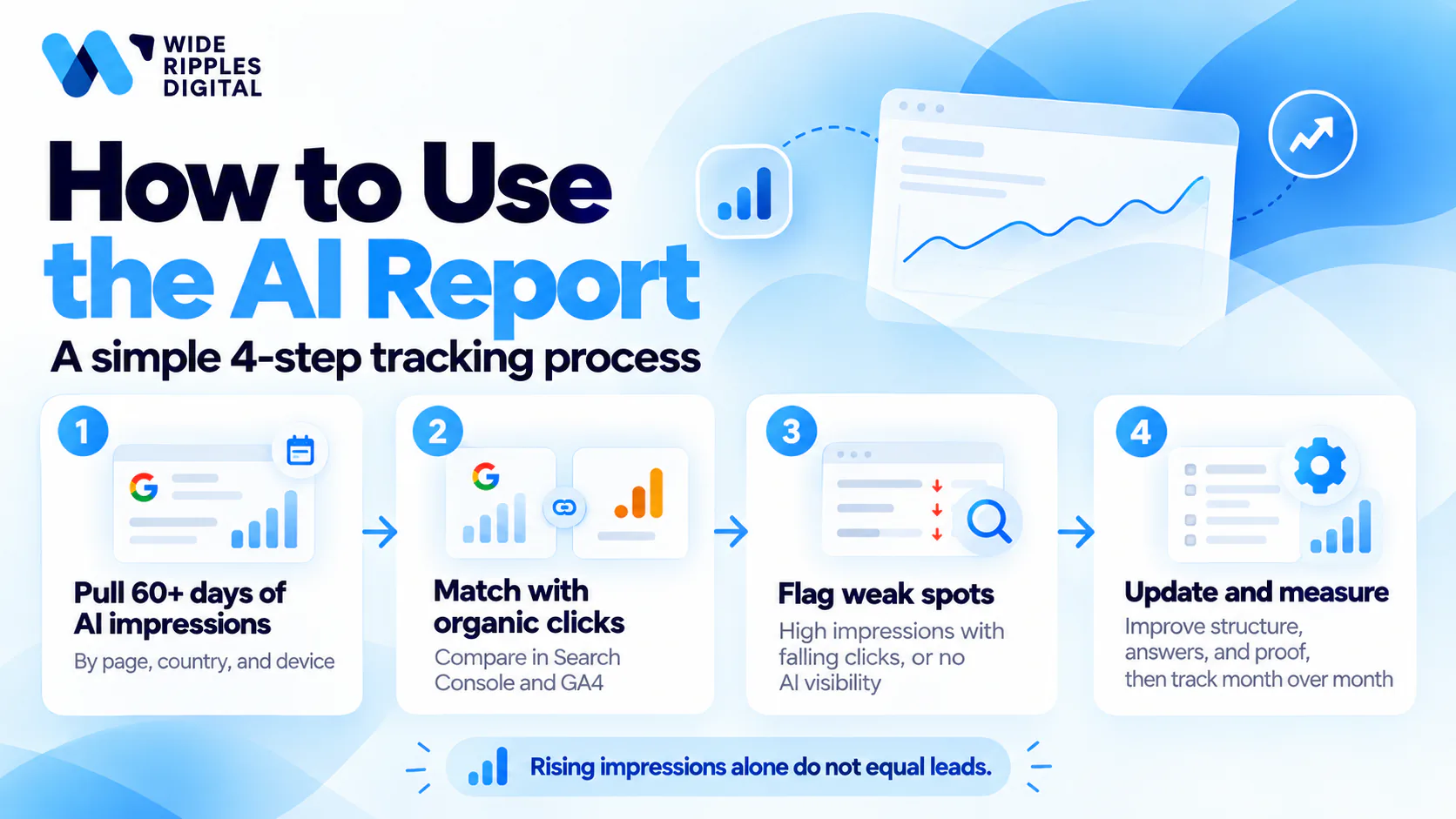
- We pull 60 days or more of AI impressions by page, country and device.
- We match those pages against organic clicks in Search Console and landing page sessions in GA4.
- We flag pages with high AI impressions but falling clicks, and pages with no AI visibility on core topics.
- We update content structure, answers and proof on the flagged pages, then measure the change month over month.
If you want this read alongside your rankings and leads, our generative engine optimization team can set it up for your site.
How to measure AI Overviews traffic beyond the Search Console AI report
Impressions show visibility. Traffic and leads show value, and the report stops short of both.
Why the report shows no clicks
The generative AI performance report has impressions only. You get no clicks, click-through rate or position for AI features.
Clicks from AI Overviews and AI Mode still happen. Google counts them inside your standard Performance report, mixed with other organic clicks. Google says more metrics are planned, but it has not given a date.
Track AI Mode traffic in GA4
GA4 does not label visits from AI Overviews or AI Mode. They arrive as ordinary Google organic traffic.
You can still build a useful proxy. Group the pages with the most AI impressions, then track their organic sessions, engagement and conversions in GA4 over time. If you are new to those reports, GA4 for beginners explains what to track and how to read it.
Watch branded search too. A rise in searches for your business name after strong AI visibility points to people who saw you in an AI answer and came back later.
Track AI visibility outside Google
The Search Console AI report covers Google only. ChatGPT, Perplexity and Gemini cite websites as well, and none of that shows up here.
Third-party tools fill the gap by checking prompts across AI platforms. Our guide to the top AI visibility tools compares how each one tracks brand mentions and citations.
Build a monthly AI search report
One monthly view stops AI data from sitting in three separate tools. A simple report covers five numbers:
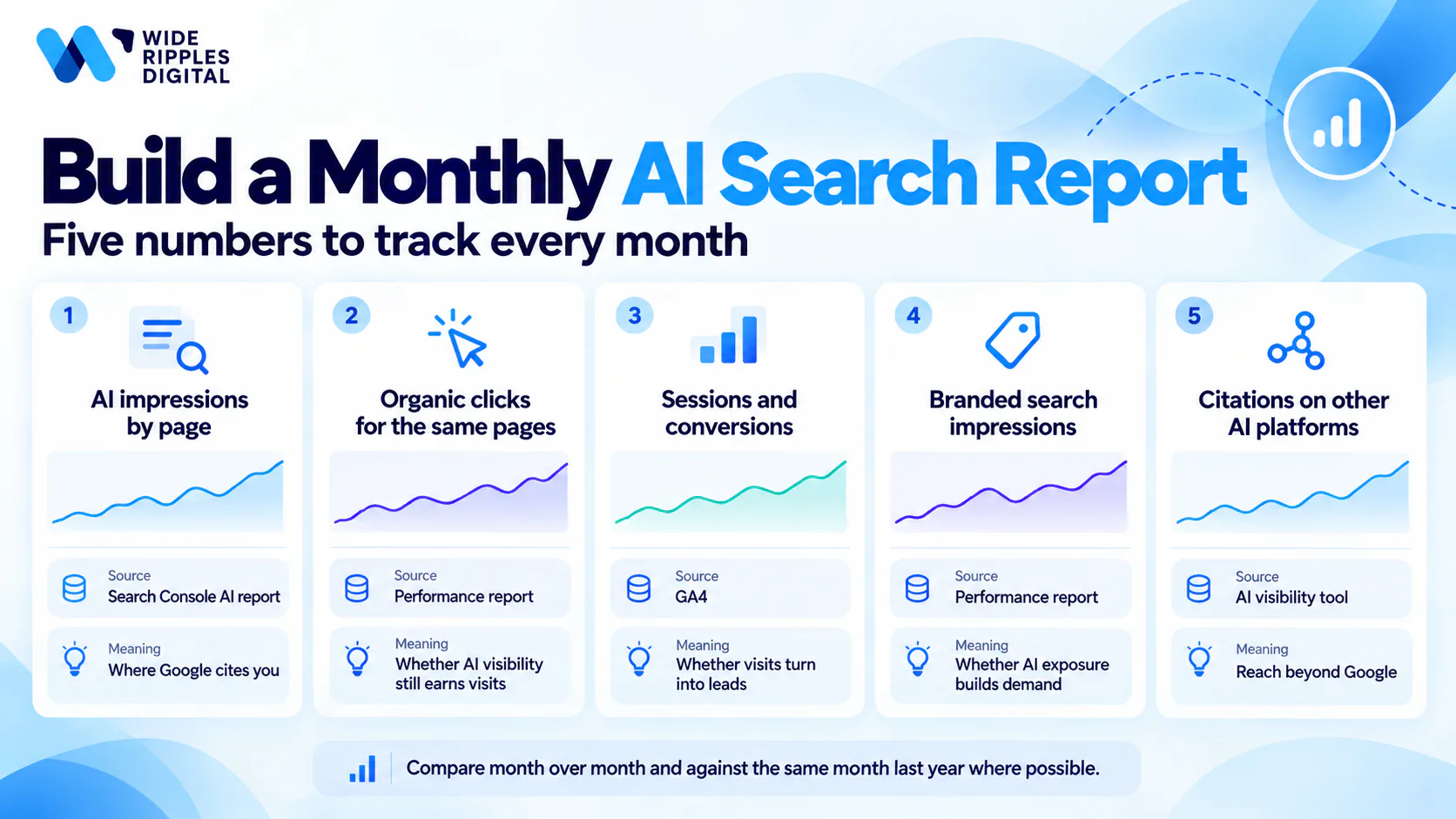
| Metric | Where it comes from | What it shows |
|---|---|---|
| AI impressions by page | Search Console AI report | Where Google cites you |
| Organic clicks for the same pages | Search Console Performance report | Whether AI visibility still earns visits |
| Sessions and conversions | GA4 | Whether those visits turn into leads |
| Branded search impressions | Search Console Performance report | Whether AI exposure builds brand demand |
| Citations on other AI platforms | AI visibility tool | Reach beyond Google |
Compare each month with the one before, and with the same month last year where you have the data. Seasonal swings can look like AI gains or losses.
Should you opt out of Google AI features?
Google has also introduced a Search Console setting that removes a site from its generative AI features. The AI report gives you the data to decide whether to use it.
What the opt-out control does
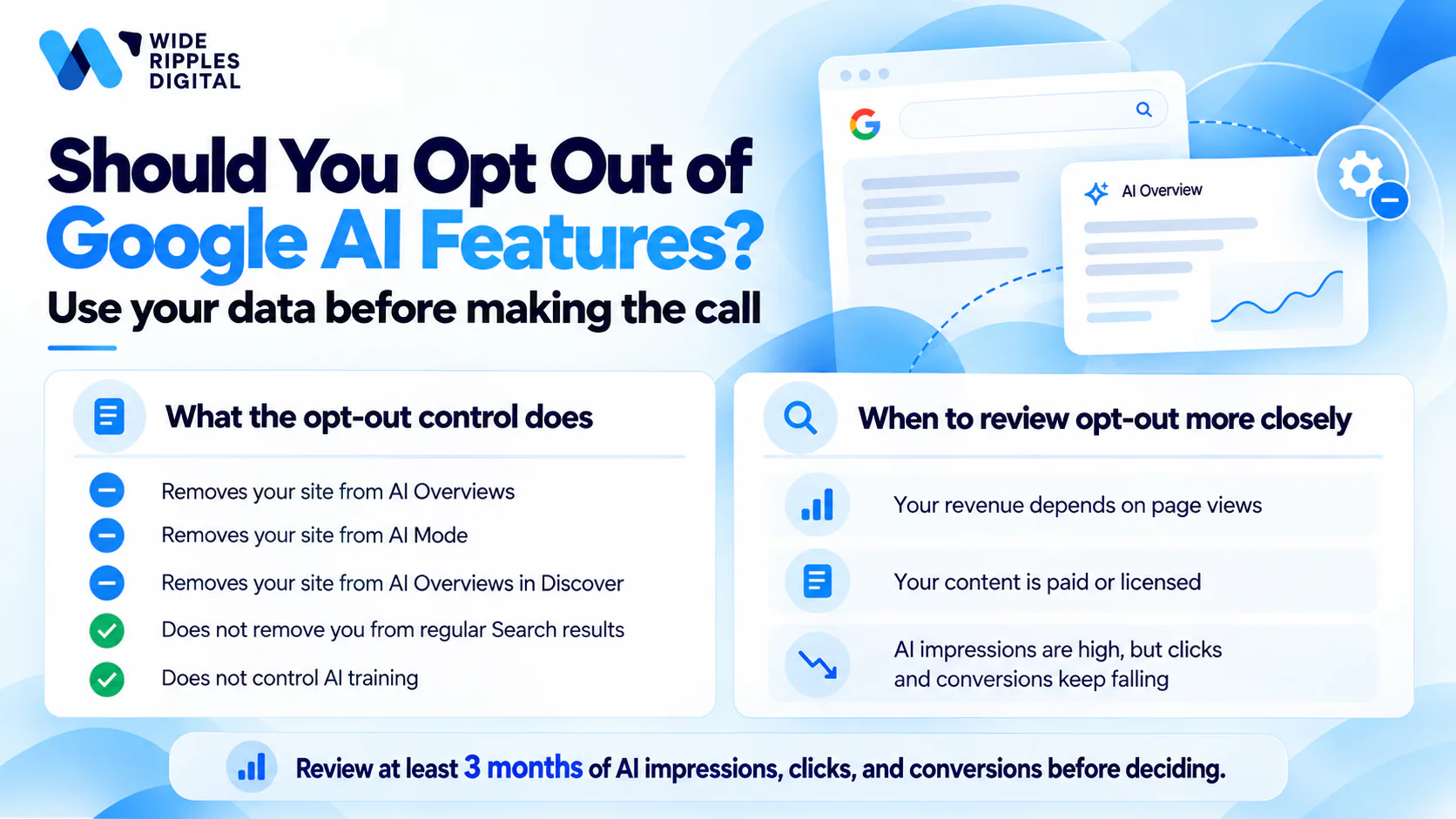
The toggle removes your site from AI Overviews, AI Mode and AI Overviews in Discover. Your site gets no impressions or traffic from those features once you opt out.
Google says the setting is not a ranking signal for regular search results. Your pages stay in standard Search and the Discover feed. The setting does not cover the Gemini app, and it does not control AI training, which Google-Extended handles.
Google tested the control with a small group of site owners first, then rolled it out alongside the AI reports. You find it under Settings for each Search Console property.
When opting out makes sense
For most businesses, opting out costs more than it saves. AI answers put your brand in front of buyers early, and a competitor takes your place if you leave.
Opting out is worth a closer look in a few cases:
- Your revenue depends on page views, and AI answers fully replace the visit
- Your content is paid or licensed, and summaries undercut its value
- Your AI impressions are high, but clicks and conversions on those pages keep falling
Run the numbers before you switch anything off. Three months of AI impressions, organic clicks and conversions by page give you a clear view of what you would lose.
Turn AI visibility into leads
The Search Console AI report shows where Google already cites you. The work that follows is making those pages win the click and the enquiry.
Want to know what your AI report says about your site? Wide Ripples tracks AI search visibility for Canadian businesses and ties it to real leads. Call +1 416-668-6969 or book a free strategy call.
Search Console AI report FAQs
Does Search Console show AI Overviews data?
Yes. Since August 31, 2026, every eligible site can see AI Overviews and AI Mode impressions in the generative AI performance report. Sites with very few AI impressions, or sites excluded from AI features, see no data.
Does the Search Console AI report show clicks?
No. The report shows impressions only. Clicks from AI features are counted in your standard Performance report, mixed with other organic clicks.
How do I track AI Mode traffic?
Use the AI report to find the pages that appear in AI Mode and AI Overviews. Then track those pages' organic sessions and conversions in GA4, since GA4 does not label AI Mode visits separately.
Where is the Search Console generative AI report?
Open Performance in the Search Console sidebar. The generative AI report sits apart from the standard Search results report, with a separate version for Discover.
Should I opt out of Google AI features?
For most businesses, no. Opting out removes your site from AI Overviews, AI Mode and AI Overviews in Discover, and a competitor fills that space. Review three months of AI impressions, clicks and conversions before you decide.
Disclaimer: The information provided in this blog is for general informational purposes only. For professional assistance and advice, please contact experts.

Written by Umer Kureshi
Search and Performance Lead
Umer leads search and performance at Wide Ripples Digital and heads SEO and marketing at Bestax. His work covers technical SEO, content strategy, internal linking and local search, and he builds each plan around the gaps in a client’s niche rather than a copied playbook. On one campaign that approach took a site from 30 clicks a day to 12,953 in a single day.
Reviewed by Usman Shafique, Organic Growth Strategist
Last updated October 20, 2026 · Umer Kureshi on LinkedIn